


Export Output Template settings not carrying over to "List Of Exports"
I have set the Height Map export to be .exr 16f (also tried 32f) in an output Template while the other output maps are set to either 8 bit or 16 bit .png files. (see image) below:
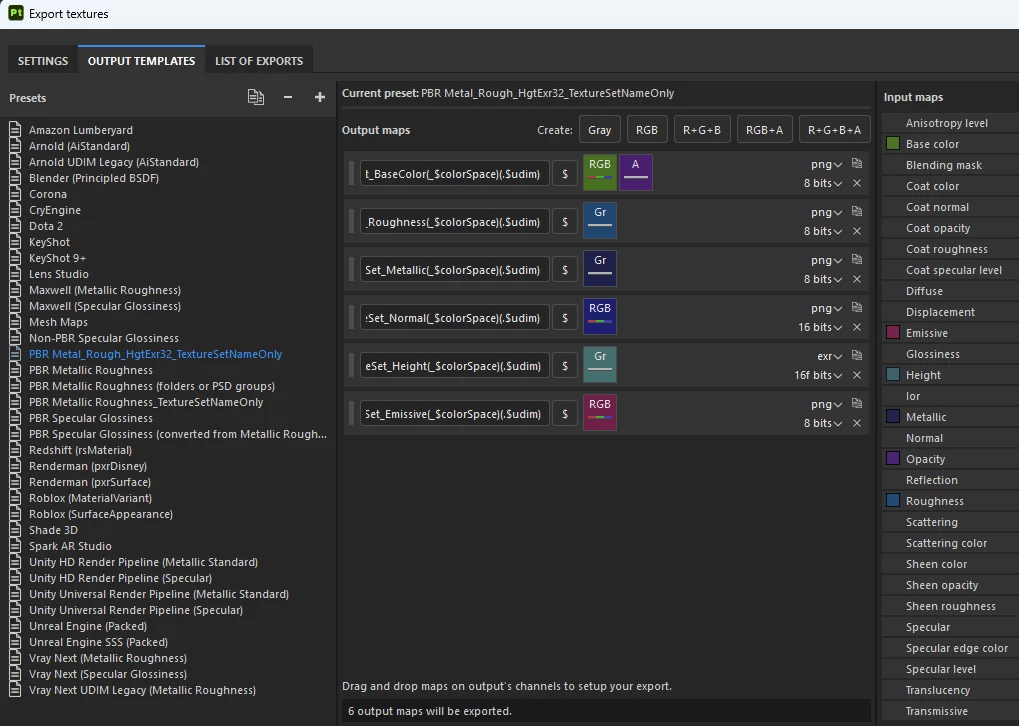
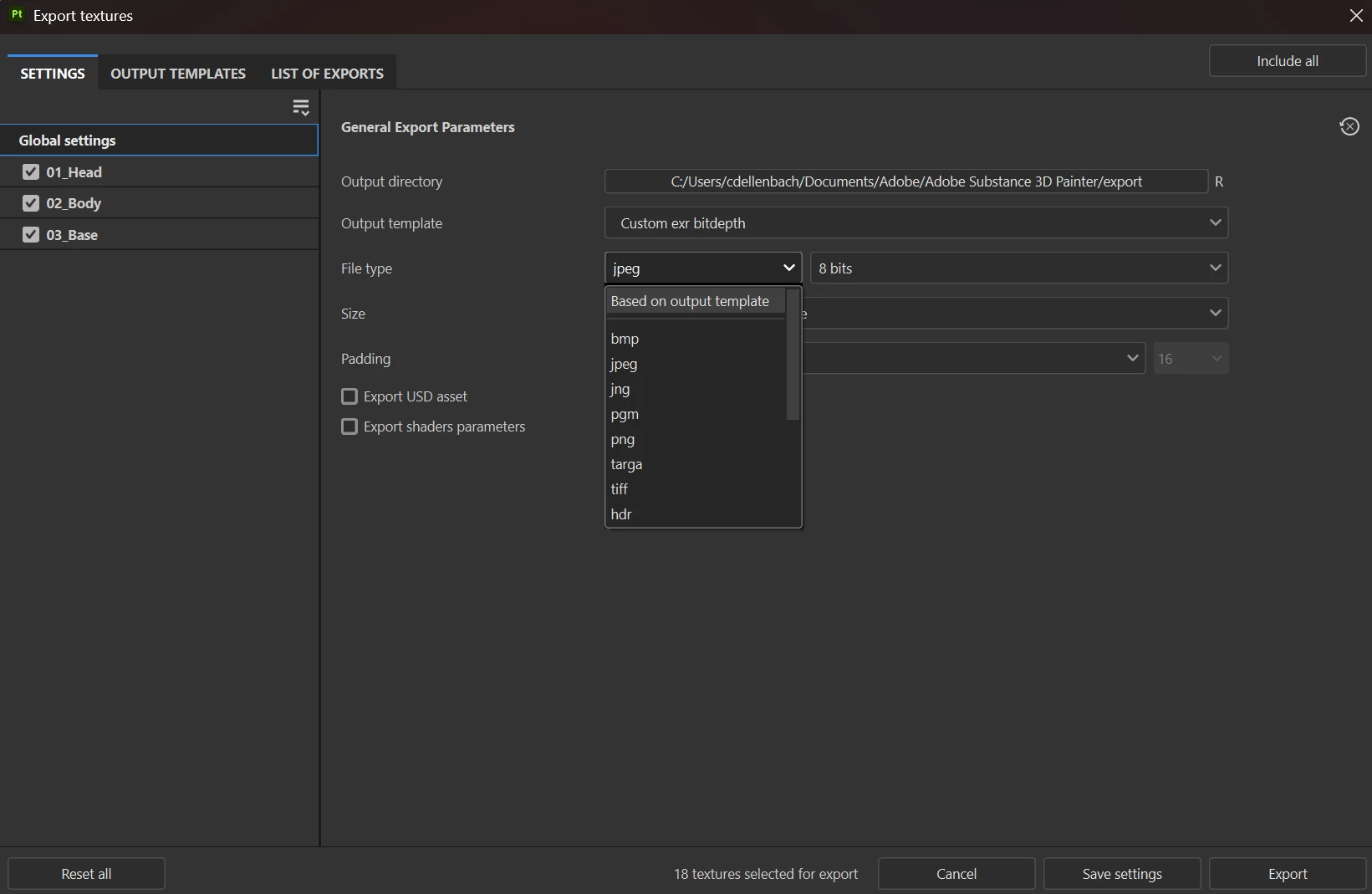
However when I select this output template for a mesh, the "List of Exports lists all of the outputs as 8 bit .png files. (I also checked the exported textures and they were all .png's) So, either I am doing something wrong or you are not allowed to mix output types for maps in SP? I also checked the exported textures and they were all .png's Any guidance would be appreciated. My objective here is to get the best quality output for the height map as I want to use it in 3ds max with Arnold renderer as a displacement map. I would like to keep color and roughness and the other maps as 8 bit as that works fine for them.

 AdChoices