filibis
Participant
February 19, 2025
Answered

Exporting Textures at 4K Looks Different Than 2K

  • February 19, 2025
  • 1 reply
  • 457 views

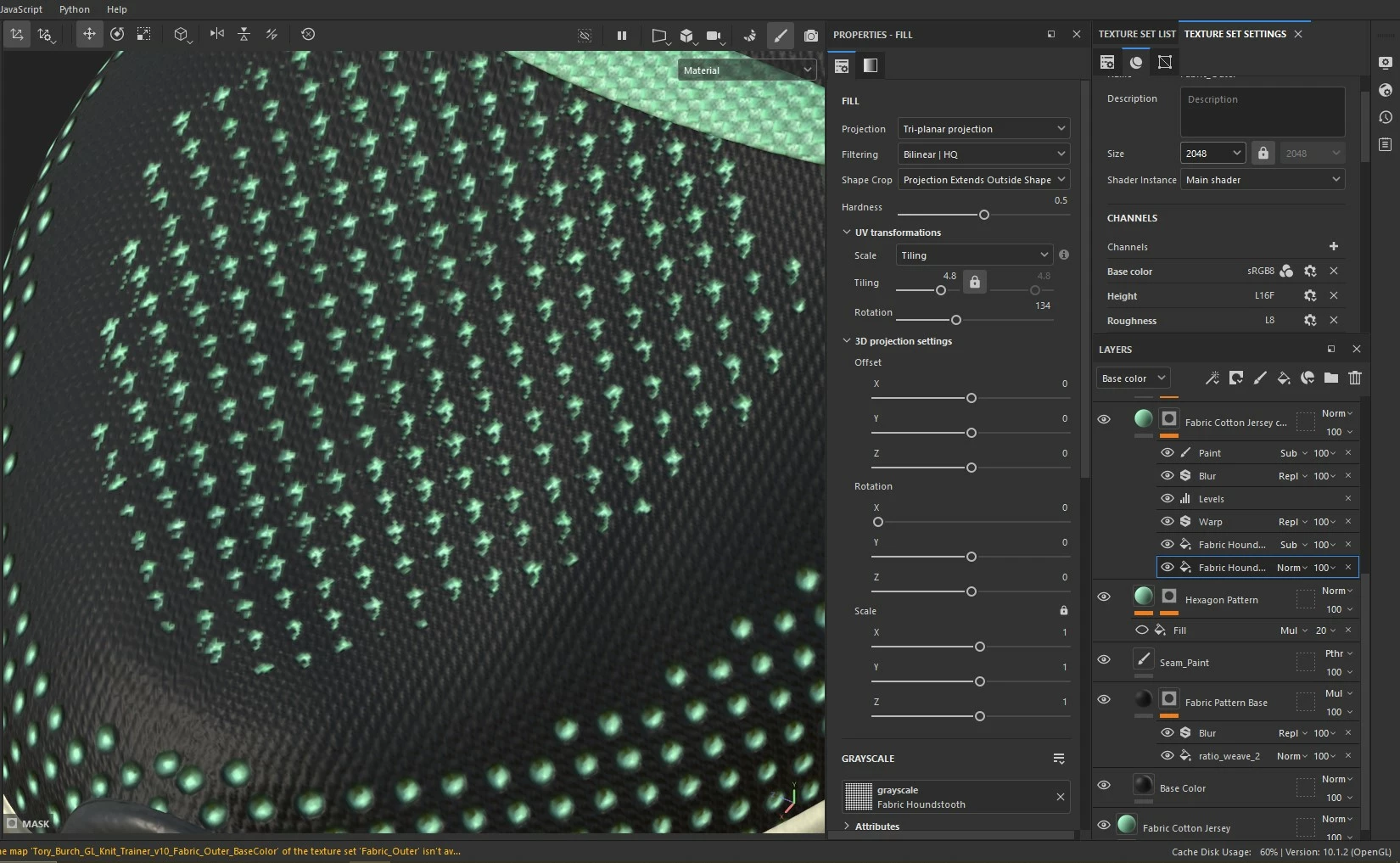
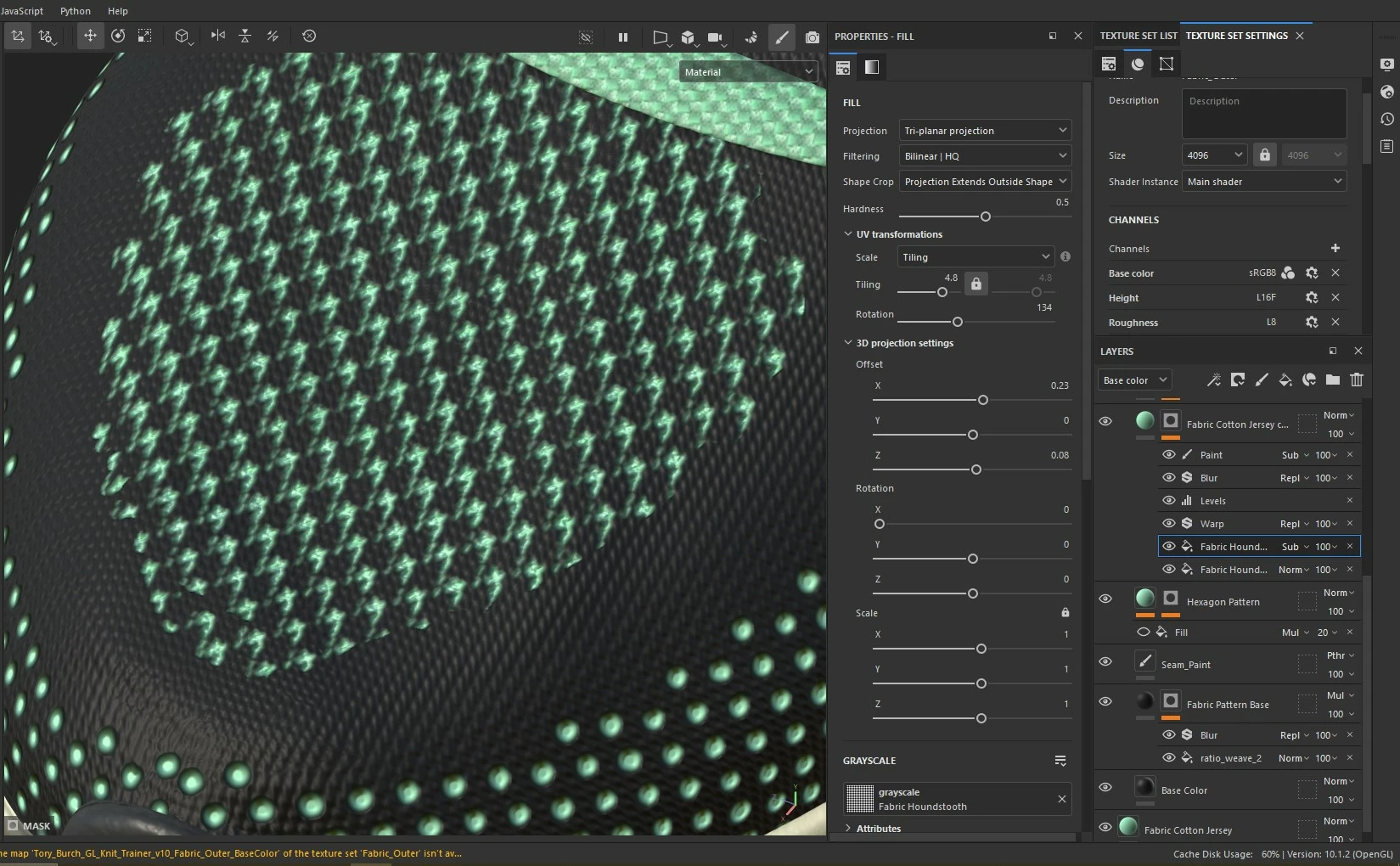
Hi, I painted at 2K resolution in Substance Painter and exported 4K textures but I noticed a material/texture does not look the same. What might be causing this?

I share screenshots below and attached a video showing my layers.

Correct answer Cyril Dellenbach

Hi @filibis,


Thank you for the question.


Considering most resources are procedural, you can face some slight differences in between resolutions, especially on the small parts of your work. You're facing one of those. The 4K one has more pixels to define the pattern which gives a more consistent result. The 2K one seems thinner only because it has not enough pixels to describe the pattern properly.


For this specific situation, I advise you to set up your filters with the same resolution as your export resolution and than switch back to a lower resolution (if you need it for optimization purposes).


Best regards,

 

1 reply

Cyril Dellenbach
Community Manager
Cyril DellenbachCommunity ManagerCorrect answer
Community Manager
February 20, 2025

Hi @filibis,


Thank you for the question.


Considering most resources are procedural, you can face some slight differences in between resolutions, especially on the small parts of your work. You're facing one of those. The 4K one has more pixels to define the pattern which gives a more consistent result. The 2K one seems thinner only because it has not enough pixels to describe the pattern properly.


For this specific situation, I advise you to set up your filters with the same resolution as your export resolution and than switch back to a lower resolution (if you need it for optimization purposes).


Best regards,

 

Cyril Dellenbach (Micro) | QA Support Artist | Adobe
filibis
filibisAuthor
Participant
February 20, 2025

Hi @Cyril Dellenbach , thank you for the reply.
Yes, I had done that for optimization purpose, but it's sad that doesn't work well with procedural textures. I assume painted parts are not affected with this issue, am I right?