


Participant
July 26, 2023
Question

Exporting textures for Arnold and Maya Opacity Maps not working

  • July 26, 2023
  • 2 replies
  • 2400 views

I’m hoping someone can help me.


Arnold for Maya export issues.

I have been trying to figure out how to export textures for a simple bottle with a label.

I am doing this purely for the purposes of understanding how to setup the texture exports, so the textures are not great.

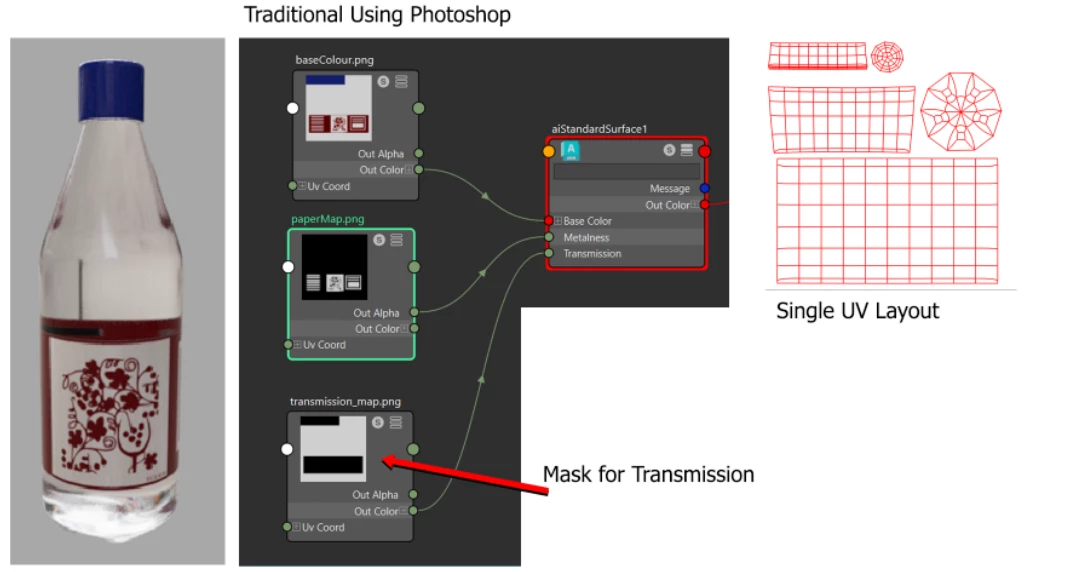
In Photoshop, I know how to get the results easily.

I’m including a render and the Shading network I used to create the render.

The images were created using Photoshop.

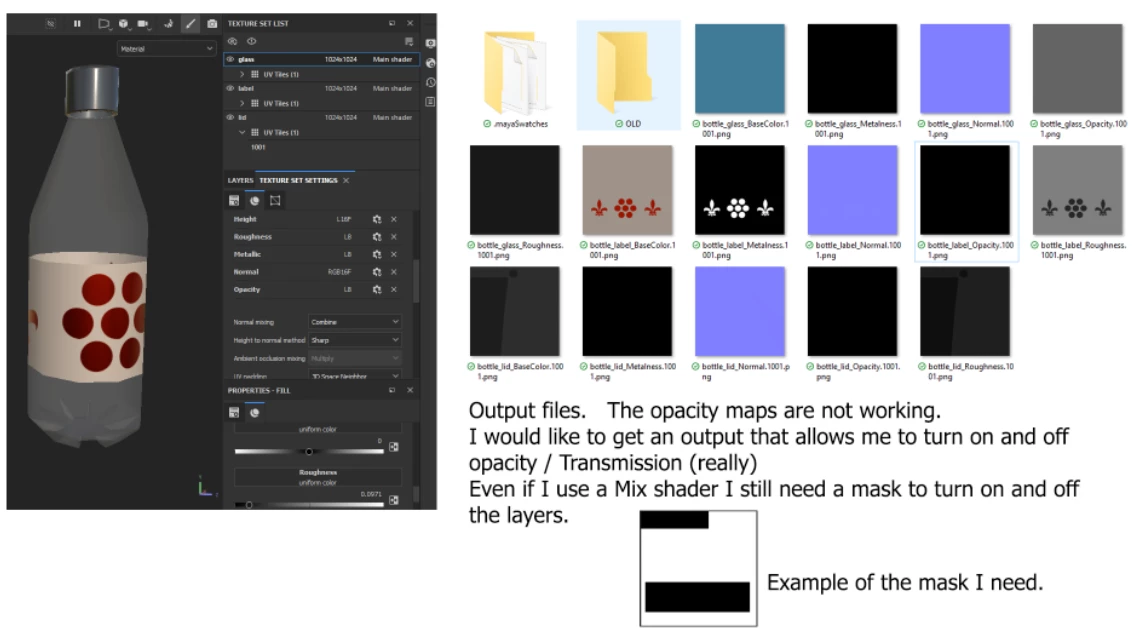
The other image shows output files that were generated using Substance painter. I have tried to modify the Output Template.

I created an Opacity output. One with Grey, one with RGB Alpha. But I can’t get results that I can use.

I’m including an image showing the textures and the image in Substance painter.

Here are the Specs:

Bottle with multiple texture sets:

• glass – Clear glass/plastic

• label – Metal and Paper

• lid - Plastic

Single UV layout – Not UDIM I want to have a single shading network.

I’m not sure what I’m missing, if it is with the texture sets or the settings on the layers.

This topic has been closed for replies.

2 replies

Inspiring
July 26, 2023

Participant
July 26, 2023

I'm trying to figure out if what I trying to do is even possible.
I have tried to make masks using the USER 0, but all this results in are solid maps.
Does Substance painter not take into account the UV information displayed in the 2D view?
Do I need to add something layer to get Substance Painter to assume that the areas not textured are transparent?
I set the USER for both RGB and Alpha.

When I view the USER0 in substance painter I see a black and white image, but each exported map is solid black or solid white.
I attach the alpha for any of them, the transmission is on or off on the whole bottle in Maya.


Inspiring
July 26, 2023

You need to change the Substance Painter Shader to alpha blend or something similar, I can´t remember exactly

Participant
July 26, 2023

Hello,
Thank you for responding.
Unfortunately, I did already have the Shader settings set to the pbr-metal-rough-with-alpha-blending.
Regretably that is not the issue.