
Get rid of mesh normals
Ok so some weird stuff has been going on
(scroll down for shorter version)
I made a model & UVd it in maya to send it to substance painter where I baked the high poly in.
Thing is that once the HP mesh is baked only the baked normals are displayed and used in the substance viewport (and iray render), onto which the regular texturing work is done. So what happens upon exporting is that (at least that's what I figured out):
Mesh normal information
+ HighPoly baked normal information
+ Added height/normal texture information
are "blended" together in the final normal texture you get at export time.
here is what i refer to as "baked normals" :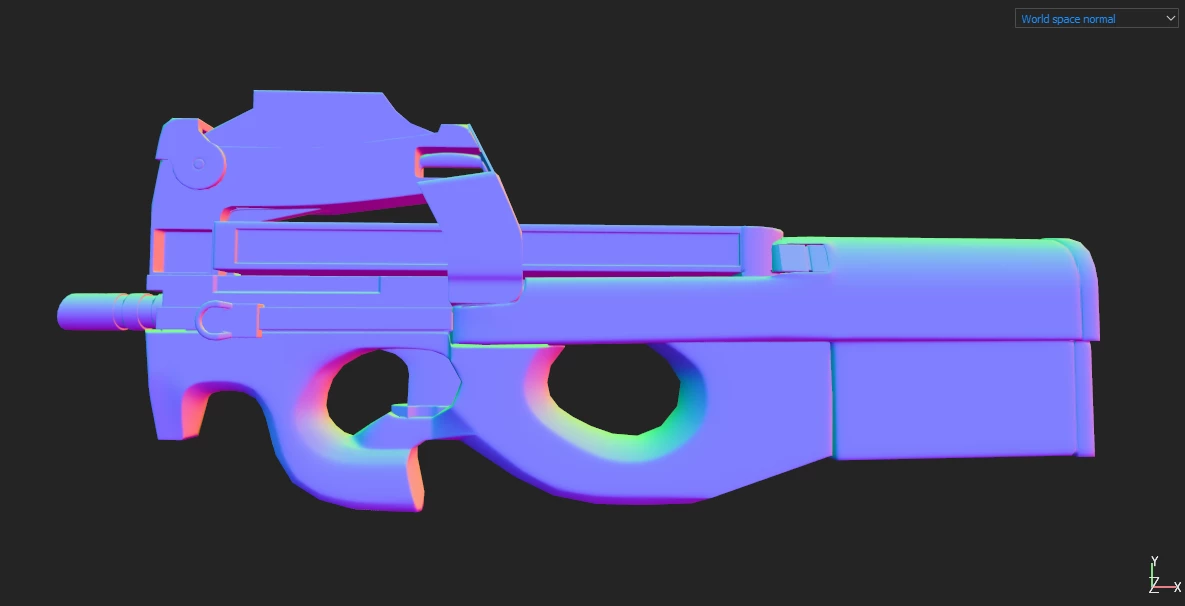 and here is what I get at when exporting :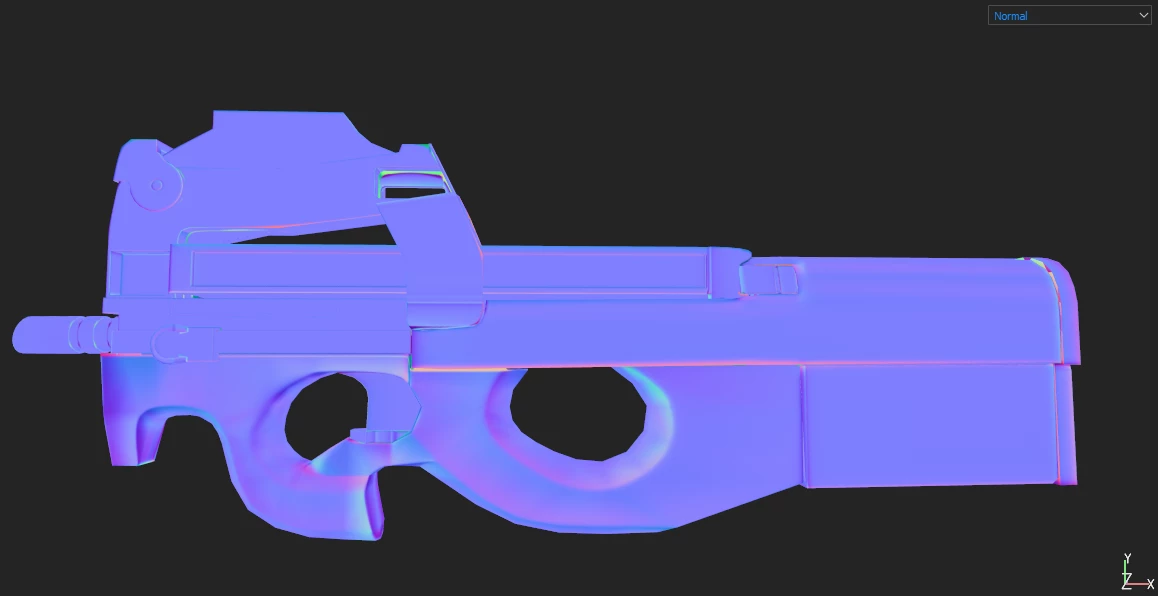
Here is my issue.
This is the Painter look: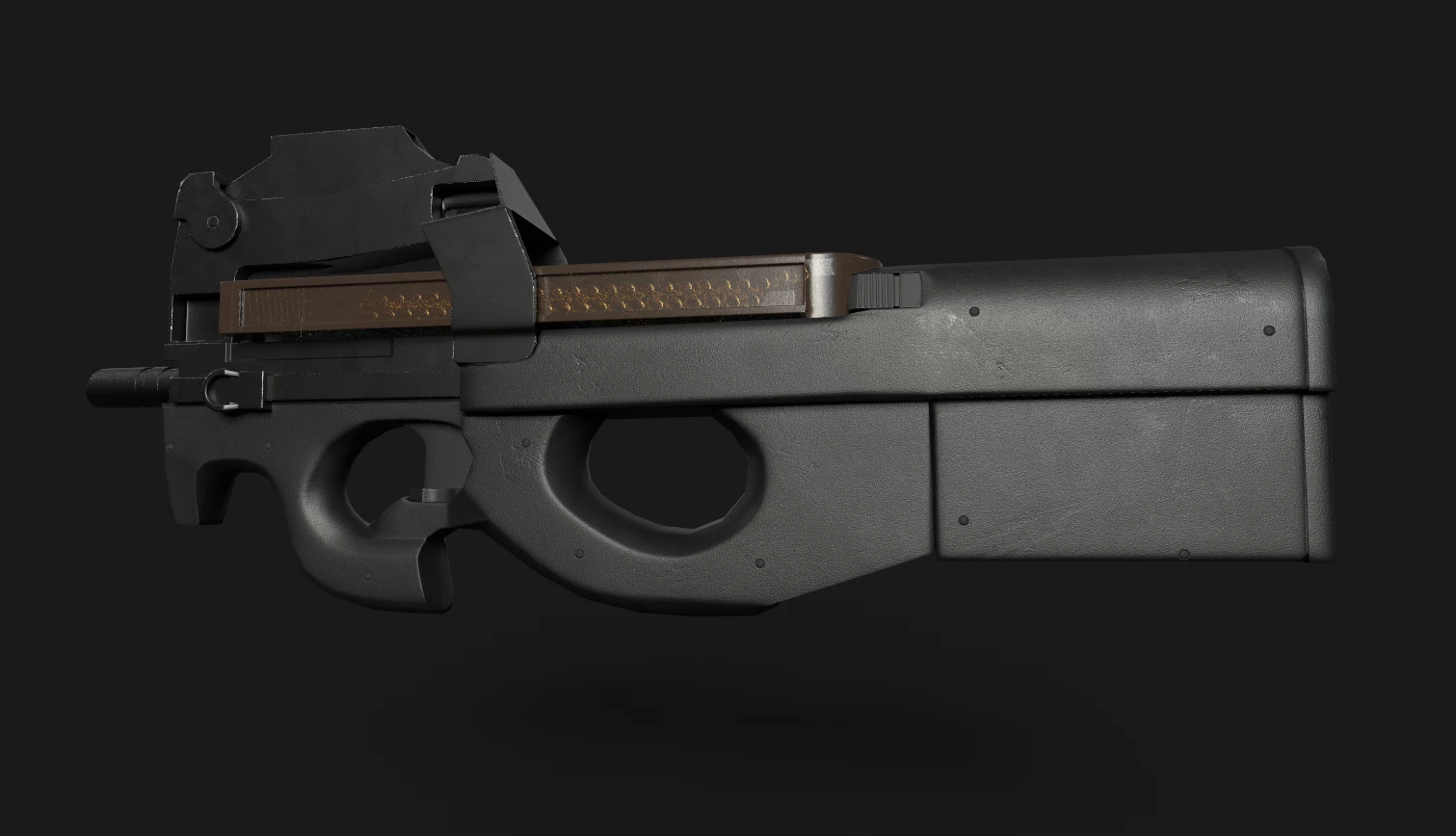
This is the Blender look: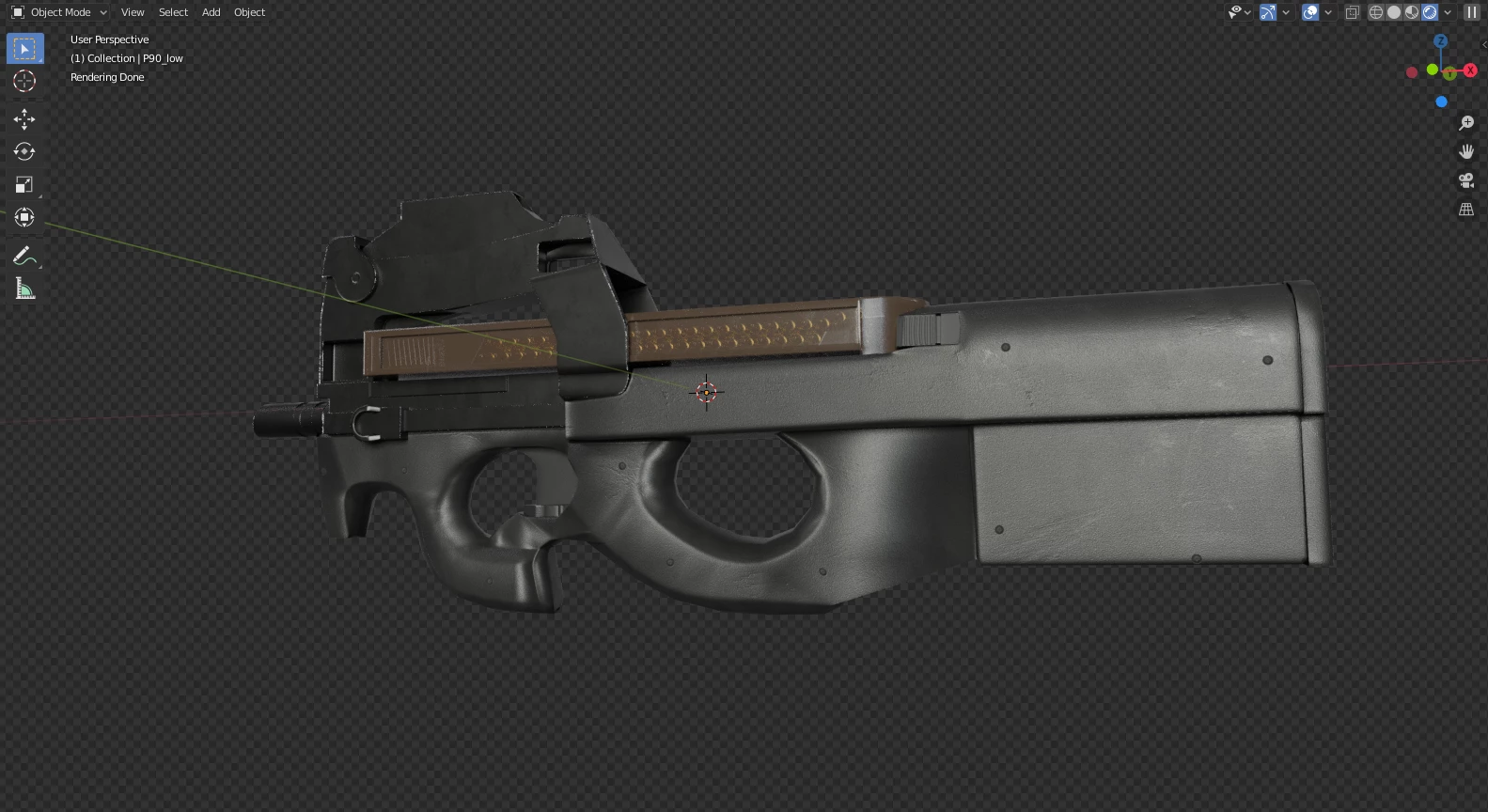
what is happening is that the smooth shaded normal info (done so that the bake occurs correctly) is taken into account in the exported normal texture where I only want the highpoly and substance texture normal, thus my desire to get rid of the lowpoly mesh's smooth ugly normals. The only way I found to override these mesh normals IN BLENDER was to bake my HP mesh directly in Blender which did solve the funky "ghostly" problem but makes it impossible to use the substance texture details normal because the normal "slot" is taken by the bake result (unless you know any way to blend both, which is info I would gladly take).
THE SHORT WAY of putting it is, how can you export a texture map (OpenGL) which is a mix of ONLY baked normals and height.
OR
Is there a way to individually export these maps and blend them yourself?
I'm so sorry for the long monologue but I'm desperate to find a way to get more control over the normal map export because my model is unusable outside of substance painter for now and I've been stuck on this problem for like 3 days now.


 AdChoices