


Participant
October 24, 2023
Question

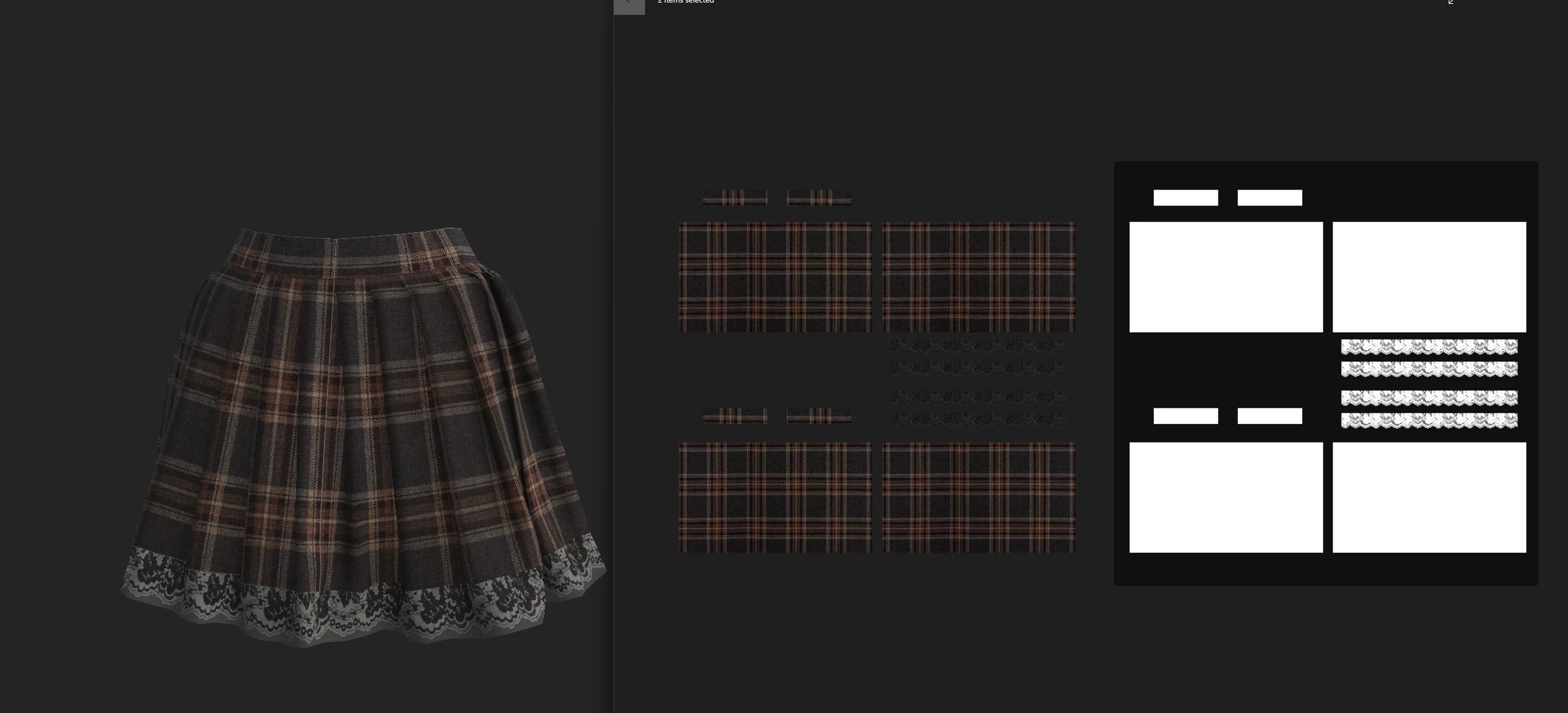
Grey texture showing when using opacity map

  • October 24, 2023
  • 1 reply
  • 1077 views

After watching numurois video tutorials, i still seem to be getting the same outcome. When adding the opacity map, i seem to get this weird grey showing up where it should be fully translucent. 
Textures were done in Marvelous Designer and imported over.
This topic has been closed for replies.

1 reply

Cyril Dellenbach
Community Manager
Community Manager
October 24, 2023

Hi Chris,


Are you using a shader compatible with an Opacity map? Could you detail your workflow?


Let me know.


Cyril Dellenbach (Micro) | QA Support Artist | Adobe
CStenwayAuthor
Participant
October 24, 2023

I'm using pbr-metal-rough-with-alpha-blending
opacity map is placed on a fill layer with base colour texture applied, and opacity map in opacity.

Not sure if the image attached is any help with how i set things up.
Thanks.

Cyril Dellenbach
Community Manager
Community Manager
October 25, 2023

The image attached helped indeed. Would you mind sending me the .SPP file? This way, I'd be able to take a closer look at the issue. If not, you can send it to cdellenbach@adobe.com


Best regards,


Cyril Dellenbach (Micro) | QA Support Artist | Adobe