


jaimimcentire
Participant
June 27, 2024
Question

Height and Warp Projection box

  • June 27, 2024
  • 1 reply
  • 152 views

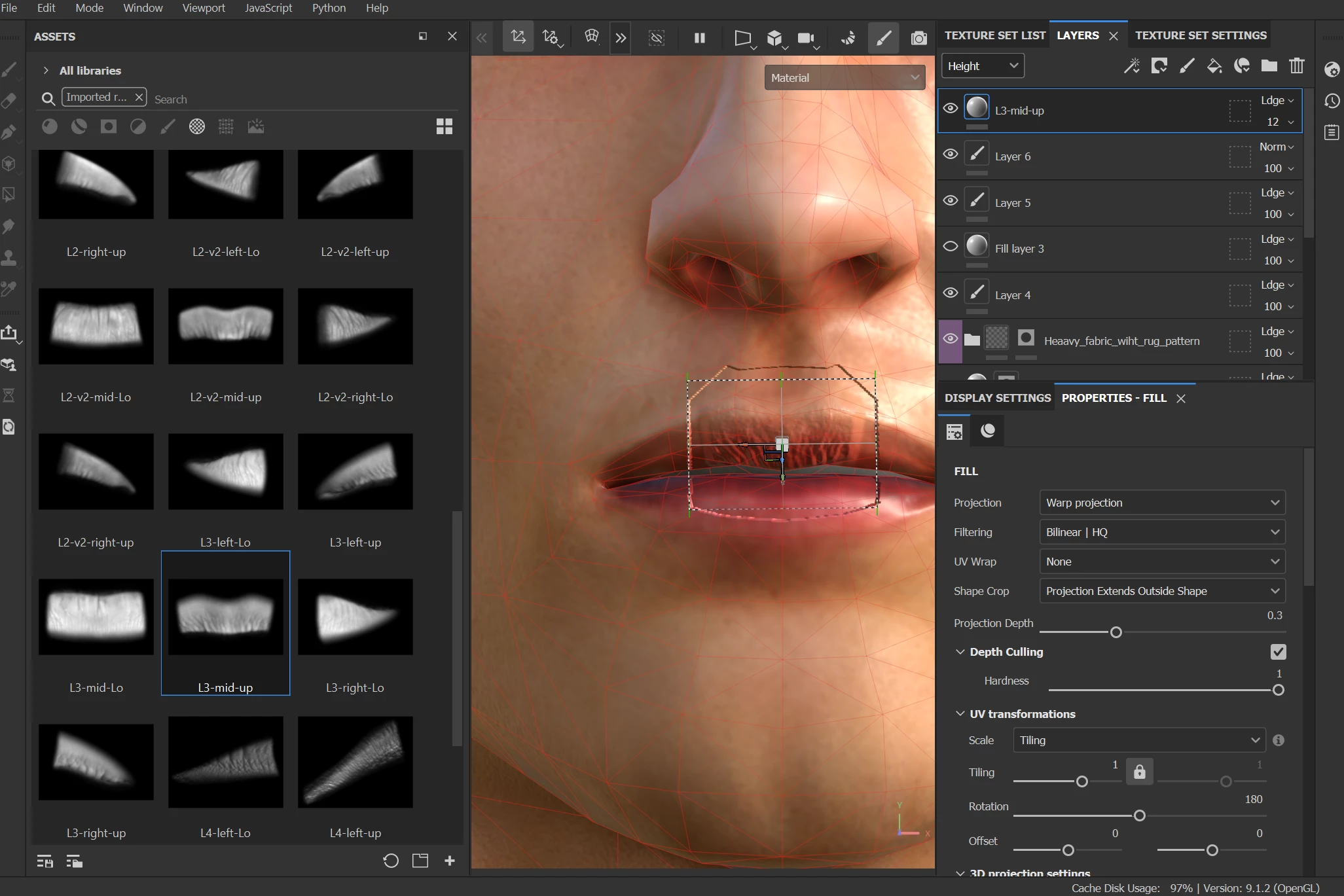
When dropping in an alpha into the height, using Warp Projection, I always get this indented square around the projected texture. I've tried changint the hardness (doesn't work), I've got the layer modifying the height map with "Linear dodge", which should be an "add", and as you can see in the pic below, the background of the alpha texture is black, and shouldn't be adding/subtracting anything. 
What am I missing? How can I get rid of the square indent?
This topic has been closed for replies.

1 reply

davescm
Community Expert
Community Expert
June 27, 2024

That looks very much like there is no height information from the layer(s) below to blend with. Can you check that there is indeed height information in those other layers (if they are empty then the effect you are seeing is expected) and if not paint in using 0.5 grey (mid value) or black (lowest value). With either of those Linear Dodge show work as expected.


Dave