Participating Frequently
August 17, 2023
Answered

How do i get rid of this? painter to unreal

  • August 17, 2023
  • 2 replies
  • 348 views

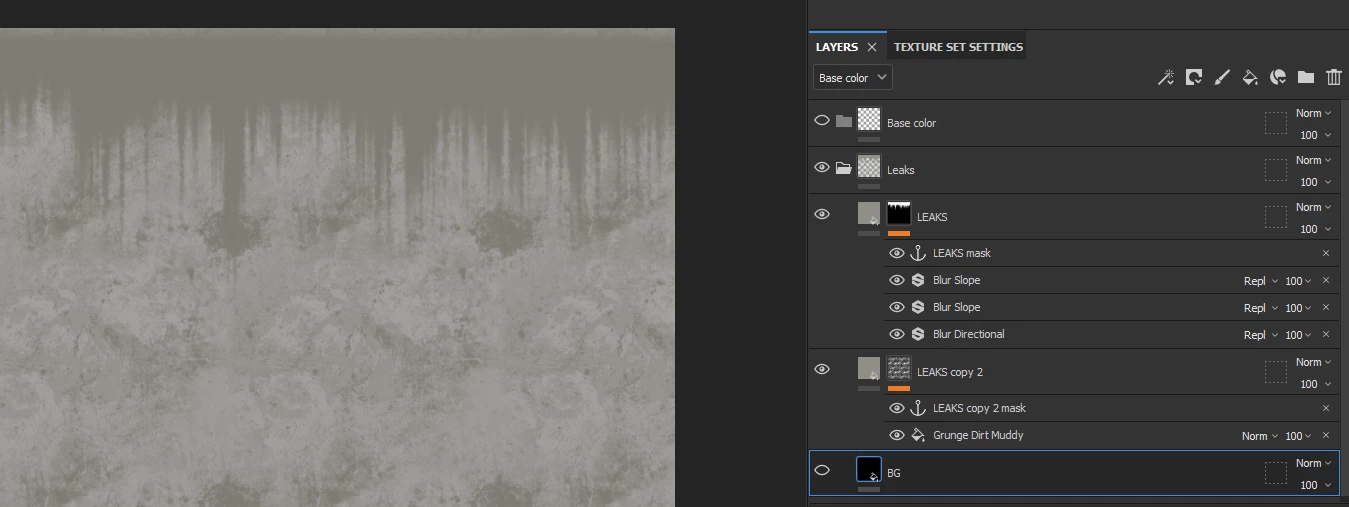
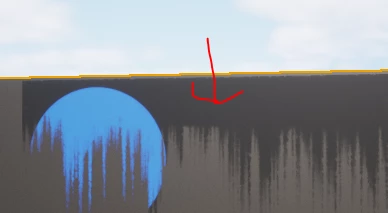
Hi, so been at this for a few hours and very lost. Basically,  I have made some leaks in Painter, I am trying to use them in Unreal and they work great. Until I try and use a mask over it and it shows the image in the background. I am quite new to this all, so any fed back would be a huge help. The image where the red arrow should be invisible. I have tried countless versions of exporting / only exporting opacity, ect. Just stuck.


Thanks for any help
 

This topic has been closed for replies.
Correct answer Cyril Dellenbach

Hi @hectorthedog,


This looks like an issue with your Unreal parameters.


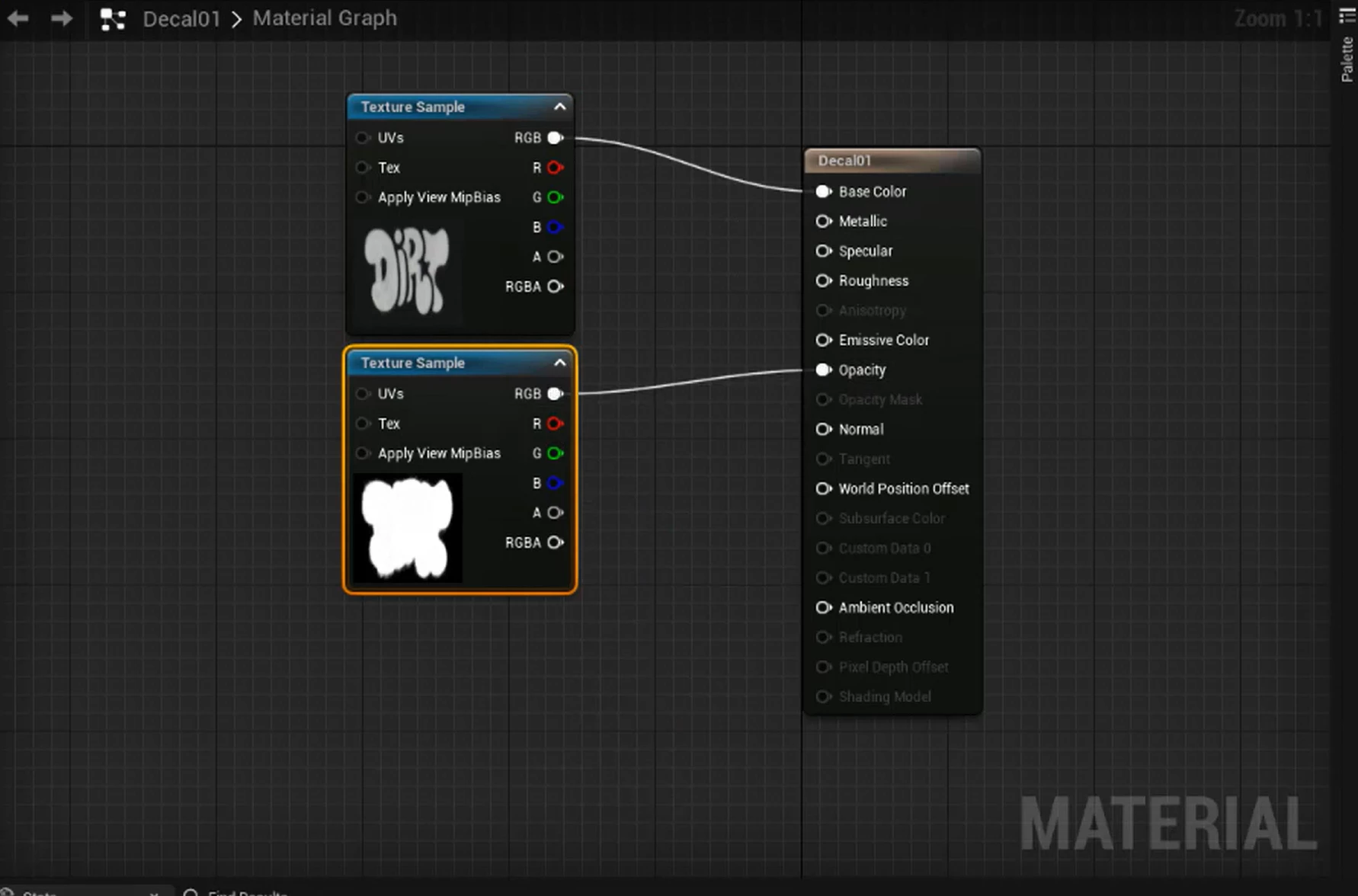
As I told you, the thing a Decal needs, is an alpha to set where it should pop up and where it should disappear. Therefore, you need at least two maps: a Base Color and an Opacity.


The image you shared isn't very clear, but I guess it's possible the Opacity map is inverted. If not, here's a good tutorial to check your Decal parameters in Unreal Engine.


Best regards,


2 replies

Participating Frequently
August 17, 2023

Hi thanks, yeah I had everything set up in unreal correct with a base color and a opacity. 


I think the problem I was I having is that I was exporting out in painter and trying to reimport it from within unreal which was causing an issue, because it wasn't updating. I got all working. Understanding masks is pretty tricky in substance painter. I guess it will come in time.


Thanks for the help!

Cyril Dellenbach
Community Manager
Cyril DellenbachCommunity ManagerCorrect answer
Community Manager
August 17, 2023

Hi @hectorthedog,


This looks like an issue with your Unreal parameters.


As I told you, the thing a Decal needs, is an alpha to set where it should pop up and where it should disappear. Therefore, you need at least two maps: a Base Color and an Opacity.


The image you shared isn't very clear, but I guess it's possible the Opacity map is inverted. If not, here's a good tutorial to check your Decal parameters in Unreal Engine.


Best regards,


Cyril Dellenbach (Micro) | QA Support Artist | Adobe