


How do I use smart materials in combination with a models original texture maps?
As title states.
How do I use smart materials in combination with a models original texture maps?
Example:
Image01 is a current model of a tank with its default texture map applied.
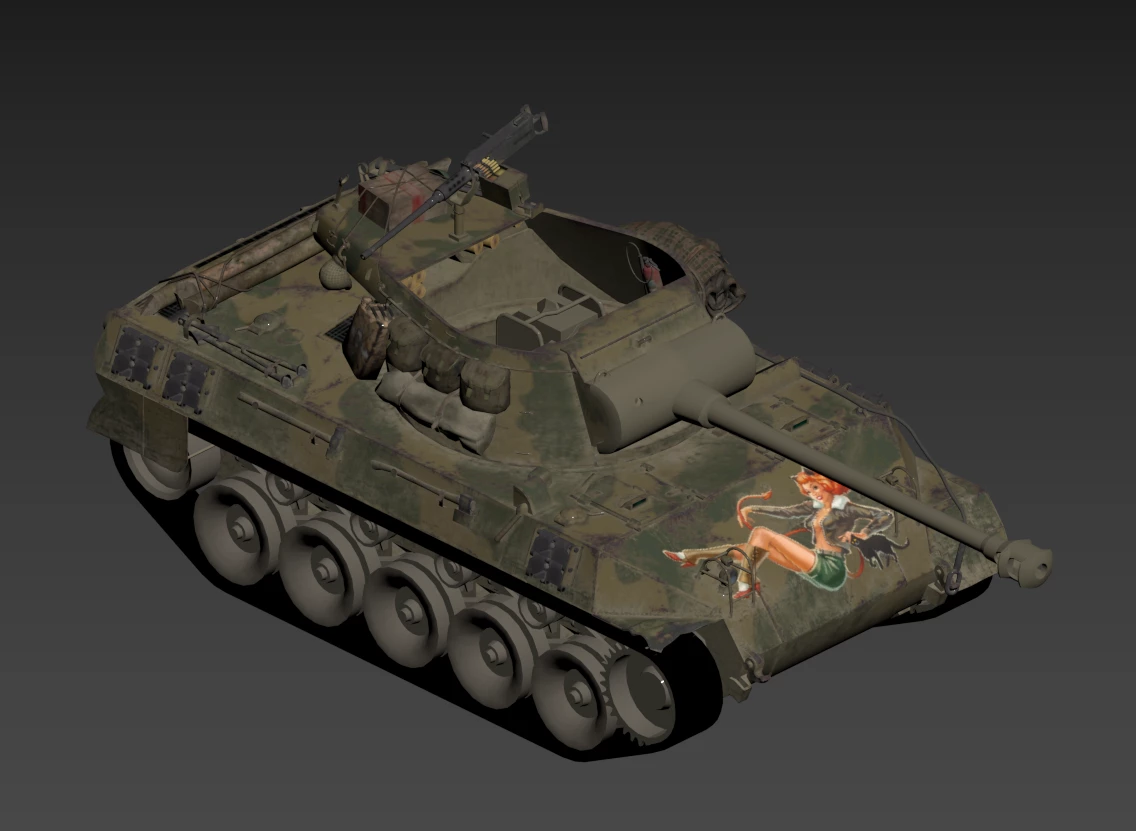
I want to paint only portions of it using the materials / smart materials.
Image02: Same tank with a smart material applied, except it covers all parts of the tank model.
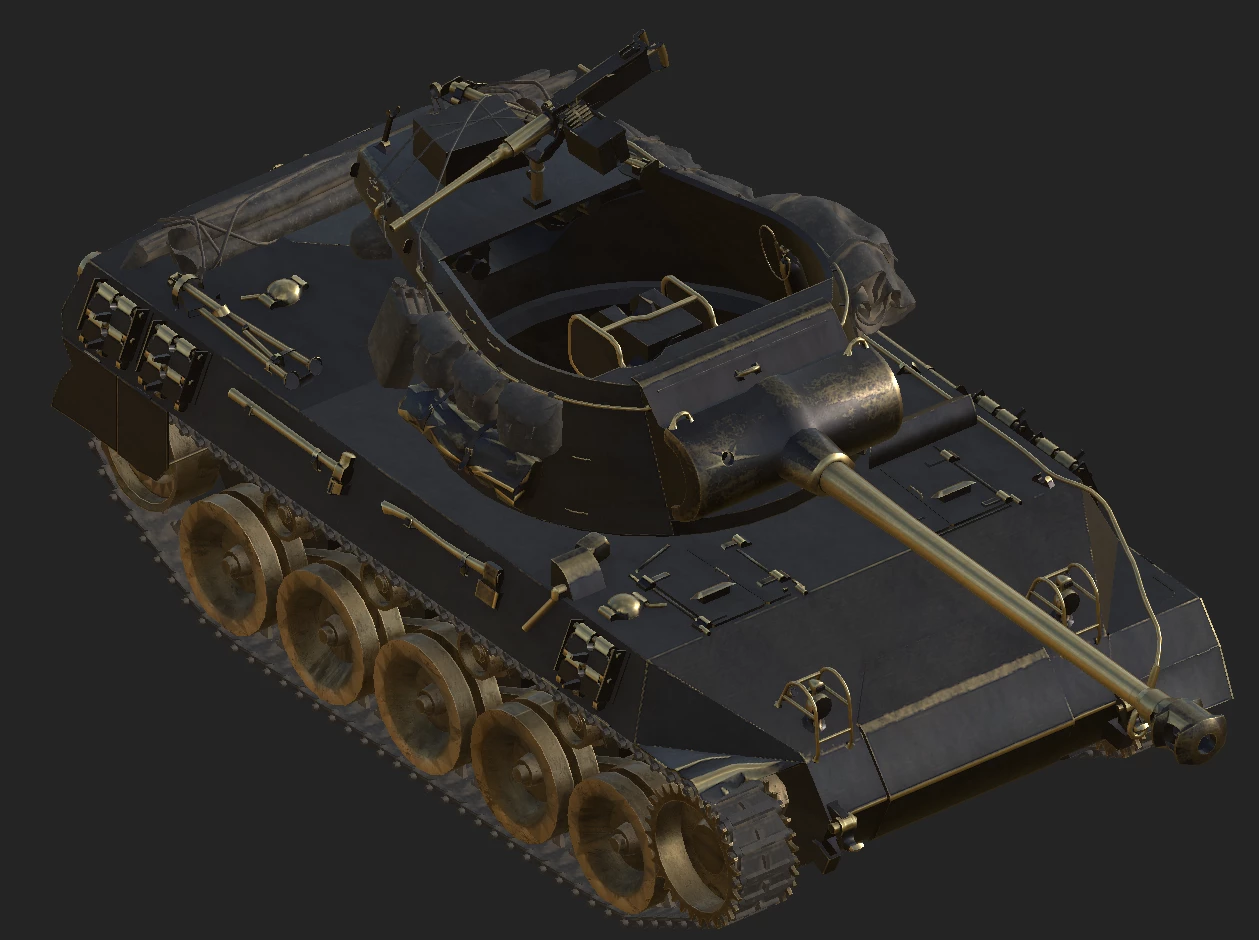
I only want to paint the main tank panels and keep the original material textures on the parts like the gun on top of the turret, all the bits held on the side of the tank body (hull), bags, and equipment on the turret, etc..
I know how to set material ID's, Vertex colors, and create different layers for all the tank parts in 3DS max.
I'm just not sure how to apply the process to the tank model after I have:
created new project > selected the tank FBX >
At this next part is where I'm not sure what to do next.
Baking the model:
what setting should I use for the baking process under the material ID section?
Vertex color, material ID, Random, Etc?
Or do I do assign vertex colors to only the parts, bake, then paint in SP, and somehow apply the original material map to the model, then paint over it using the masks?
Do I assign paint layer, fill, etc?
This is stage which I'm not sure how to make what I'm asking about work and would like some assistance with it.
Any help on this process would be greatly appreciated.

 AdChoices