


Participant
July 4, 2024
Question

How to fix UV's

  • July 4, 2024
  • 1 reply
  • 602 views

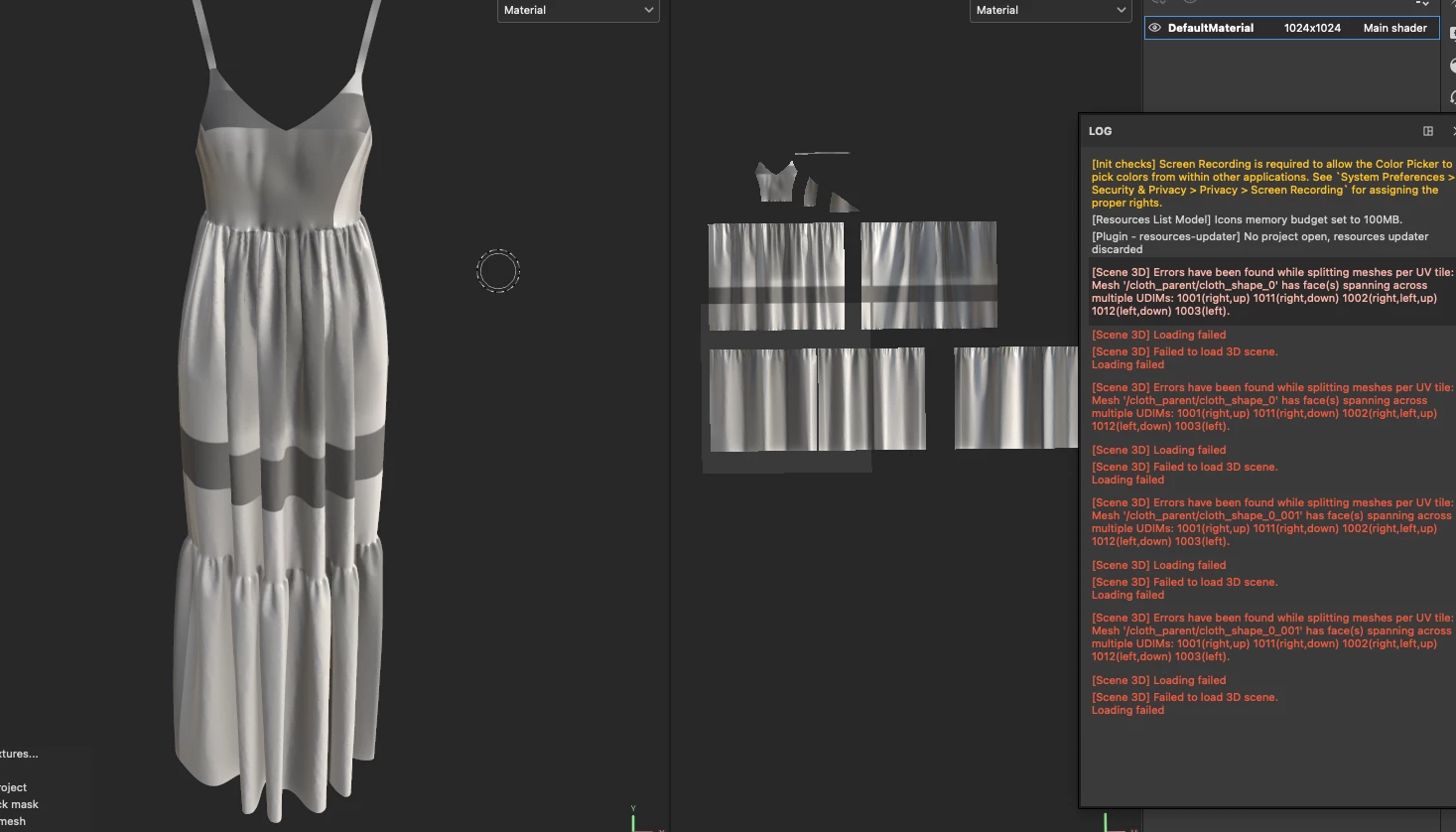
I have a Alembic file i exported from Clo3d with animation and when trying to bake it in Substance Painter 3D, the uv's seem to be messed up, any idea how to fix this?


With the same file, i tried to import and use the option "Use UV tile workflow" and it always gives me the same errors saying i have overlapping faces.
This topic has been closed for replies.

1 reply

Cyril Dellenbach
Community Manager
Community Manager
July 4, 2024

Hi @João Carlos F38404379w7la 


Thank you for the message.


The issue here isn't about overlapping UVs, but UV islands that are in between two Tiles.


Make sure that all the UVs are inside their respective tile, and not spanning across multiple ones.


Regards,

Cyril Dellenbach (Micro) | QA Support Artist | Adobe
Participant
July 4, 2024

I uv unwrapped and smart unwrapped before trying to import and still, when i import, the unwraps that appears is that one on the image and not the one i had before. How can i properly place the uv's inside the tile?