


sw2349600
Inspiring
May 24, 2023
Answered

How to generate a simple normal map from a texture?

  • May 24, 2023
  • 2 replies
  • 12304 views

Hi, 


I'm looking for a simple guide on how to make and apply a normal map to my simple model. I've watched a bunch of videos and read docs but it's not the same process for me. 


1. I have a wooden crate from blender that isnt textured but I exported the uv map/material.

2. In SP I filled the crate with a wood texture.

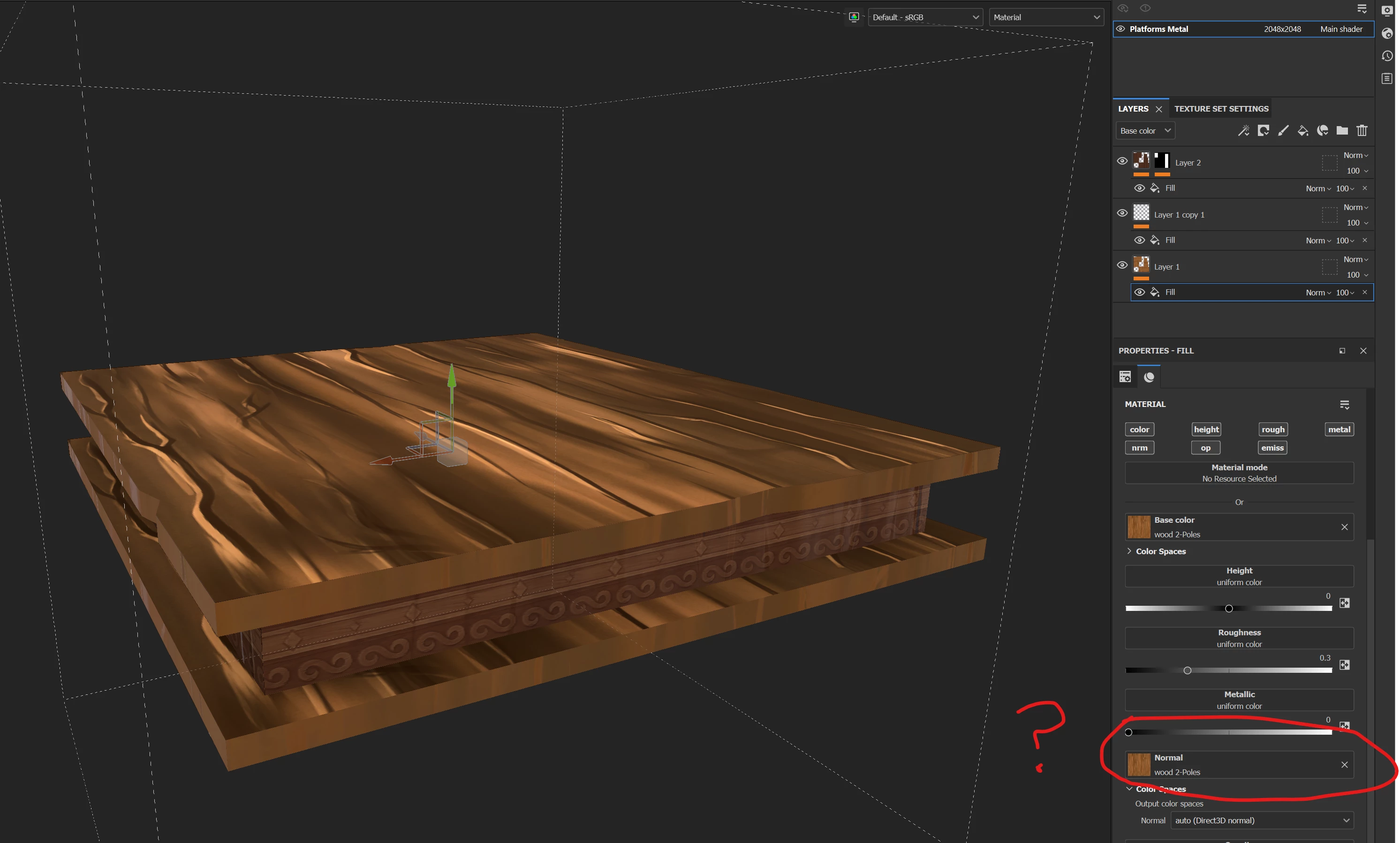
3. At this point, how do I generate a normal map from the colour texture to bring out the grains of wood? I added the same texture to the normal map fill channel but it looks odd. 


Do I need to bake the colour map first? If so, how do I then apply the normal map that gets baked?

Thank you!


Correct answer Cyril Dellenbach

Hi @sw2349600,


Thanks for the question.


Unfortunately, you can't simply drag and drop a Base Color map in the Normal map slot, this won't work at all. Usually, you have an already made Normal map, you create it yourself, or you bake it from a High Poly model.


With that being said, this isn't a very common workflow, but if you want to turn your Base Color into a Normal, Photoshop has a feature precisely for this purpose. Here is a link for a tutorial.


Best regards,


2 replies

sw2349600
sw2349600Author
Inspiring
May 24, 2023

Ok thanks.

Cyril Dellenbach
Community Manager
Cyril DellenbachCommunity ManagerCorrect answer
Community Manager
May 24, 2023

Hi @sw2349600,


Thanks for the question.


Unfortunately, you can't simply drag and drop a Base Color map in the Normal map slot, this won't work at all. Usually, you have an already made Normal map, you create it yourself, or you bake it from a High Poly model.


With that being said, this isn't a very common workflow, but if you want to turn your Base Color into a Normal, Photoshop has a feature precisely for this purpose. Here is a link for a tutorial.


Best regards,


Cyril Dellenbach (Micro) | QA Support Artist | Adobe
davescm
Community Expert
Community Expert
May 25, 2023

Be aware that 3D in Photoshop is deprecated and due to be removed. That includes Normal map and Bump Map functions.


https://helpx.adobe.com/uk/photoshop/kb/3d-faq.html


If you are using a library material that includes height or normal, then when exporting you can use a converted normal map which will include the height information.


If you only have the basecolor map (or even a photograph of a similar material) rather than a full material, then you could use the functions in Substance Sampler to create a 3D material which would include a normal map from that single image. Then use that resulting material in Painter.


Dave
