
Participant
March 26, 2026
Question

How to restrict brush strokes to specific polygons (like Blender's Face Selection Masking)?

  • March 26, 2026
  • 2 replies
  • 34 views

Hello,

I am looking for a feature in Substance 3D Painter that functions exactly like Blender's "Paint Mask (Face Selection Masking)".

In Blender, I can select specific polygons and use a BRUSH to paint within those boundaries without the paint bleeding onto unselected faces (see attached Blender screenshot).
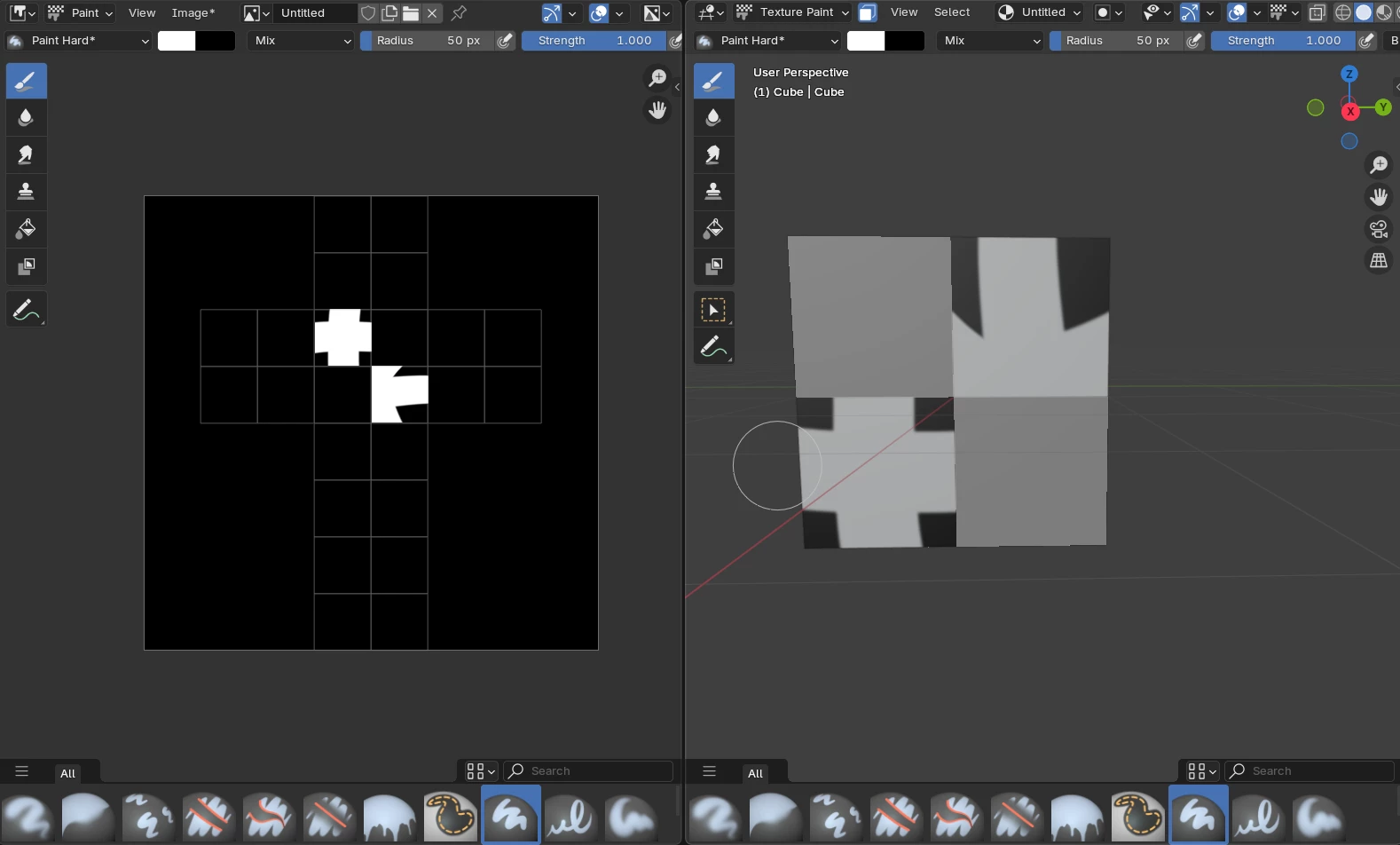


In Substance Painter, I cannot find a direct way to do this. The Geometry Mask only allows "Mesh names" selection, and the Polygon Fill tool only fills faces with solid colors rather than acting as a brush boundary.

Is there a direct way to use polygon selection as a "live boundary" for the brush tool in a standard workflow?


I want to confirm if this fundamental feature from Blender is simply missing in the standard Painter workflow or if I am overlooking a specific setting.

Thank you.

    2 replies

    davescm
    Community Expert
    Community Expert
    March 30, 2026

    You could use Polygon Fill to create a mask, then use brush strokes to paint within that mask (either on the mask to further refine it, as shown in the screenshot below, or on the layer itself).
     

    Dave

    Edit : Sorry Cyril - you posted whilst I was replying and I ended up saying the same thing.

    Participant
    March 30, 2026

    Thank you, Dave! I verified your "paint on layer" logic. As shown in the images, the mask isolates Face 3, but removing it shows the actual stroke is preserved underneath. Perfect non-destructive workflow.


    Cyril Dellenbach
    Community Manager
    Community Manager
    March 30, 2026

    Hello ​@lavish_flair6463,


    You can use a Black Mask and select a single poly with the Polygon Fill tool. This way, whatever you’re painting in the Paint layer is only visible through the selected polygon in the mask.


    Best regards,

    Cyril Dellenbach (Micro) | QA Support Artist | Adobe
    Participant
    March 30, 2026

    Thanks, Cyril! I tested your folder/mask method with a simple cube and it worked perfectly. It's exactly the "face selection" workflow I needed. Appreciate your help!