Inspiring
July 10, 2023
Answered

how to update images properly?

  • July 10, 2023
  • 1 reply
  • 297 views

To update a texture I have to not just right click "reload"  it but  re-drop it  in evry slot where it's used . It's quite annoying imo. Is there a trick to do it in one click for all the curent project ?  Perhaps automatically when I save it in outside app. aka Photoshop? 

This topic has been closed for replies.
Correct answer Cyril Dellenbach

Hi @kirkr5689,


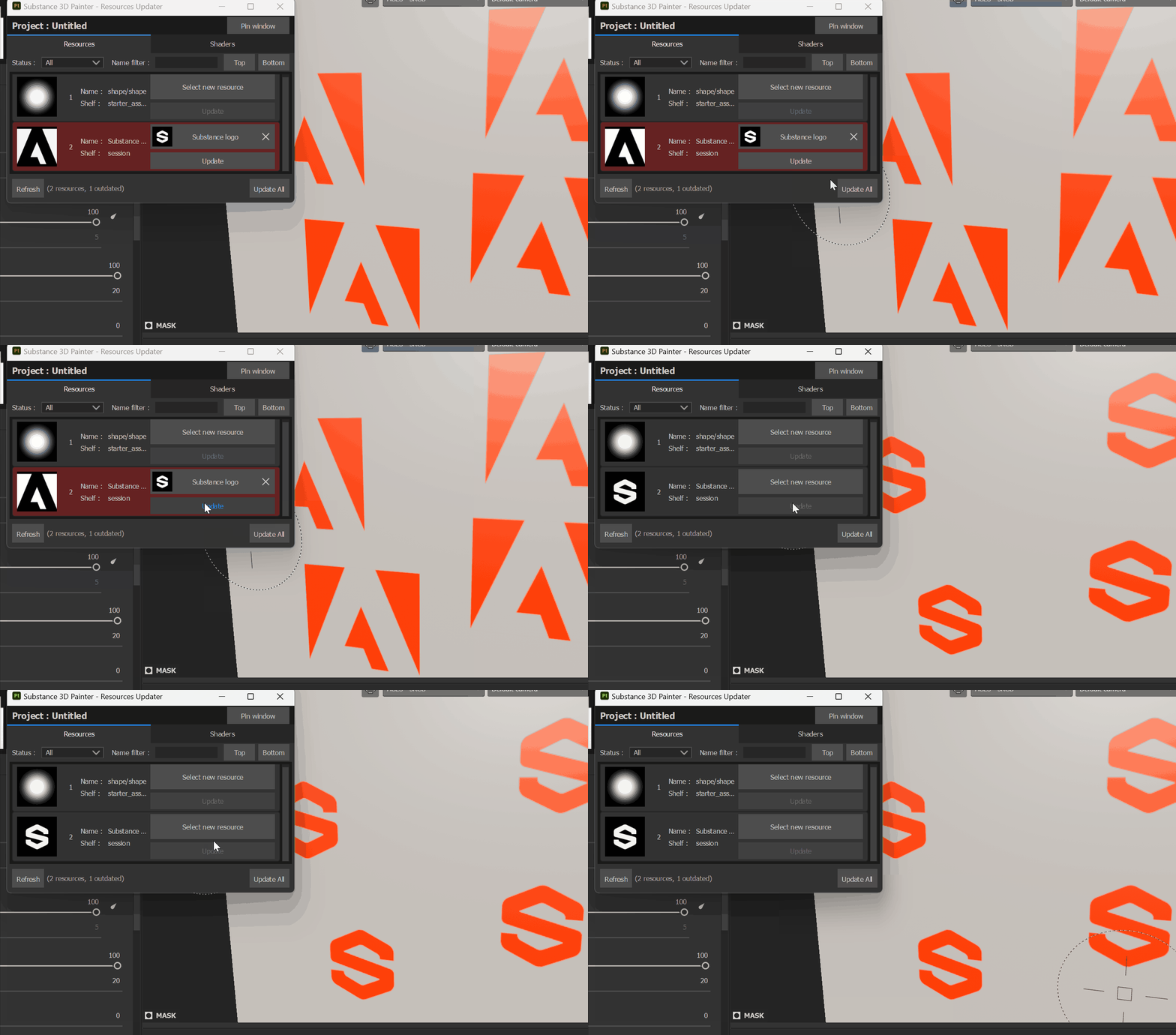
You can reload the resource (as you already did) and then use the Resources Updater in order to update the outdated assets.


Best regards,


1 reply

Cyril Dellenbach
Community Manager
Cyril DellenbachCommunity ManagerCorrect answer
Community Manager
July 11, 2023

Hi @kirkr5689,


You can reload the resource (as you already did) and then use the Resources Updater in order to update the outdated assets.


Best regards,


Cyril Dellenbach (Micro) | QA Support Artist | Adobe
kirkr5689Author
Inspiring
July 11, 2023

Thank you Cyril