


Participant
April 27, 2022
Answered

I changed the options, but the layer thumbnails are still showing as spheres.

  • April 27, 2022
  • 2 replies
  • 1795 views

Hi!

Previously updated, layer thumbnails were displayed as spheres.

Frankly, this is difficult to work with because of the lack of visibility.

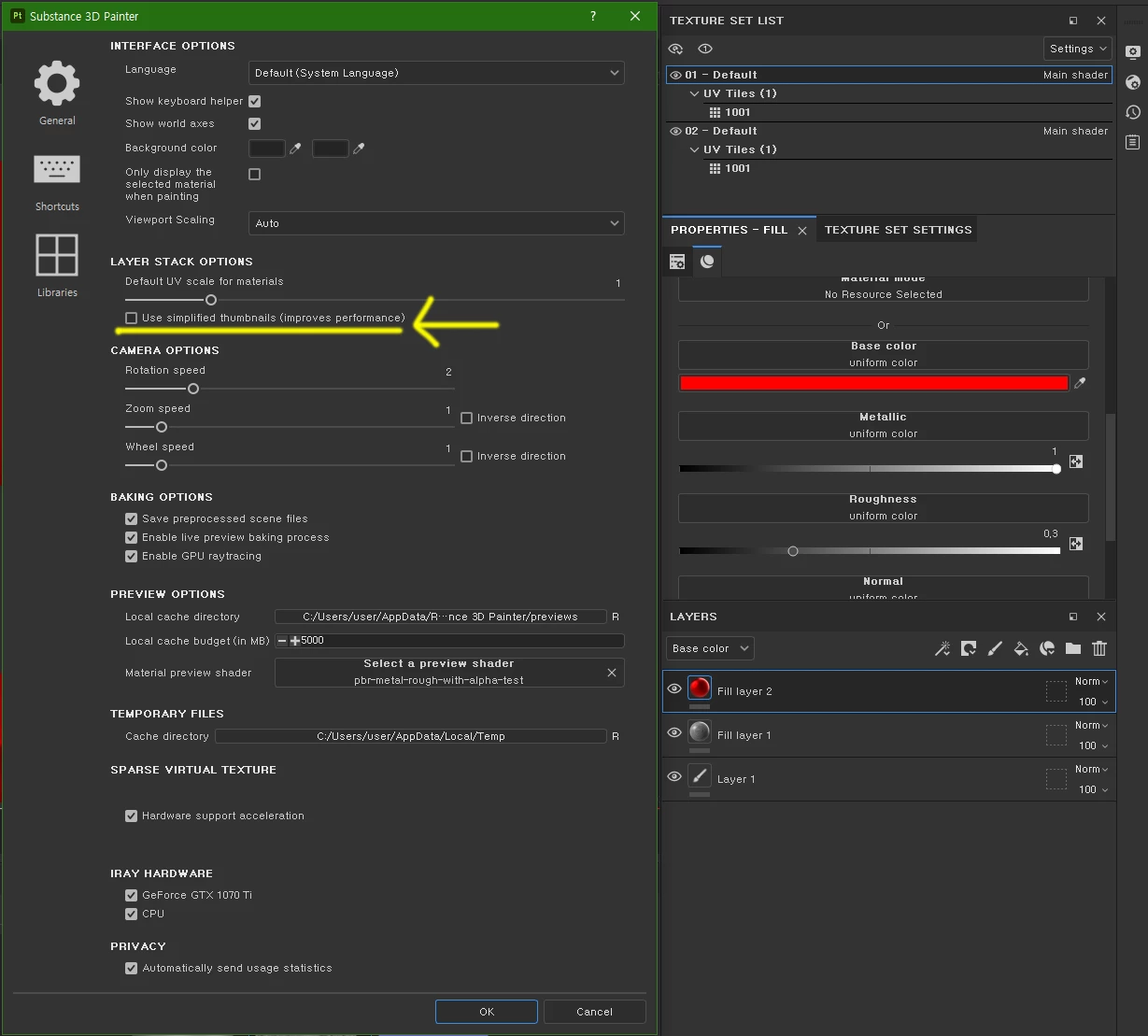
When I googled it, people said that if I unchecked that part in the settings window, the thumbnail would come back to the flat 2d map, but it was still displayed as a sphere.

In older files it displays a 2d map, but when I create a new file, the thumbnails of the layers always display as spheres.

Are there any settings I need to change more? I want a solution other than reinstallation.
This topic has been closed for replies.
Correct answer Cyril Dellenbach

Hi @Beata5FA9,


Simplified thumnails are natively set when working with UDIMs. You can't edit this behavior.


Regards,

2 replies

Participant
April 12, 2024

Hi, 

I have exactly same problem with thumbnails, unchecking the 'Use Simplified thumbnails' option doesn't change anyhting. Also, all my square thumbnails next to the folders are empty (there is no preview of the material). I've looked for a solution everywhere but failed. 

Cyril Dellenbach
Community Manager
Cyril DellenbachCommunity ManagerCorrect answer
Community Manager
April 12, 2024

Hi @Beata5FA9,


Simplified thumnails are natively set when working with UDIMs. You can't edit this behavior.


Regards,

Cyril Dellenbach (Micro) | QA Support Artist | Adobe
Participant
April 12, 2024

Thaks for your reply.

Now it's clear. Thank you! 

davescm
Community Expert
Community Expert
April 28, 2022

Sorry if this sounds simplistic, but I have to ask. Did you click OK at the bottom of the settings dialogue after unchecking the 'Use Simplified thumbnails' option?


Dave

chloe2422Author
Participant
May 4, 2022

Absolutely. I've attached a video. Please check. nothing changes
