


Participating Frequently
Jul 29, 2021 5:29 PM UTC
Question

I I'm getting [GPUIssuesCheck] notice and Substance Painter continues to crash after a few actions

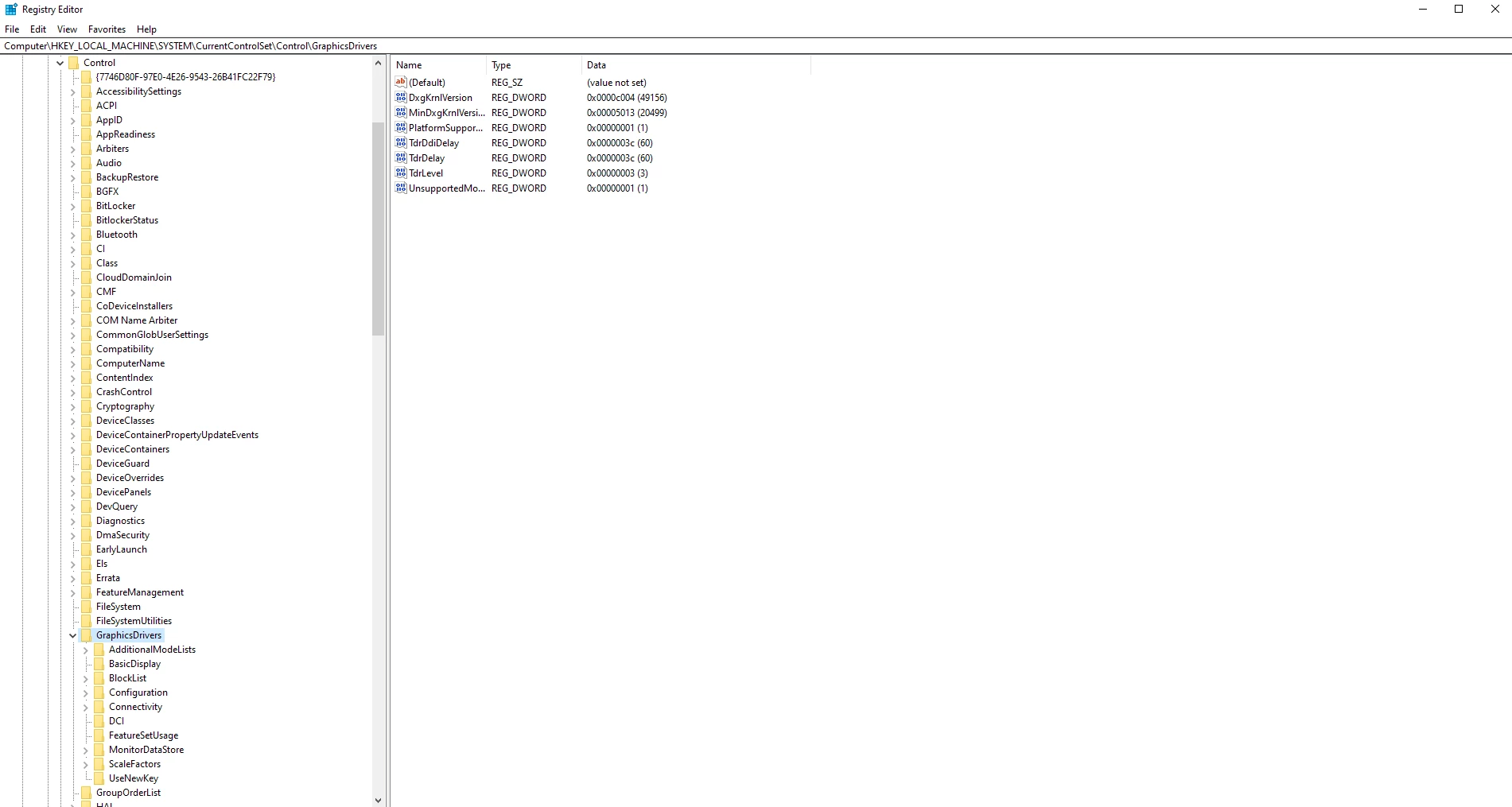
I'm getting this notice even thought I've gone into my regedit and changed the TDR

[GPUIssuesCheck] Your operating system may automatically shut down Substance 3D Painter during long computations because your GPU doesn't support preemption.
To avoid crashes, you can try increasing the TDR (timeout detection and recovery) delay
(Learn more: https://www.adobe.com/go/painter-gpu-drivers-tdr-crash-long-comp).
 

This topic is closed to new replies. Start a new post to keep the conversation going.

4 replies

Jeremie Noguer
Community Manager
Community Manager
Jul 29, 2021 11:12 PM UTC

Could you please share your log file?

Translate
Participating Frequently
Jul 30, 2021 5:58 AM UTC
Léna Piquet Froyok
Adobe Employee
Adobe Employee
Aug 5, 2021 4:07 PM UTC

From the log we can see that the TDR Ddi Delay isn't set, but it is visible on your screenshot. So it's likely you have a typo (or trailing space) which means the key doesn't match.


You will have to check again that everything is setup right in the registry.

Translate