


Known Participant
November 4, 2025
Answered

I want to paint each UV island a color

  • November 4, 2025
  • 1 reply
  • 106 views

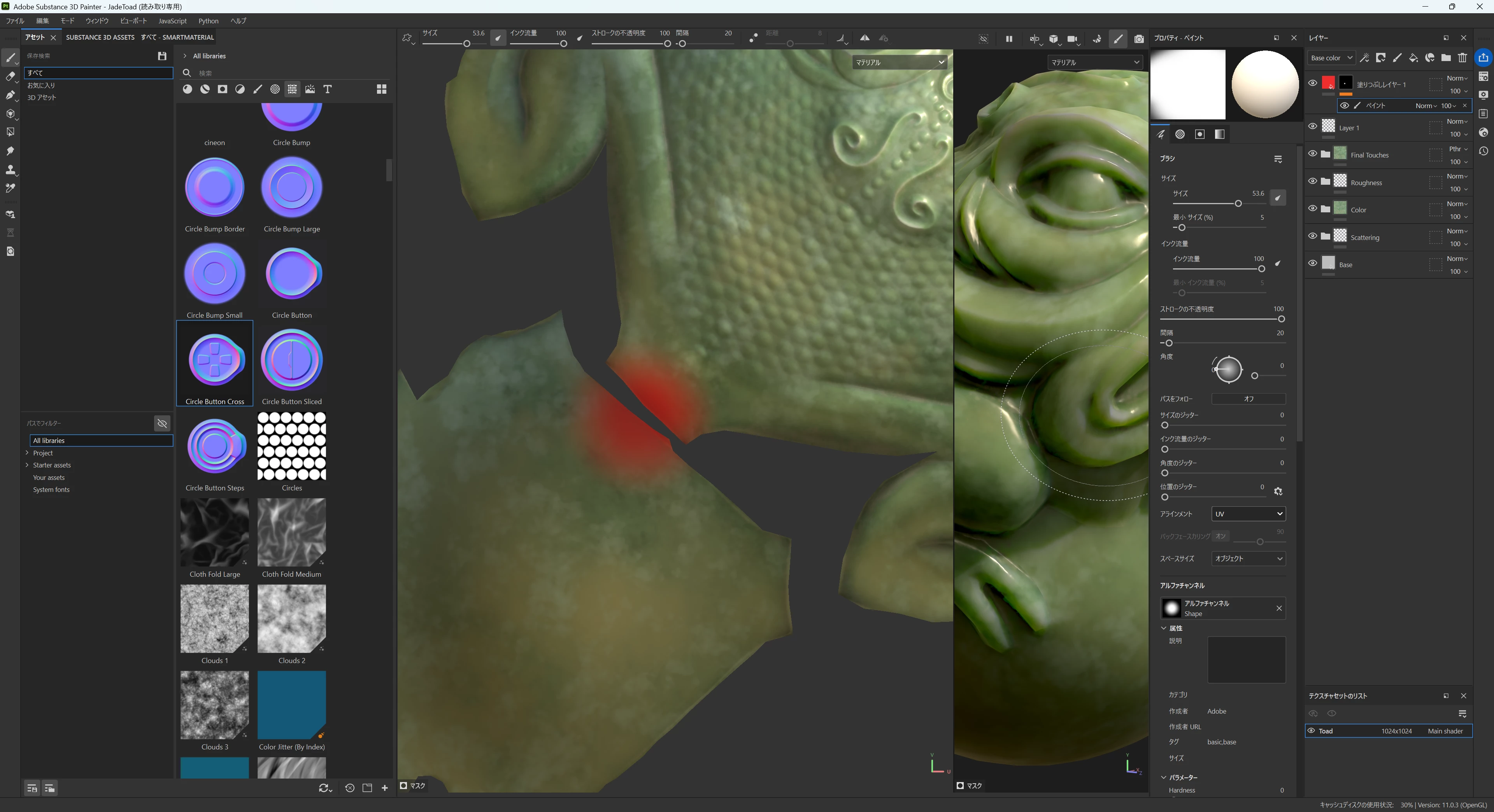
I want to paint on a UV map using the paint tool.

When using the paint tool, how can I prevent the painted areas from invading adjacent UV maps?

Is there a way to select areas like in illustration software?

Correct answer Cyril Dellenbach

UV alignment should work in most situations, but if it doesn't, you can still use a mask or a group + a mask.


1 reply

Cyril Dellenbach
Community Manager
Community Manager
November 4, 2025

Hello @sha19899999,


Yes there is. If you want to fill an UV island with a single color, use the Polygon Fill tool and select the UV Chunk mode.


And if you want to paint with a usual brush, make sure tha Alignment is set to "UV".


Best regards,


Cyril Dellenbach (Micro) | QA Support Artist | Adobe
Known Participant
November 4, 2025

Thank you for your reply.

When stamping a texture with a brush (as in the attached image) instead of filling, I would like it to not spill over into adjacent UVs. Is there a way to do this?

Cyril Dellenbach
Community Manager
Cyril DellenbachCommunity ManagerCorrect answer
Community Manager
November 5, 2025

UV alignment should work in most situations, but if it doesn't, you can still use a mask or a group + a mask.


Cyril Dellenbach (Micro) | QA Support Artist | Adobe