


Participant
March 2, 2024
Question

Inflate Shrinkwrap Generator round corners at UV islands

  • March 2, 2024
  • 1 reply
  • 857 views

Hi all,


I've been trying out the Inflate Shrinkwrap to quicken my pipeline to create pool float 3D meshes for a game project. I found the effect to be suitable, but I can't understand why the corners of affected UV islands are rounded. I messed with the parameters and nothing seem to remove them. I also tried using the generator on the Sample files to check if my model was the issue, but it doesn't seem so.

Anybody know a solution to this? This would really help my pipeline. I actually attached the files of a simple pool float (donut) for you to see the issue.
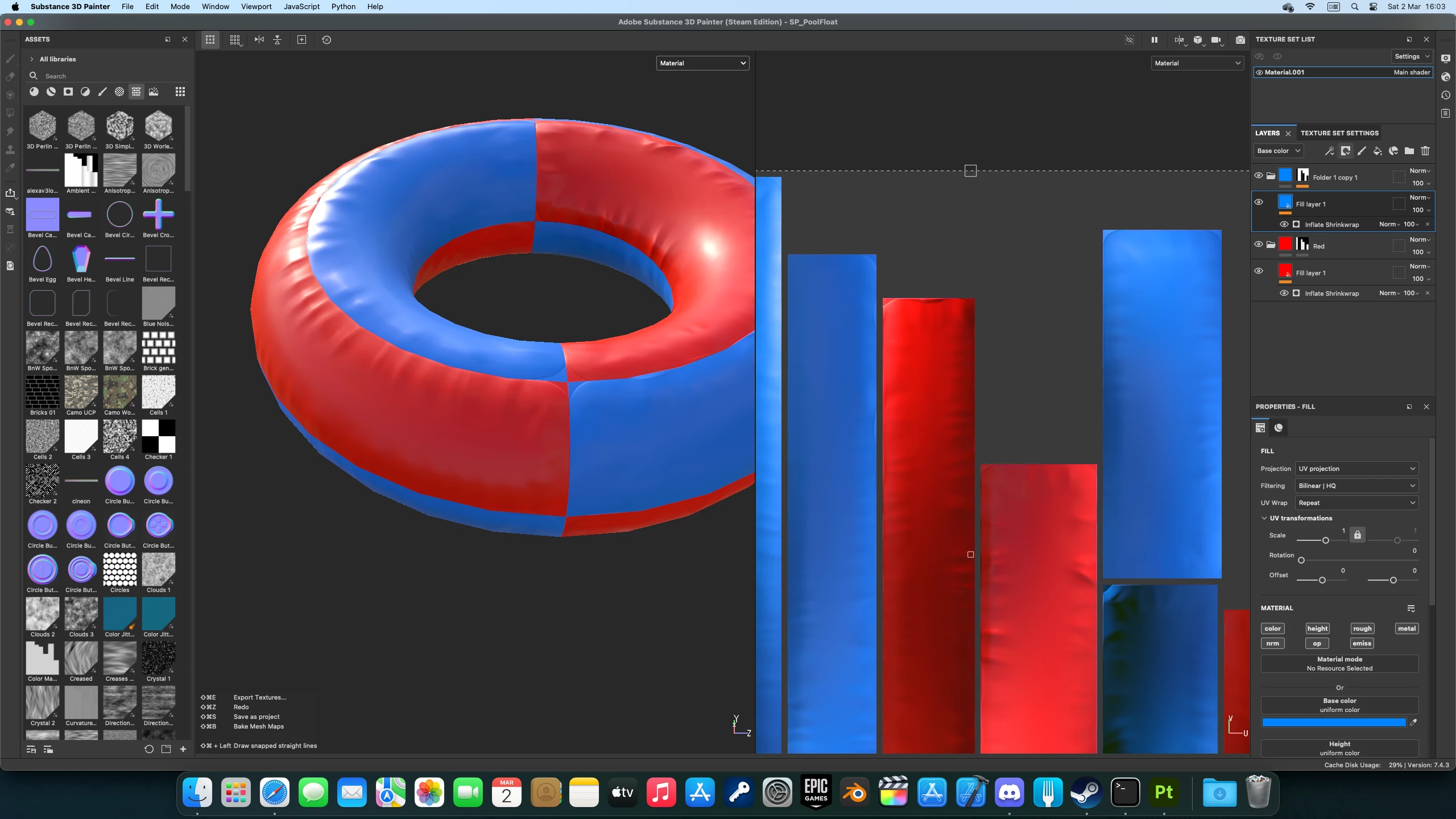
Thanks and kind regards

1 reply

Cyril Dellenbach
Community Manager
Community Manager
March 4, 2024

Hi @DigitalGreenTea,


Thanks for the report.


I'm afraid this is simply the Generator's behavior, so there will probaly be no quick solves. You could height paint over those rounded parts manually, or blur them.


Regards,

Cyril Dellenbach (Micro) | QA Support Artist | Adobe
Participant
March 5, 2024

Thanks for letting me know. Is there a possibility to modify the genererator (maybe in Substance Designer)?

Cyril Dellenbach
Community Manager
Community Manager
March 6, 2024

The generator was made with Designer, but we unfortunately don't open them to users. You could try to build you own and send it to Painter.


That being said, I'll share the problem with the person in charge of building assets for Painter. I'm a bit surprised that this is the Shrinkwrap expected behavior to be honest.


Cyril Dellenbach (Micro) | QA Support Artist | Adobe