Johanna369
Participant
February 14, 2026
Question

Jagged edges on the model after baking

  • February 14, 2026
  • 1 reply
  • 135 views

Hi everyone!
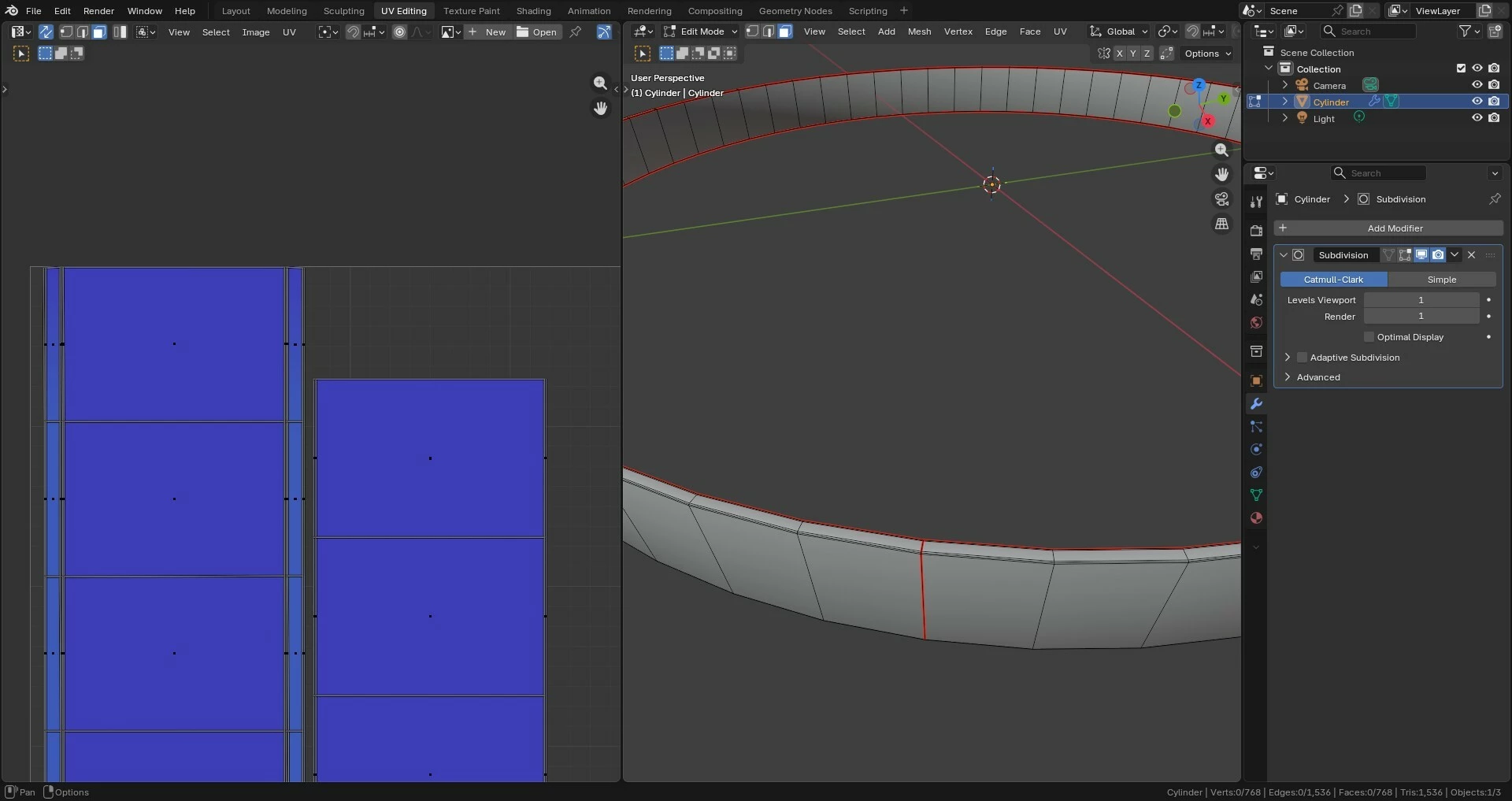
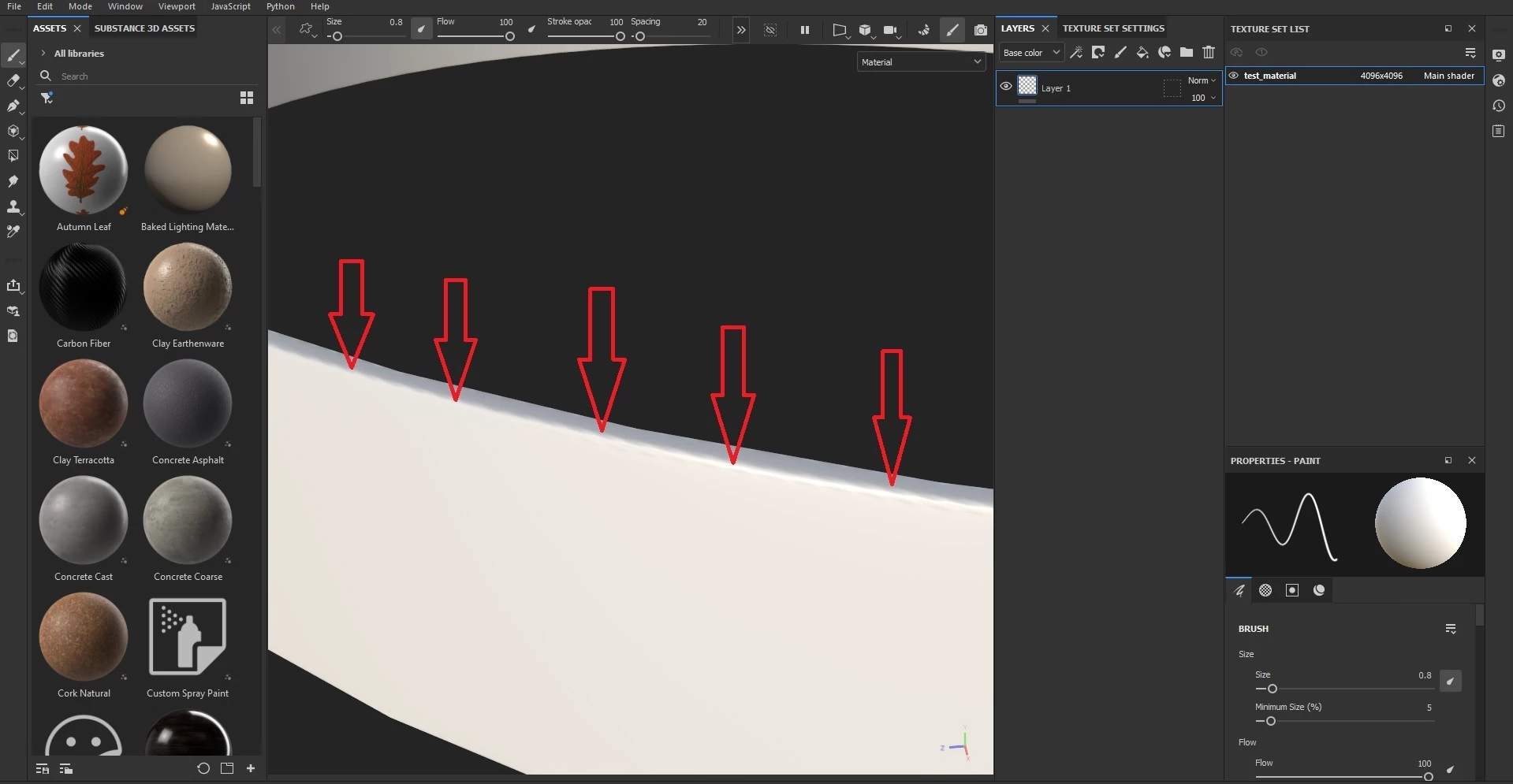
I created a simple, slightly conical circular band model in Blender (image 1). After UV unwrapping (image 2), I then exported the high- and low-poly models in FBX format.
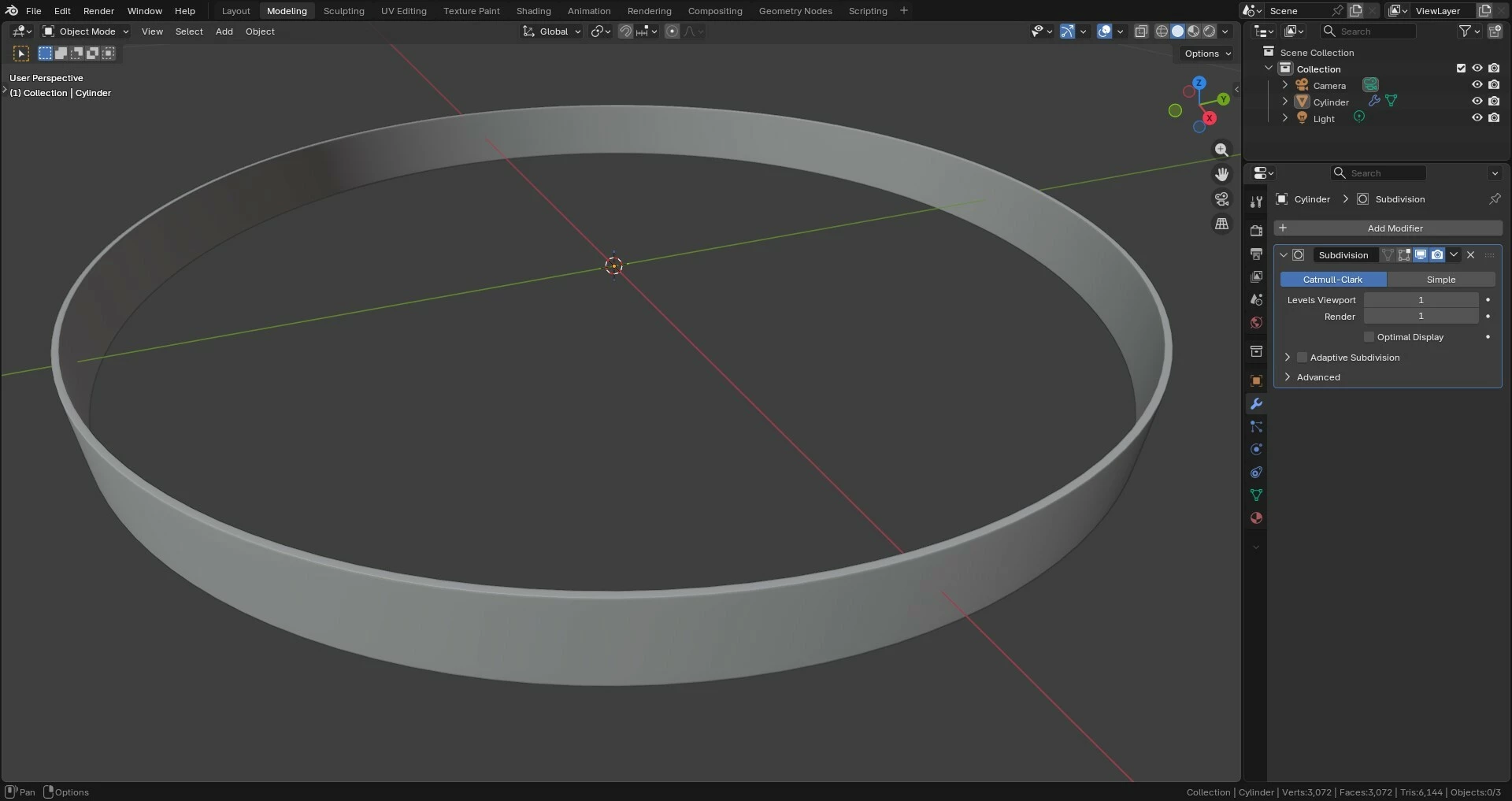
In Substance Painter, after baking, I get noticeable jagged edges on the model (image 3).
For baking, I set the antialiasing to Supersampling 16x, and the output size on 4096x4096.
After baking, there are jagged edges (image 3).
Why does this happen and how can I fix them?

Thanks so much!
1
2
3


    1 reply

    Cyril Dellenbach
    Community Manager
    Community Manager
    February 16, 2026

    Hello Johanna,


    Do you have any purple warning lines in the baking tab? If so, Painter indicates where you should add a UV seam to avoid artifacts.

    If not, I’m afraid you’re facing a very common issue when baking cylinders (I strongly advise you to to check this page on the subject).

    Best regards,


    Cyril Dellenbach (Micro) | QA Support Artist | Adobe
    Johanna369
    Participant
    February 17, 2026

    Thanks for the tips!
    There are no purple warning lines in the baking tabs.
    I solved the problem by unwrapping the model again, but transforming the UV maps into rectilinear parts using the Follow Active Quad command, instead of the semi-circular ones created by the Unwrap tool in Blender.
    I don't know if this is the correct way to solve the problem, but that's how it worked.
    However, it seems strange to me that every time there are semi-circular islands I have to revert them to rectilinear ones to avoid artifacts in the model.

    Participant
    March 2, 2026

    This is typical. Because texture maps are a square grid of square pixels, if you have a curved UV island (or even a UV island with a straight border but it’s slanted), it crosses through that square grid, and it’s pretty much impossible you’ll ever have a curve that crosses through the square pixel grid with the exact same number of pixels in the exact same proportions on either side of the curve. Even if it does, those pixels will always be at an angle to the orientation of the polygon’s edge.

    If you need really clean lines in your bakes or textures, it’s often good practice to straighten the borders of your UV islands, and sometimes the internal edges as well, depending what you’re trying to do. There are always exceptions and it’s always situation dependent; for example if you were making something organic like character or animal anatomy, it would probably be more important that your UV shells were a shape that had little distortion that was easy to texture. But for mechanical or hard-edged stuff that’s supposed to look neat with crisp lines, it’s often a good idea to straighten the UV island. Hope this helps!