January 21, 2026
Answered

Layer and layer mask display problem.

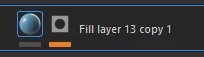
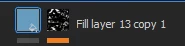
Hello, I've encountered a problem with the layer and layer mask display. In the previous version of Substance 3D Painter, the layer and layer mask display was a 2D unwrap. Now, the layer mask is displayed as a mask icon, meaning there's no mask preview, and the layer itself is displayed as a 3D sphere with a UV map applied. Could you tell me how to adjust this display? Here are examples of how it was before and how it's now.
Cyril Dellenbach
Cyril DellenbachCorrect answer
Community Manager
January 21, 2026

Hello @Sahar3ok,


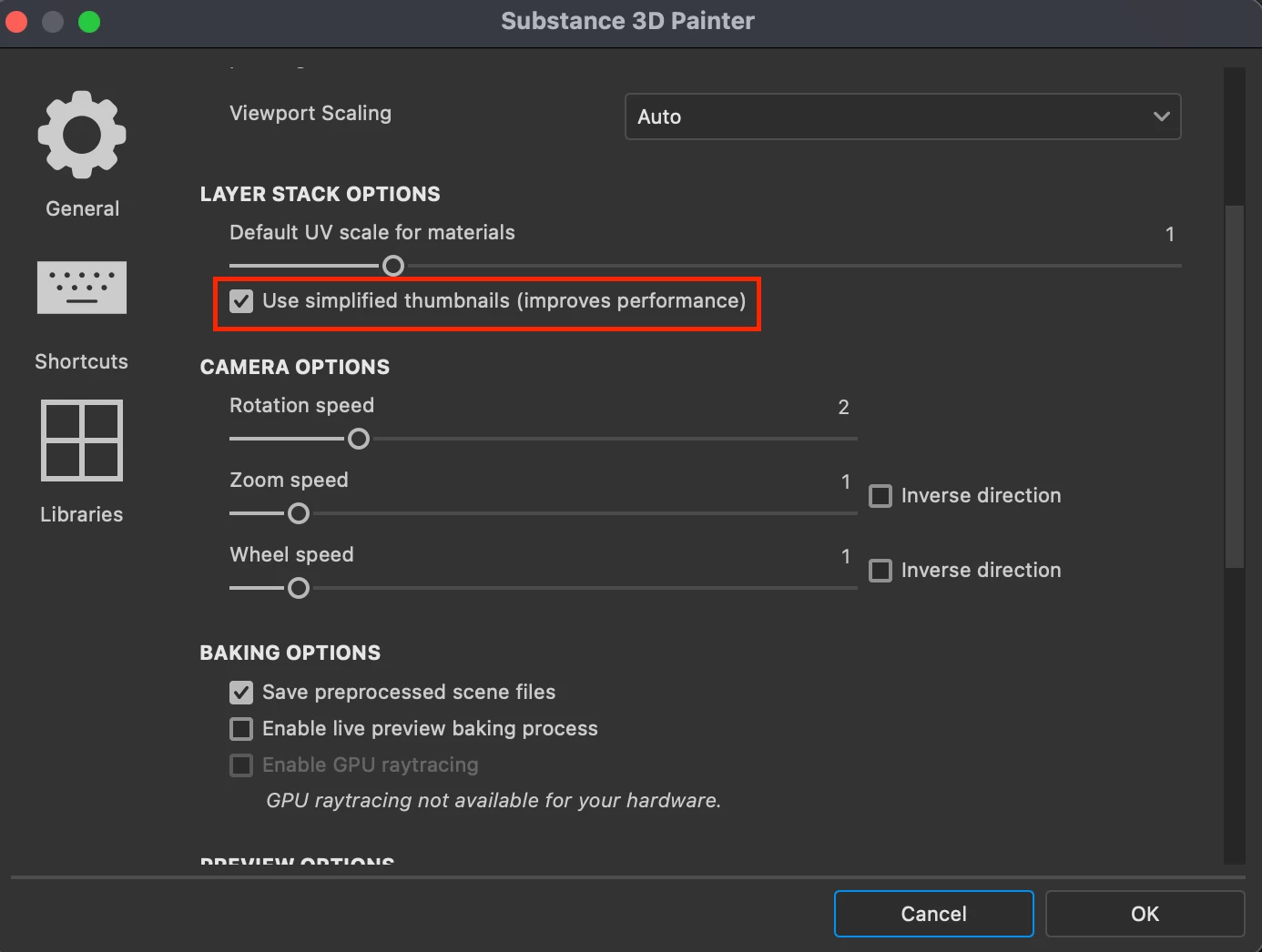
Preferences > General > Layer Stack Options

875833i91712C3B4F1859C4.png


Please note that simplified thumbnails are automatically enabled when working with UDIMs and this parameter cannot be changed.


Best regards,


Cyril Dellenbach (Micro) | Product Manager | Substance Painter

1 reply

Cyril Dellenbach
Community Manager
Cyril DellenbachCommunity ManagerCorrect answer
Community Manager
January 21, 2026

Hello @Sahar3ok,


Preferences > General > Layer Stack Options

875833i91712C3B4F1859C4.png


Please note that simplified thumbnails are automatically enabled when working with UDIMs and this parameter cannot be changed.


Best regards,


Translate
Cyril Dellenbach (Micro) | Product Manager | Substance Painter