Inspiring
October 1, 2022
Answered

Low poly mesh is show over high poly when baking

  • October 1, 2022
  • 2 replies
  • 3947 views

Hi,

I am exporting my mesh as fbx from blender as low poly and high poly.

I load the low poly fbx to Painter and bake with the high poly using these settings:
Apply Diffusion
I use the high poly

Distance (0.004 or 0.1) same results for both.

Antialiasing 4x4


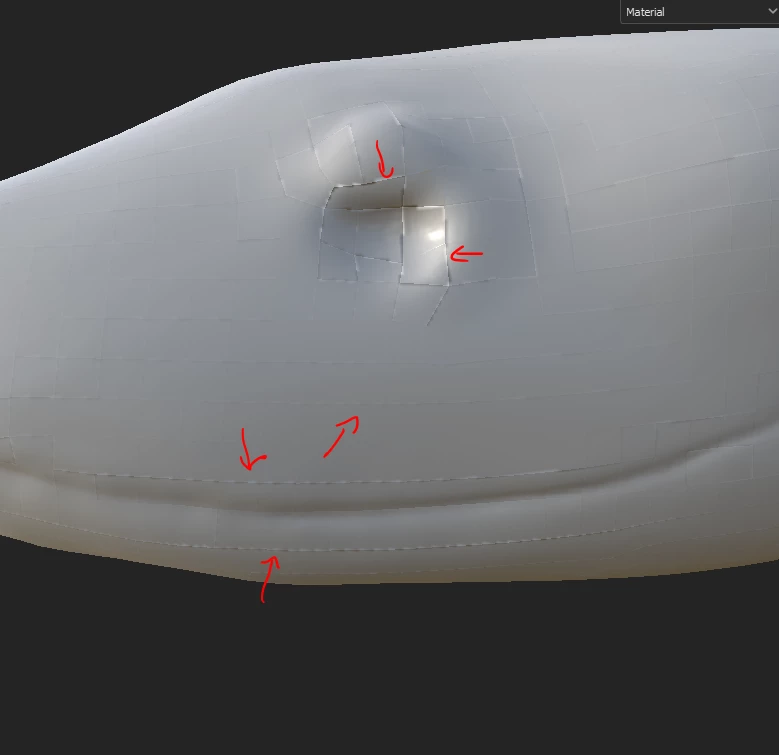
The backing with the high poly is applied however, the low poly is still show over most of the model.
Why is that?

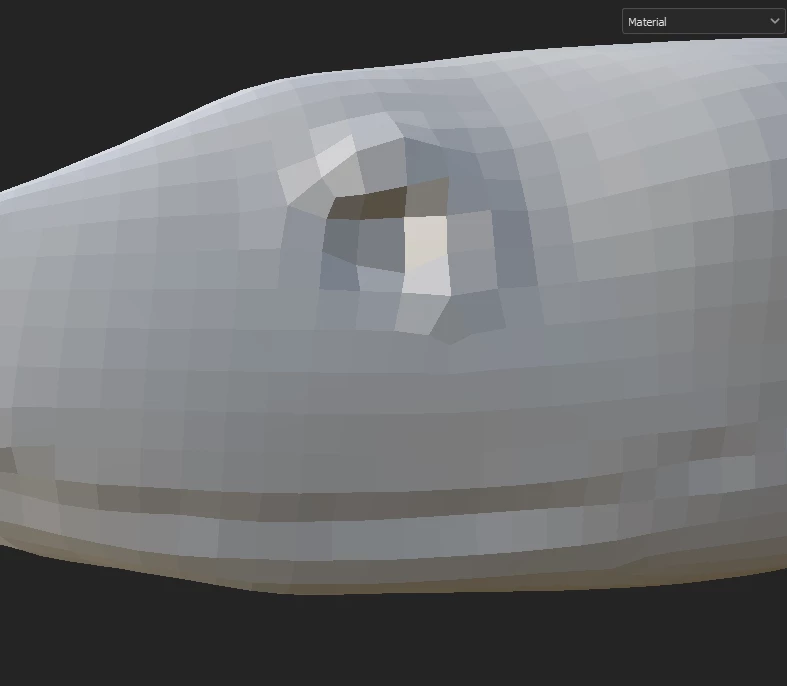
This is part for the model before baking:
 

This is after baking, note the marks of the low poly.


This topic has been closed for replies.
Correct answer karpiyon

I think I found it...

You need to "Shade Smooth" in blender, in object mode, before you export the low/high poly and then you get this after bakind:


2 replies

Participant
October 5, 2022

I tried all the options, but it didn't help me. artifacts also continue to appear. but if I disable anti aliasing, everything is baked as it should be. What else could be the problem?

karpiyonAuthor
Inspiring
October 5, 2022

Do these artifacts resemble patters in your low poly?

How does the low poly look?

Participant
October 5, 2022

these artifacts look exactly the same as the grid on the low poly model

karpiyonAuthorCorrect answer
Inspiring
October 2, 2022

I think I found it...

You need to "Shade Smooth" in blender, in object mode, before you export the low/high poly and then you get this after bakind: