


Participant
April 17, 2023
Question

Low poly phong edges being baked and visible in Normal map

Hello!


When baking normals, and with the low poly mesh phong set to 180, I am getting hard creases in flat surface where the edges are. 
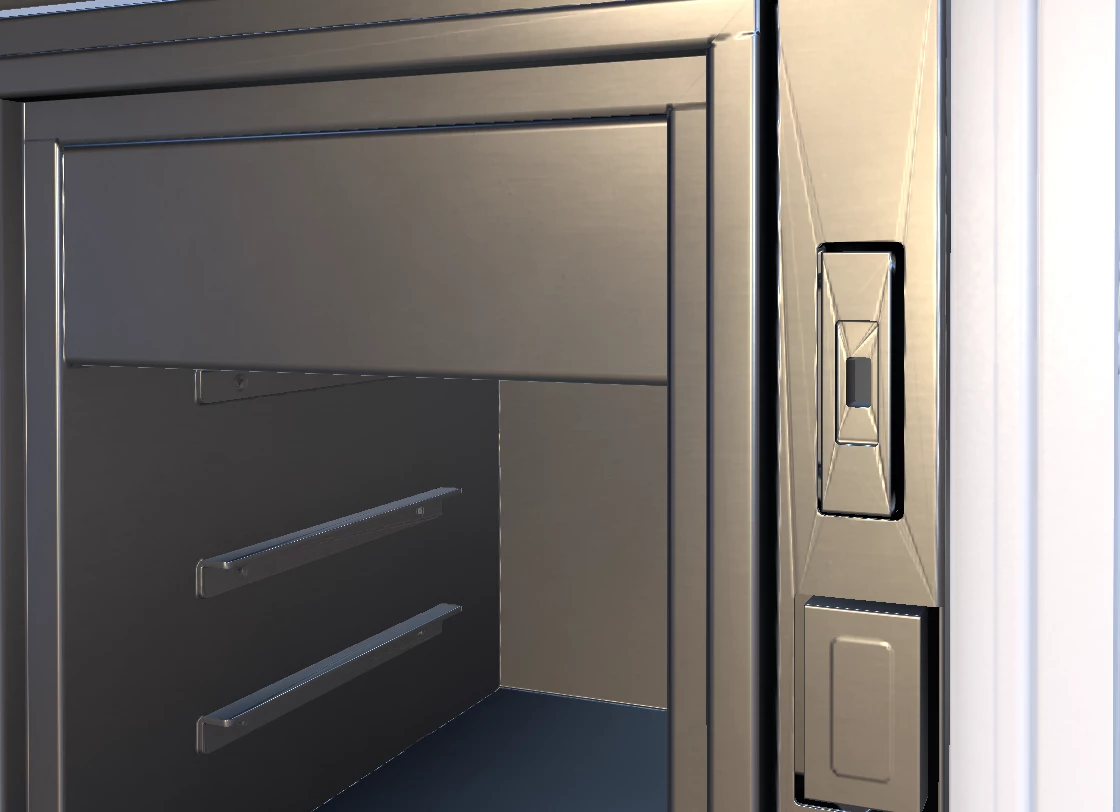
 

If I set up phong breaks, or a set angle of like 40degrees, then this error is fixed but I then have "sharp" edge seams and on 90 degree corners. 


I am curently working out of C4D but, I have tried re exporting out of Blender and get the same results. The mesh has no errors that I can find.


I have never had isses like this in the past. Please help this error is holding up a time sentive project.


Thanks!!

This topic is closed to new replies. Start a new post to keep the conversation going.

4 replies

Cyril Dellenbach
Community Manager
Community Manager
April 18, 2023

Hi @esfzero,


Thanks for your message.


I would like to see a picture of the issue with the sharp edges. With that being said, My advice would be to use a Low Poly without any custom smoothing groups and to make a secondary mesh with custom normals to use it as a High Poly.


Maybe this thread could also help you.


Keep me posted.


Translate
Cyril Dellenbach (Micro) | Product Manager | Substance Painter
esfzeroAuthor
Participant
April 18, 2023

Hello, Thanks for the response. I am baking from a High mesh. By "sharp" edges I mean you can the edge breaks on accute angled corners though the normals. Since this post I have made a new test file using a cube with a few extruded shapes on it. then use a high poly bake. This work 100% perfectly fine. So maybe this file is corrupt? I have not run into this issue before.


Thanks!

Translate
esfzeroAuthor
Participant
April 18, 2023

Here is another image just showing the baked normal with wireframes turned on.

Thanks

Translate