


Martel6ix
Participant
March 16, 2026
Question

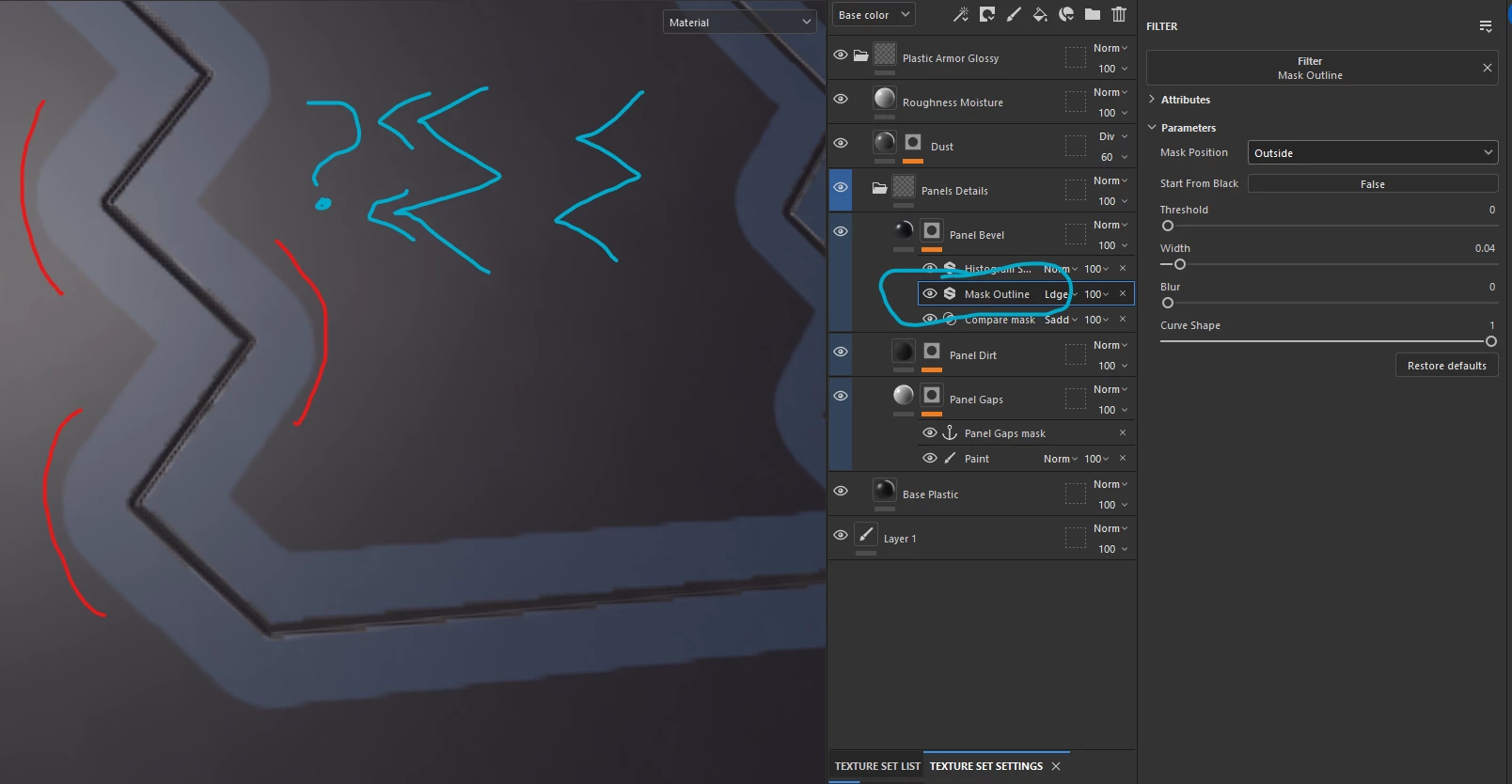
Mask Outline: Possible to create sharp corners?
  • March 16, 2026
  • 1 reply
  • 35 views

Spoiler: Curve Shape slider does nothing related to sharpening a curve marked red on a screenshot.

    1 reply

    Cyril Dellenbach
    Community Manager
    Community Manager
    March 16, 2026

    Hello ​@Martel6ix,


    Due to the nature of the Path, a Mask outline can’t create sharp vertices with big shapes. Mask outlines behaves like a distance node would. 

    I advise you to duplicate the initial Path, switch its type for “Ribbon” and make sure its corner parameter is set to “Mitter join”. The result will be as followed:


    You’re kind of losing the procedural aspect, but if you’re moving the initial path, you can copy it and paste its vertices only in the Ribbon:


    Hope this helps.


    Cyril Dellenbach (Micro) | QA Support Artist | Adobe