
Participating Frequently
Dec 25, 2021 10:37 PM UTC
Answered

Material under glass in Painter

Hi,


I am trying to create a texture in which the glass is over a piece of metal. Therefore you could see the metal underneath it. I am not sure how to create this as applying the glass material leads it to be entirely made of glass and the metal is not seen underneath. I have added an image of the problem (qns.png) and a stock image of how I want it to look ( stock.png) if my explanation is confusing. Sorry for the trouble. Please help. Thank you.

This topic is closed to new replies. Start a new post to keep the conversation going.
Ares Hovhannesyan
Ares HovhannesyanCorrect answer
Community Expert
Dec 27, 2021 12:06 PM UTC

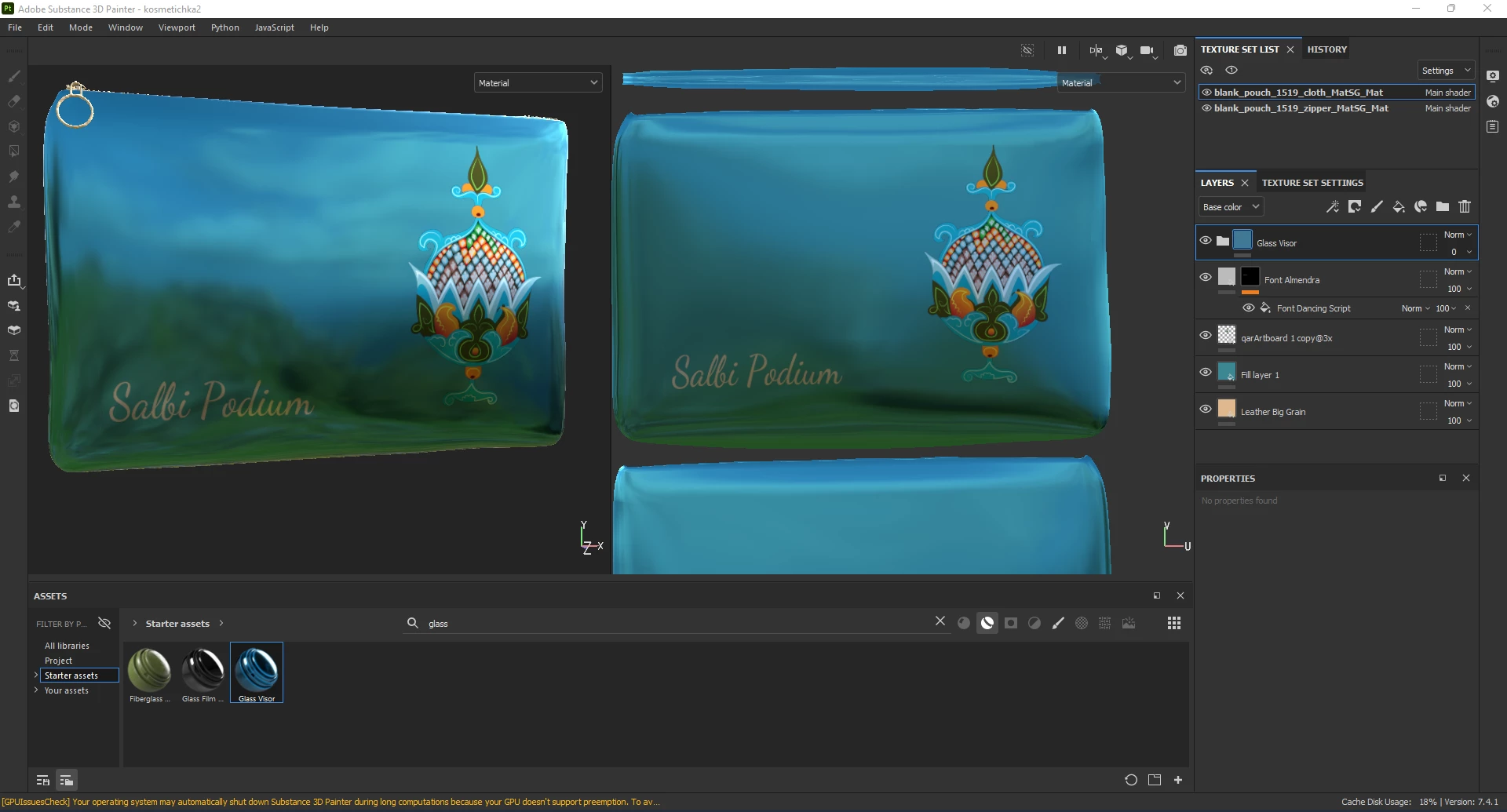
Please try glass smart material over layers and change opacity of glass layer from starter assets. Here is capture from sample that I have created. You can also change environment map for your needs. Hope this can help.


4 replies

Ares Hovhannesyan
Community Expert
Community Expert
Dec 26, 2021 6:38 PM UTC

Did you have have 2 dufferent meshes? Glass can cover image. In other words glass object have to be in front of the image object. 

Translate
Thoma55Author
Participating Frequently
Dec 26, 2021 9:03 PM UTC

Thank you for your reply and help. No I dont have different meshes. I understand the glass has to infront image of the object, but I am unsure as to how I can accomplish this. At first I  thought I have to incoporate the image beneath into the glass material using designer. Is there any other ways I can do this? 

Translate
Ares Hovhannesyan
Community Expert
Ares HovhannesyanCommunity ExpertCorrect answer
Community Expert
Dec 27, 2021 12:06 PM UTC

Please try glass smart material over layers and change opacity of glass layer from starter assets. Here is capture from sample that I have created. You can also change environment map for your needs. Hope this can help.


Translate