Participant
May 10, 2023
Answered

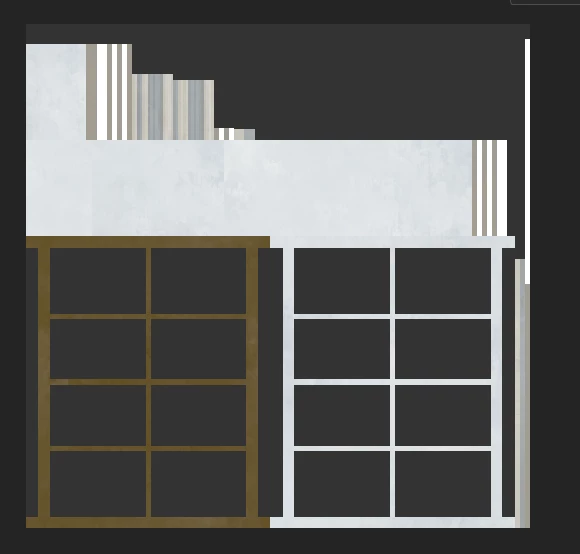
Model Bottom is brown problem

  • May 10, 2023
  • 1 reply
  • 2321 views

The underside of the substance painter model is brown and when I paint it and export it, the underside turns black. I want the texture to stay the same everywhere after the bake process. Is there any way to solve this?

Correct answer Cyril Dellenbach

Hello @onur24627190w3c0,


Thanks for the question.


This brownish color isn't really on your model, this is simply the result of the lighting.
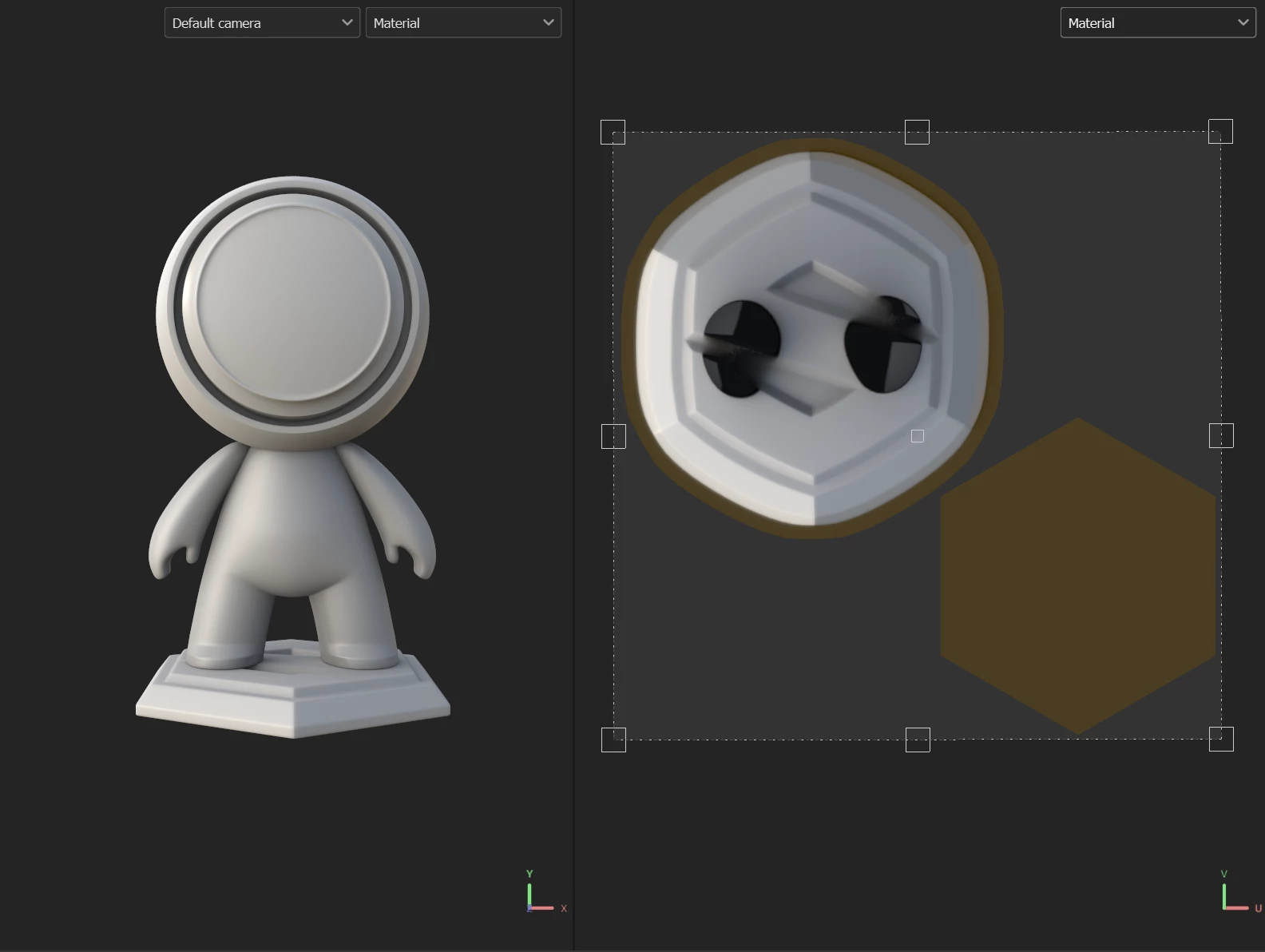


To make it simple, the underside of your model doesn't receive a lot of light due to its position, therefore it takes the tint of the environment map.


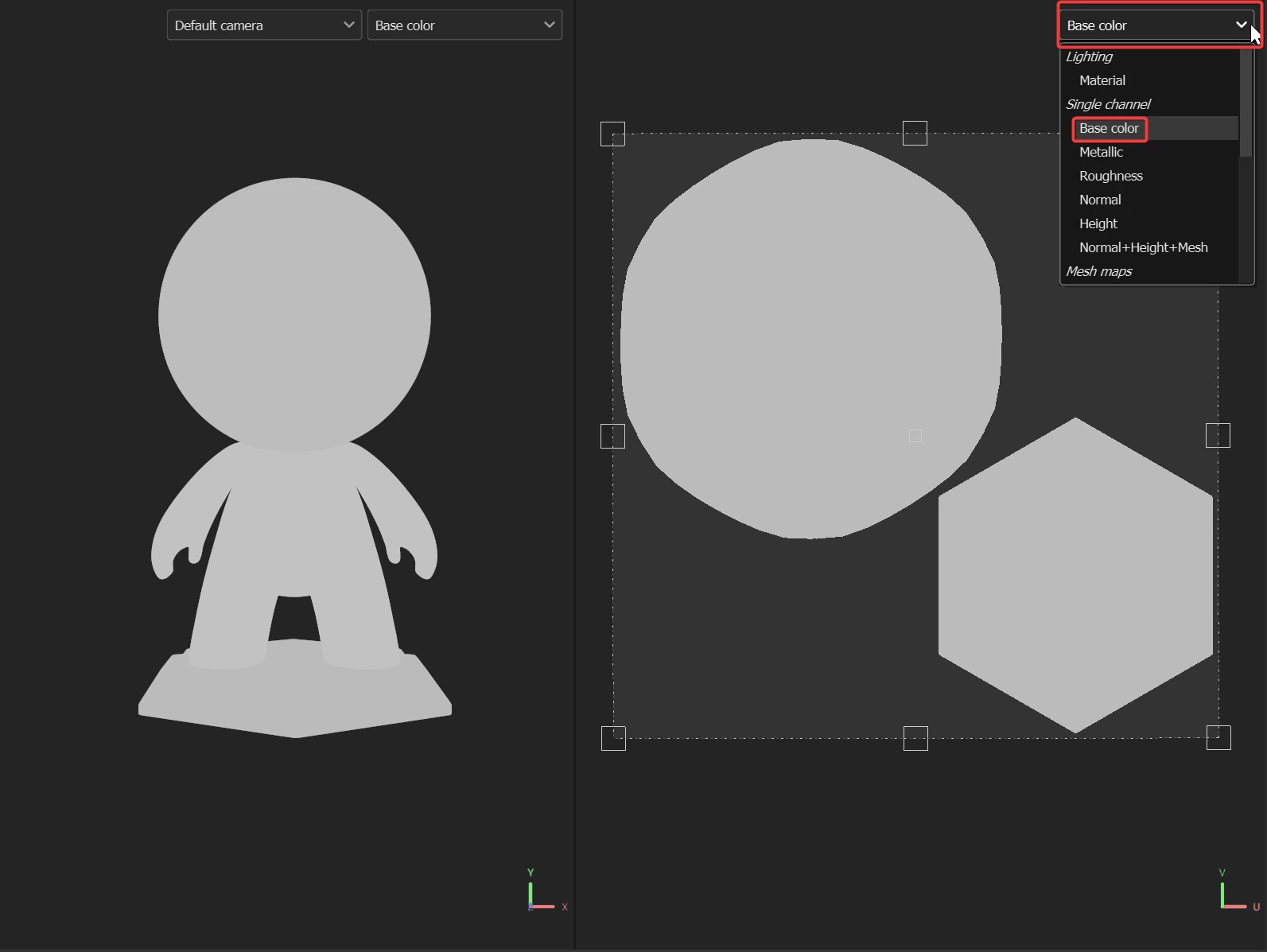
If you want to only see the color of your material (the Base Color), you can switch the display of the view in the top right corner.


And for the black part at the export, I'd love to see a screenshot to have a better look.


Keep me posted.

 

1 reply

Cyril Dellenbach
Community Manager
Cyril DellenbachCommunity ManagerCorrect answer
Community Manager
May 10, 2023

Hello @onur24627190w3c0,


Thanks for the question.


This brownish color isn't really on your model, this is simply the result of the lighting.


To make it simple, the underside of your model doesn't receive a lot of light due to its position, therefore it takes the tint of the environment map.


If you want to only see the color of your material (the Base Color), you can switch the display of the view in the top right corner.


And for the black part at the export, I'd love to see a screenshot to have a better look.


Keep me posted.

 

Cyril Dellenbach (Micro) | QA Support Artist | Adobe
Participant
May 11, 2023

Many thanks Cyril for your informative comment. I understood that the reason for the blackness in the export was "baked lightning" and I set it to 0 and my problem was fixed.

Participant
June 25, 2025

Hey, where can I find this baked lighting? Also encountering this problem when exporting from 2d view. The bottom of my mesh is dark ;-;. Heres an iamge of my problem below.