



Known Participant
October 29, 2023
Answered

my flashlight won't bake.

  • October 29, 2023
  • 1 reply
  • 382 views

I can't get my high to bake onto my low.

This topic has been closed for replies.
Correct answer Cyril Dellenbach

Unfortunately, the baking won't alter the topology of the mesh. It "prints" the details of the High Poly in texture maps (Normal Map, Ambient Occlusion, etc.) and apply these textures on the Low Poly.


Therefore, if you're mentioning this part of the 3D model
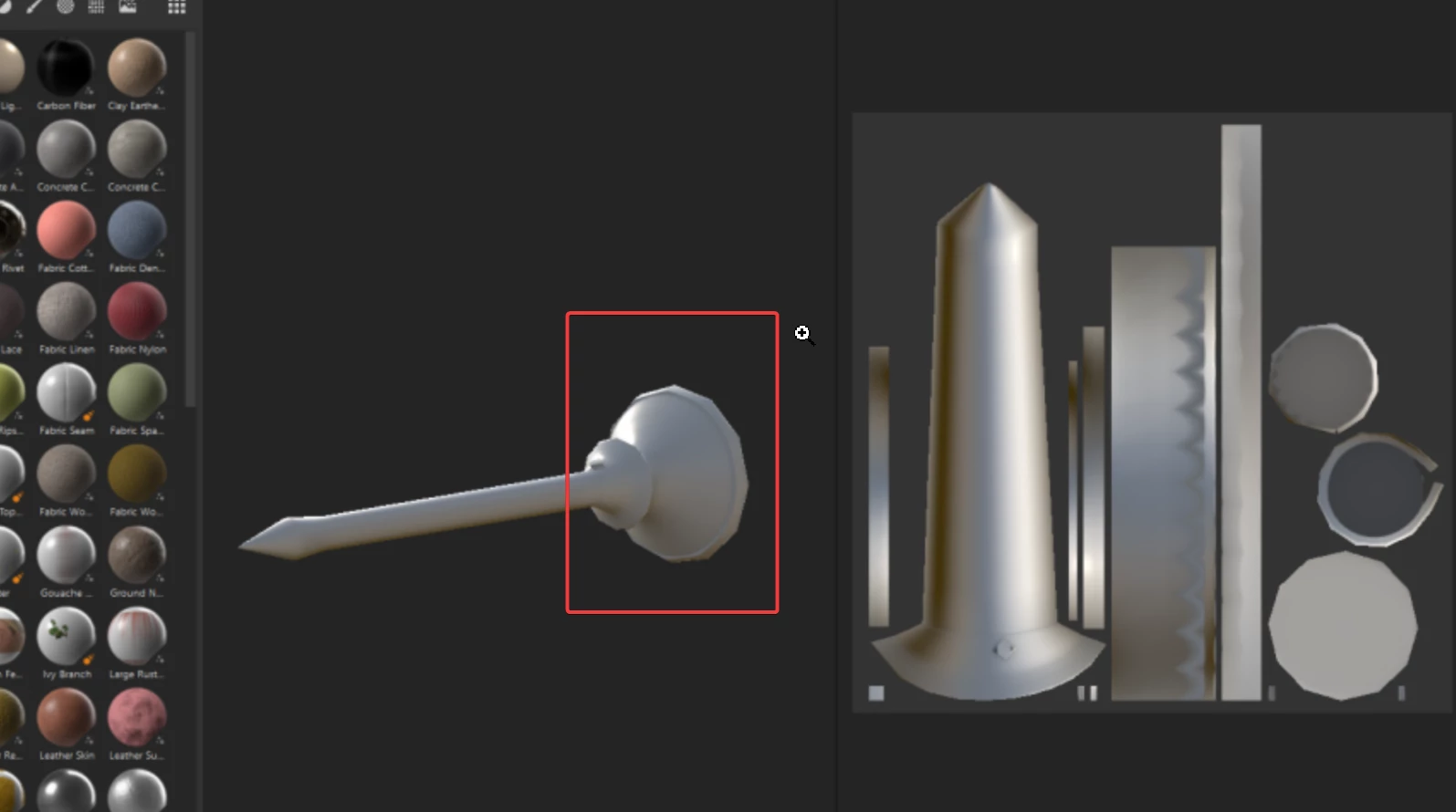


It will keep this shape, regardless of the baking. In order to smooth your mesh, you'll have to increase the number of polygons for your Low Poly.


Best regards,


1 reply

Cyril Dellenbach
Community Manager
Community Manager
October 30, 2023

Hello @Jenry29630182lyc8,


Could you be a bit more specific on what's the issue?

From the shared images, the bake seems to work properly.


Best regards,


Cyril Dellenbach (Micro) | QA Support Artist | Adobe
Known Participant
October 30, 2023
So, in the final image, it is still faceted after I baked it. It does not
look like my smooth high poly model.
Cyril Dellenbach
Community Manager
Cyril DellenbachCommunity ManagerCorrect answer
Community Manager
October 31, 2023

Unfortunately, the baking won't alter the topology of the mesh. It "prints" the details of the High Poly in texture maps (Normal Map, Ambient Occlusion, etc.) and apply these textures on the Low Poly.


Therefore, if you're mentioning this part of the 3D model


It will keep this shape, regardless of the baking. In order to smooth your mesh, you'll have to increase the number of polygons for your Low Poly.


Best regards,


Cyril Dellenbach (Micro) | QA Support Artist | Adobe