UndeadFury
Participant
April 14, 2026
Question

Need help discovering what could be causing these baking issues

  • April 14, 2026
  • 1 reply
  • 27 views


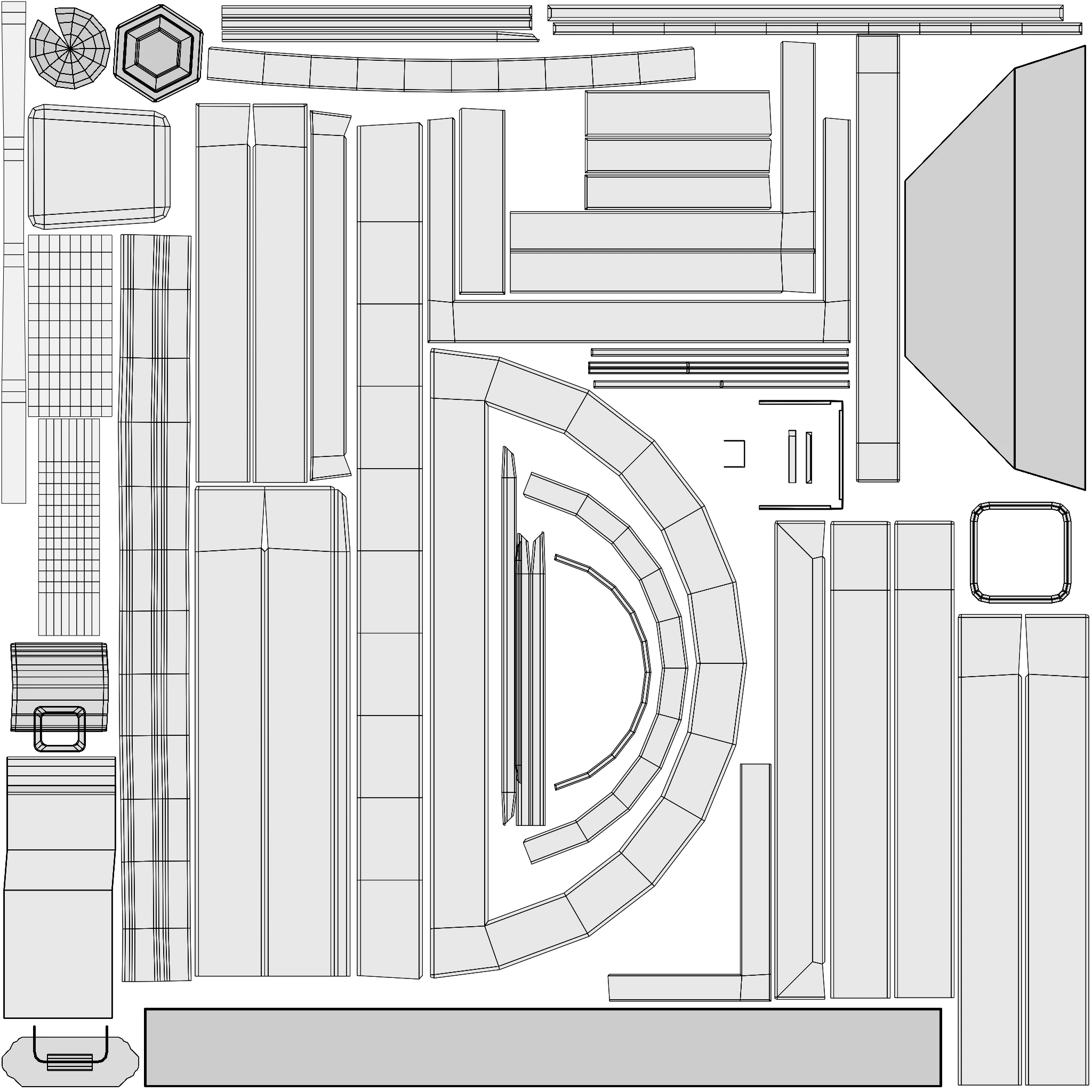
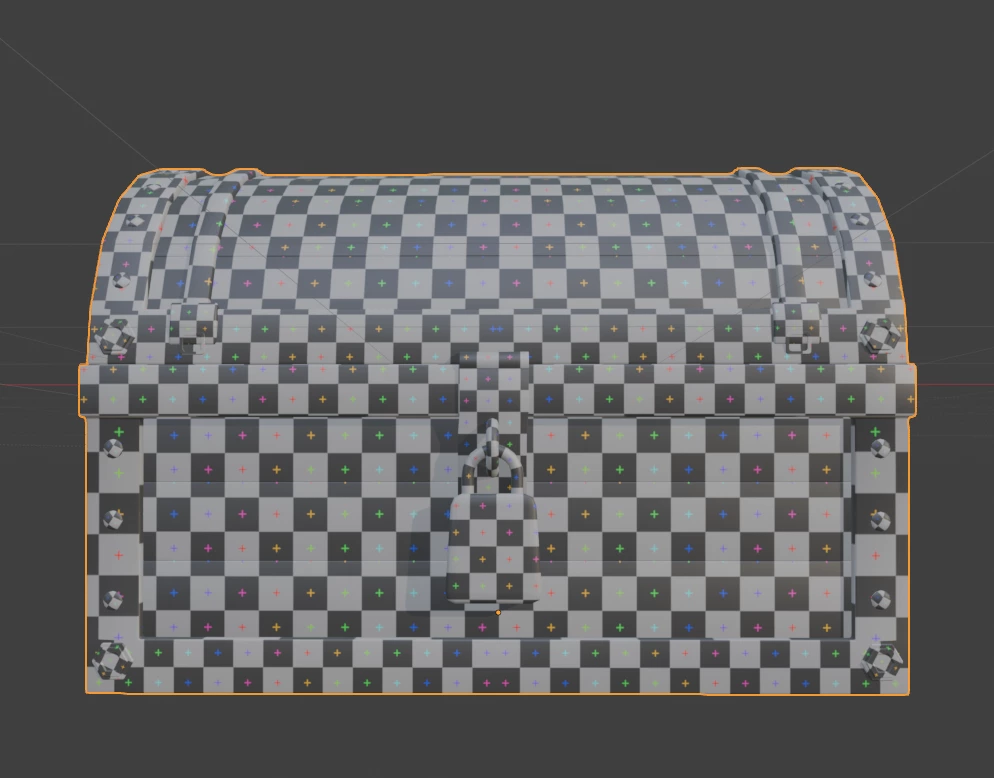
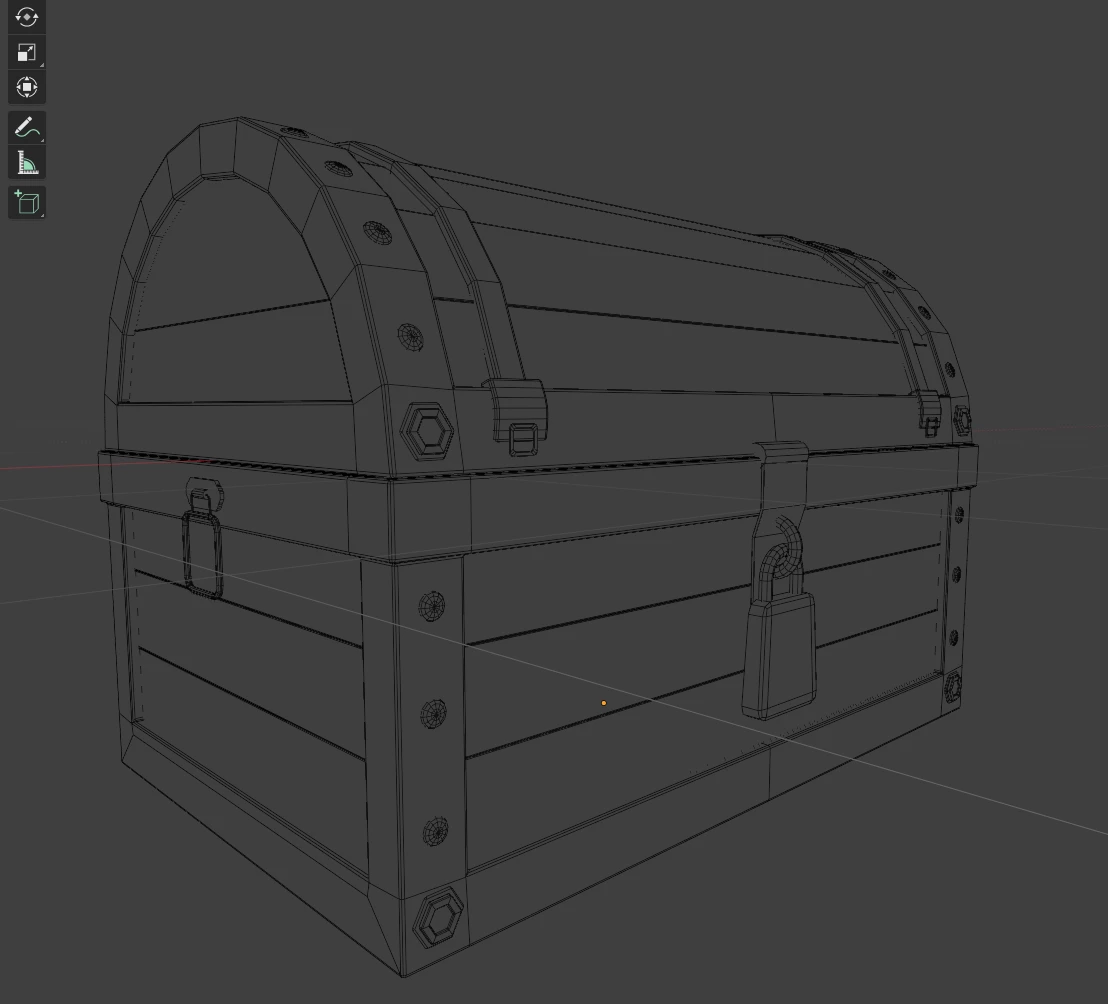
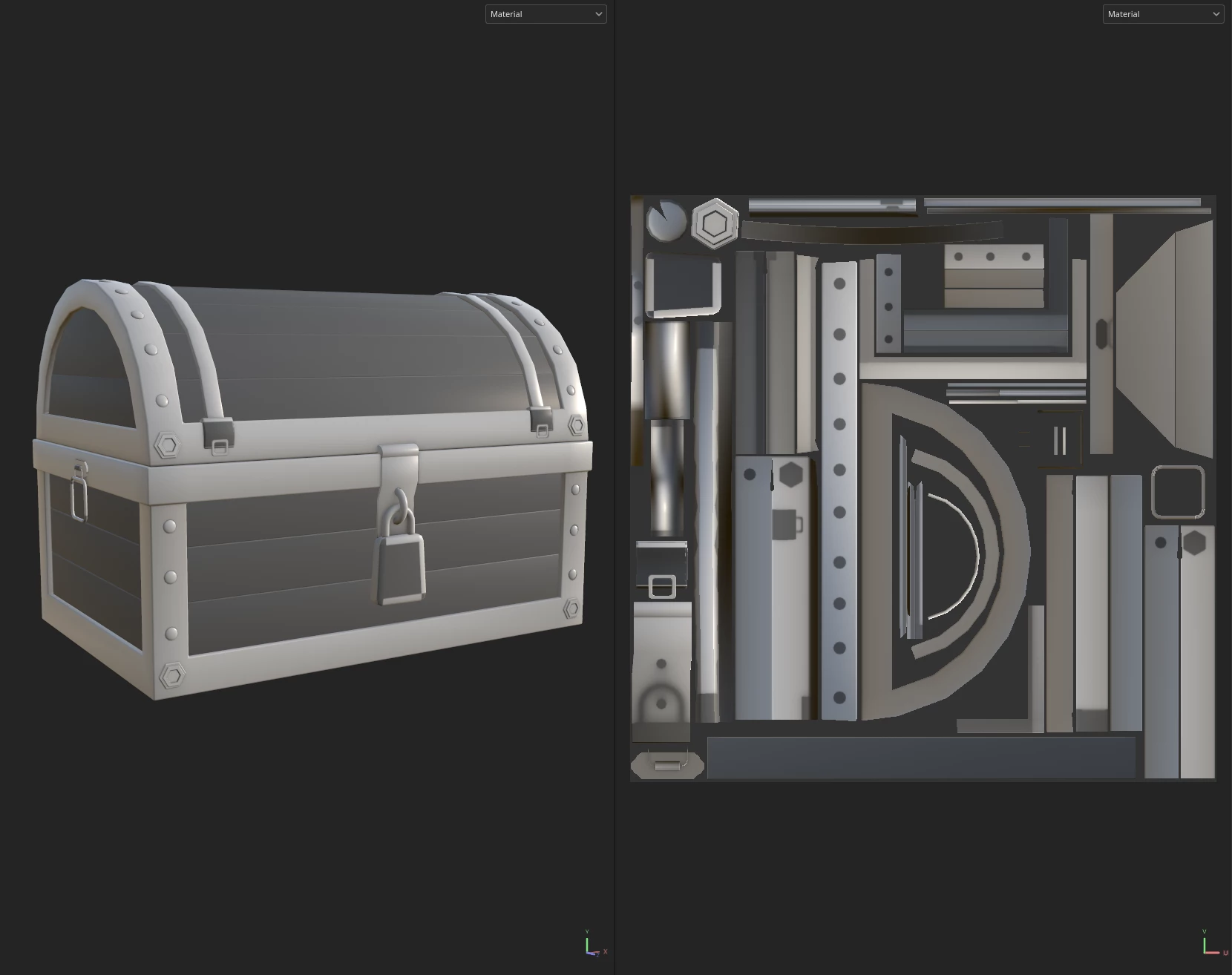
I'm getting bad bakes for the lock, latches, and side handles. (Wood pieces too, but I'm not super really concerned about it since they don't seem to show any visual artifacts) My UVs probably aren't the best, but as far as I can tell, nothing is overlapping or sitting out of place. I tried repositioning the lock physically and on the UV map, making sure nothing was intersecting with it, and still it came out the same way. I can't seem to find why my UVs are turning out like this. Maybe there's some general things I want to avoid when organizing things that I don't know of. Not super experienced in the field.

Also, the mesh bakes the same way if the pieces are joined or separated.
 

    1 reply

    Cyril Dellenbach
    Community Manager
    Community Manager
    April 14, 2026

    Hello ​@UndeadFury,


    Thank you for your question.


    I can already tell you from your UV map (thank you for the screenshot by the way) that you, in fact, have UV shells overlapping. I guess you work (as you should) by mirroring your 3D object.

    After mirroring, make sure to scatter the UV shells and not let them overlapped.

    Best regards,


    Cyril Dellenbach (Micro) | QA Support Artist | Adobe
    UndeadFury
    Participant
    April 14, 2026

    The only objects I have mirrored are the top and bottom frame of the chest, which are placed separately on the UV map and not overlapping anywhere I can see. Everything else is just copy pasted. I thought that duplicate objects should have overlapping UVS so that they share the same UV space and don’t use up more room than they need to. As long as they don’t need unique textures, I mean. That’s how I’ve seen it done before and that’s how I have mine set up. (Tried seperating the lock UVs which DID prevent it from baking poorly, but I would have to shrink the UVs a lot to make the extra surface area fit if I wanted to fix the problem areas.)

    The only textures that are visibly overlapping are the buckle and the side handle because they were projected from view. I thought that wouldn’t be an issue, but I’ll see if repositioning them fixes anything.

    (Tried it, didn’t change anything.)

    Okay, one last update to work out this problem. I’m guessing my issue is actually because I used project from view. The UVs aren’t lined up super clean like I thought they were. I’ll go in there and try to fix it and it’ll probably solve the issue.

    Cyril Dellenbach
    Community Manager
    Community Manager
    April 15, 2026

    If it doesn’t, feel free to send me your .SPP project at cdellenbach@adobe.com with a link to this thread. I’ll take a look.


    Cyril Dellenbach (Micro) | QA Support Artist | Adobe