Hi,
You are exporting your meshes in different formats, .fbx and .obj. Each of these formats holds a different set of information. In your case, since .fbx stocks the scale unit, while .obj doesn't ("1 meter" is what .fbx saves while .obj saves just "1"), your bake won't work.
Another difference to note between fbx and obj is the size and read speed. fbx are normally written as binary files and are therefore faster to read and have a smaller overall size.
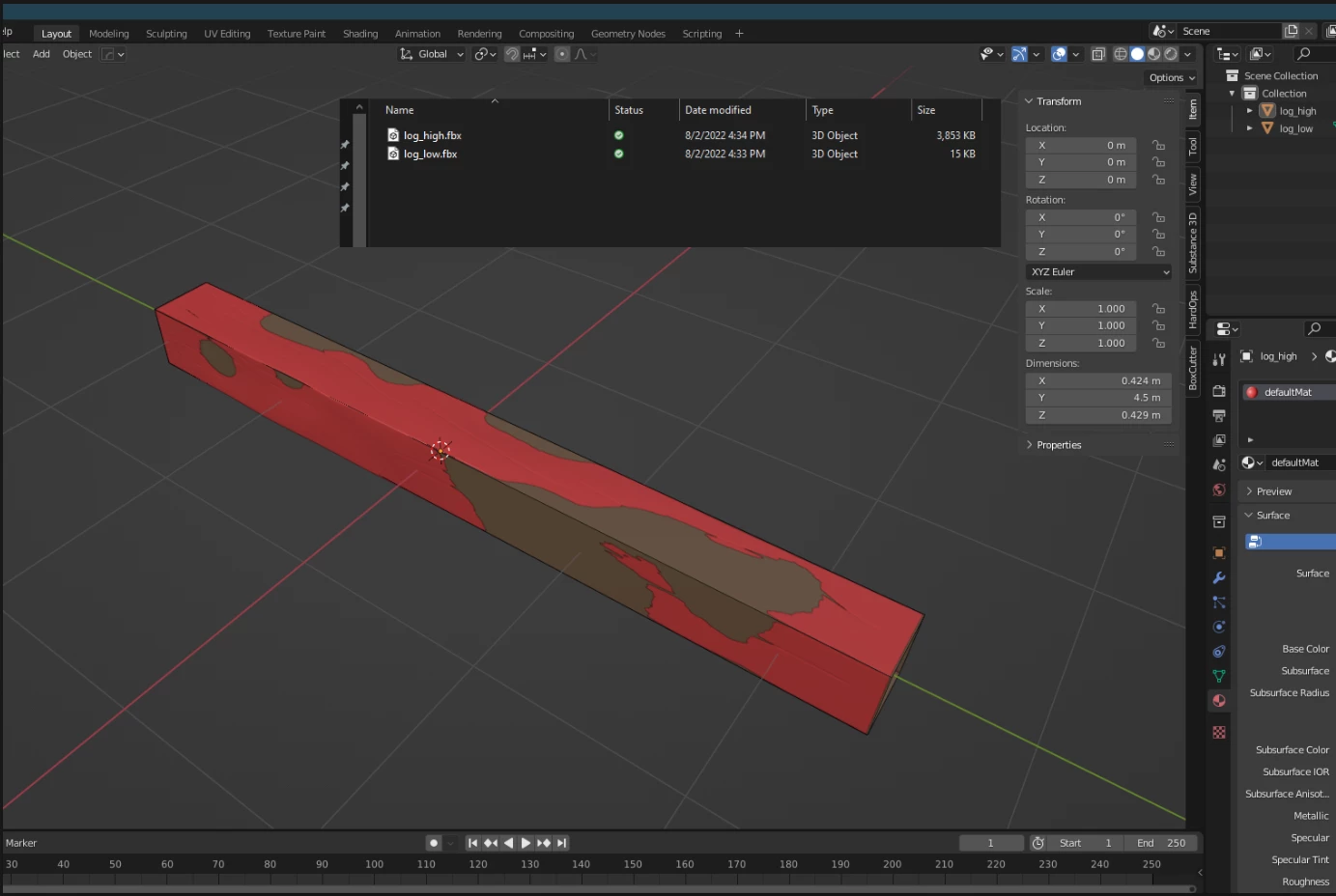
As you can see when I imported both your meshes in Blender, your low poly is at the correct scale since it was saved with units, while the high poly is huge (100 times bigger than your low poly).
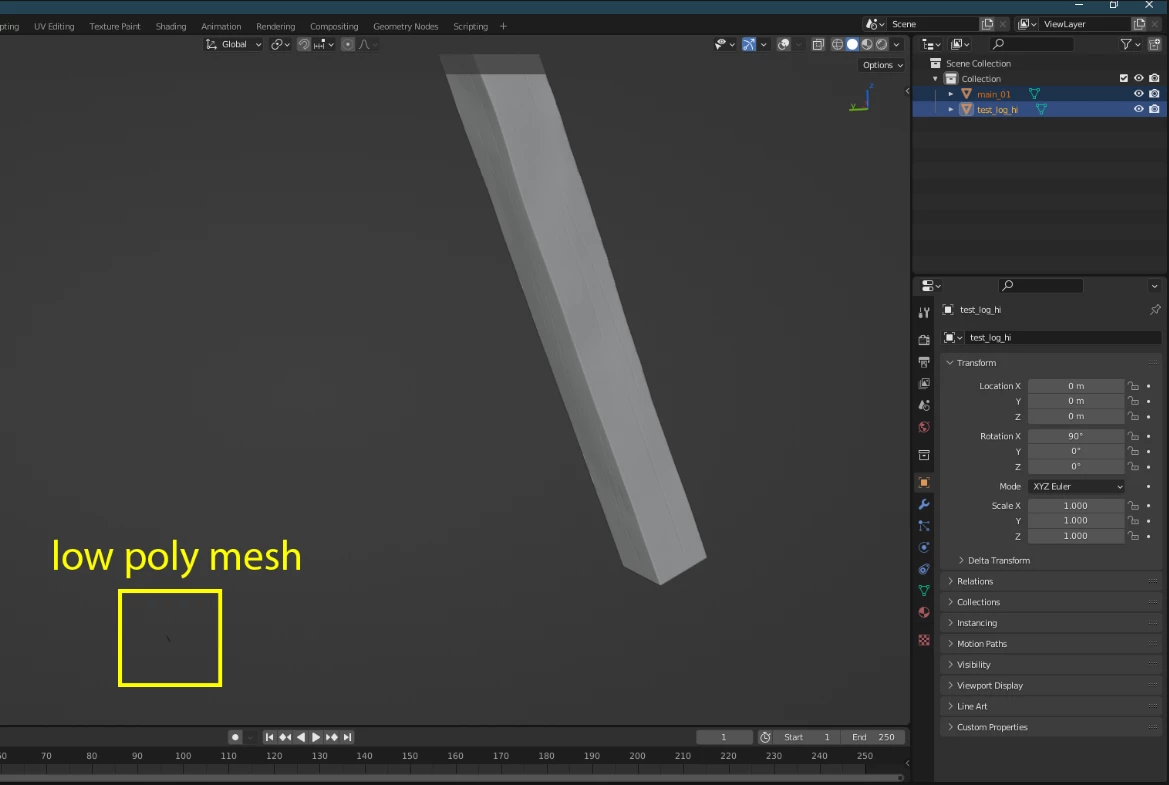
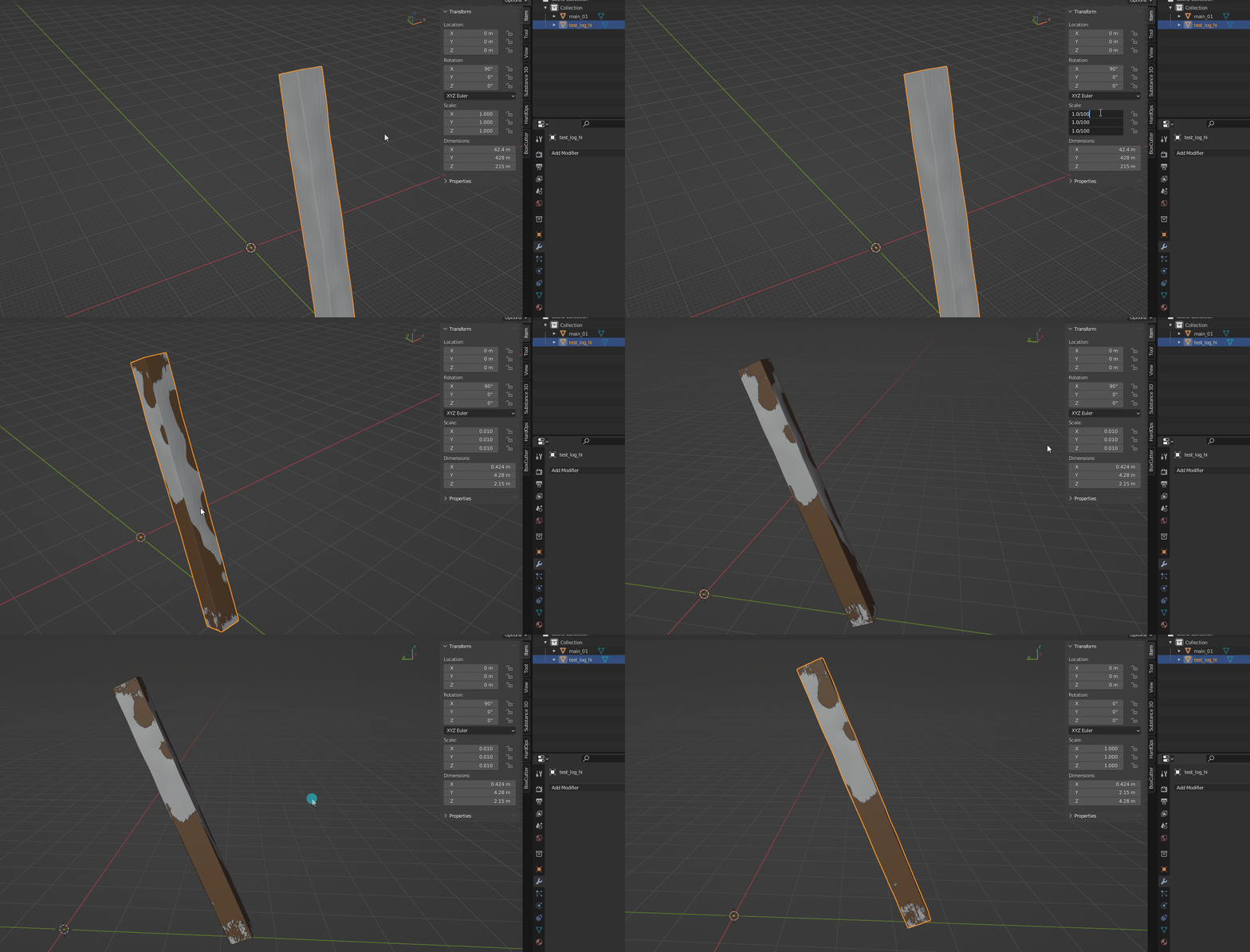
Firstly, I would recommend you scale down your meshes in the same DCC and export with the same format. I wouldn't recommend exporting out of Zbrush, since its scale is quite complex and counterintuitive.
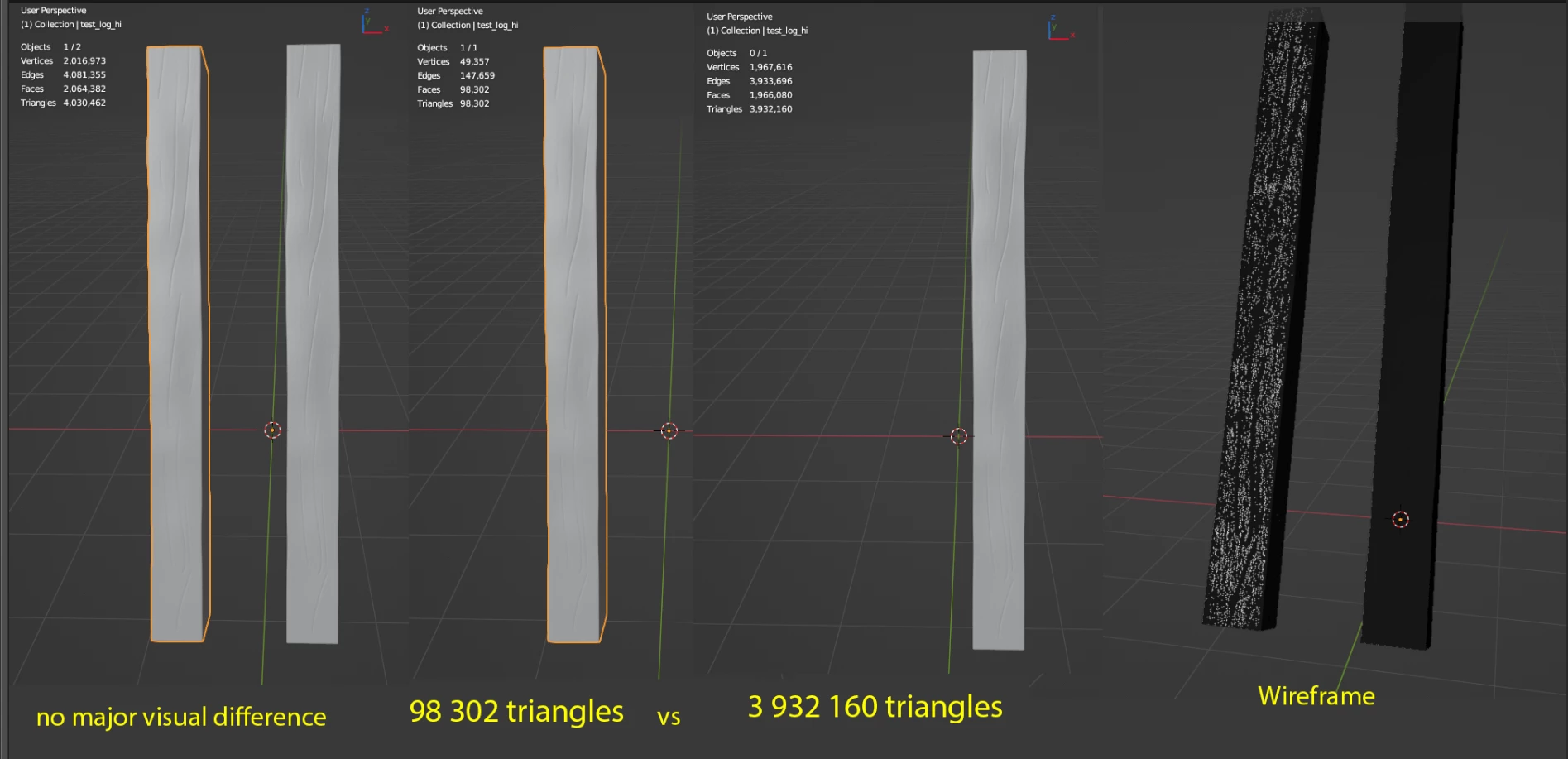
Otherwise, I would also advise lowering your polycount on your high poly mesh. Your high poly is almost at 2 million polygons for a very low amount of concentrated details.
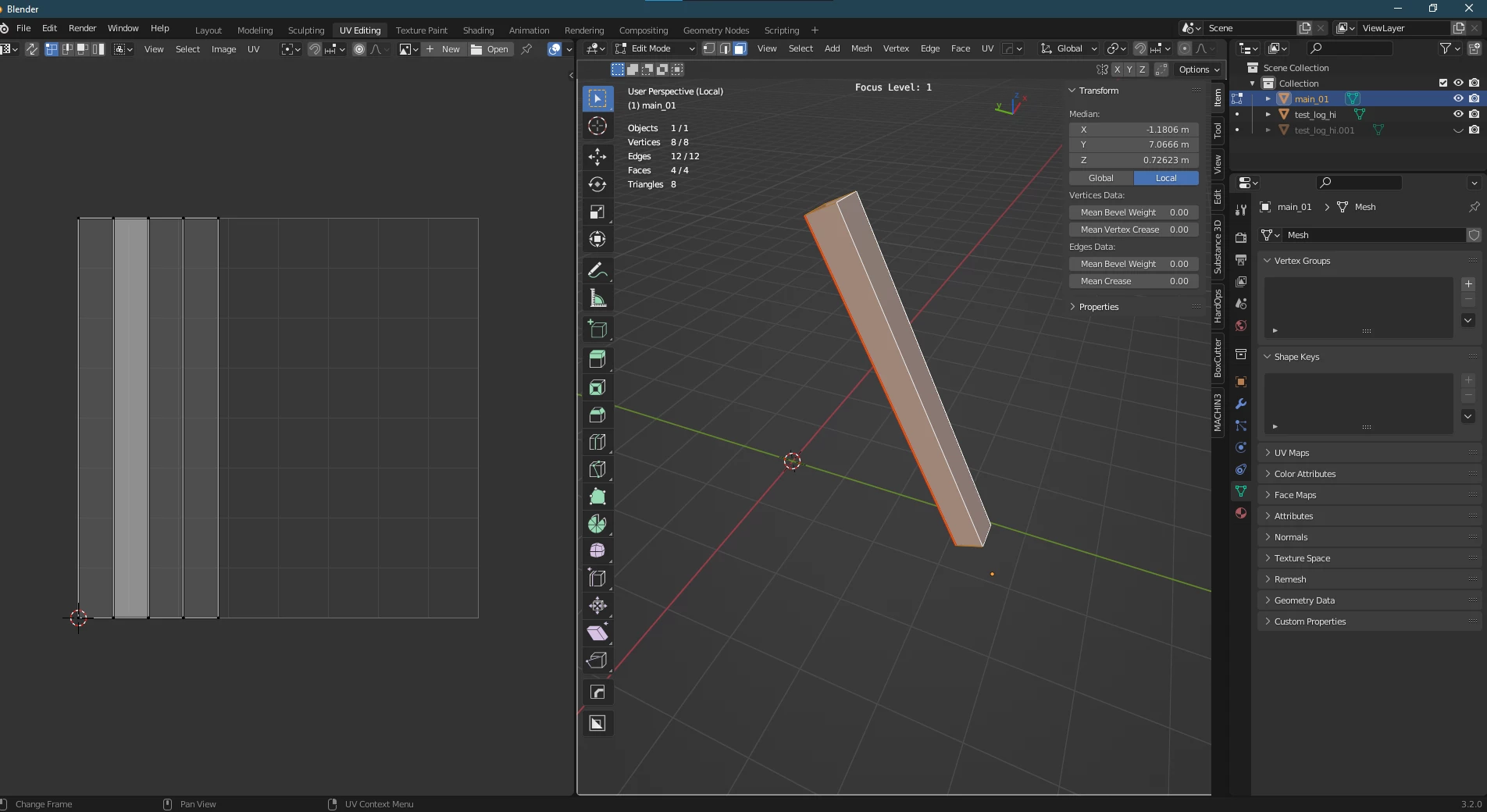
I would optimise your low poly and its UVs. Your low poly doesn't need that high a poly count unless you intend to subdivide it in order to apply some displacement map. If you intend to texture this asset as a solo object, I would recommend resetting your UVs to occupy a large amount of UV space.
Lastly, before exporting I would check for the pivot position of both your meshes (high and low) and make them match.
I now have both meshes at the centre of the world, both exported as.fbx.
You can add a bevel on your edges to support the illusion if you want to do some close-up.
This is the bake I came up with:
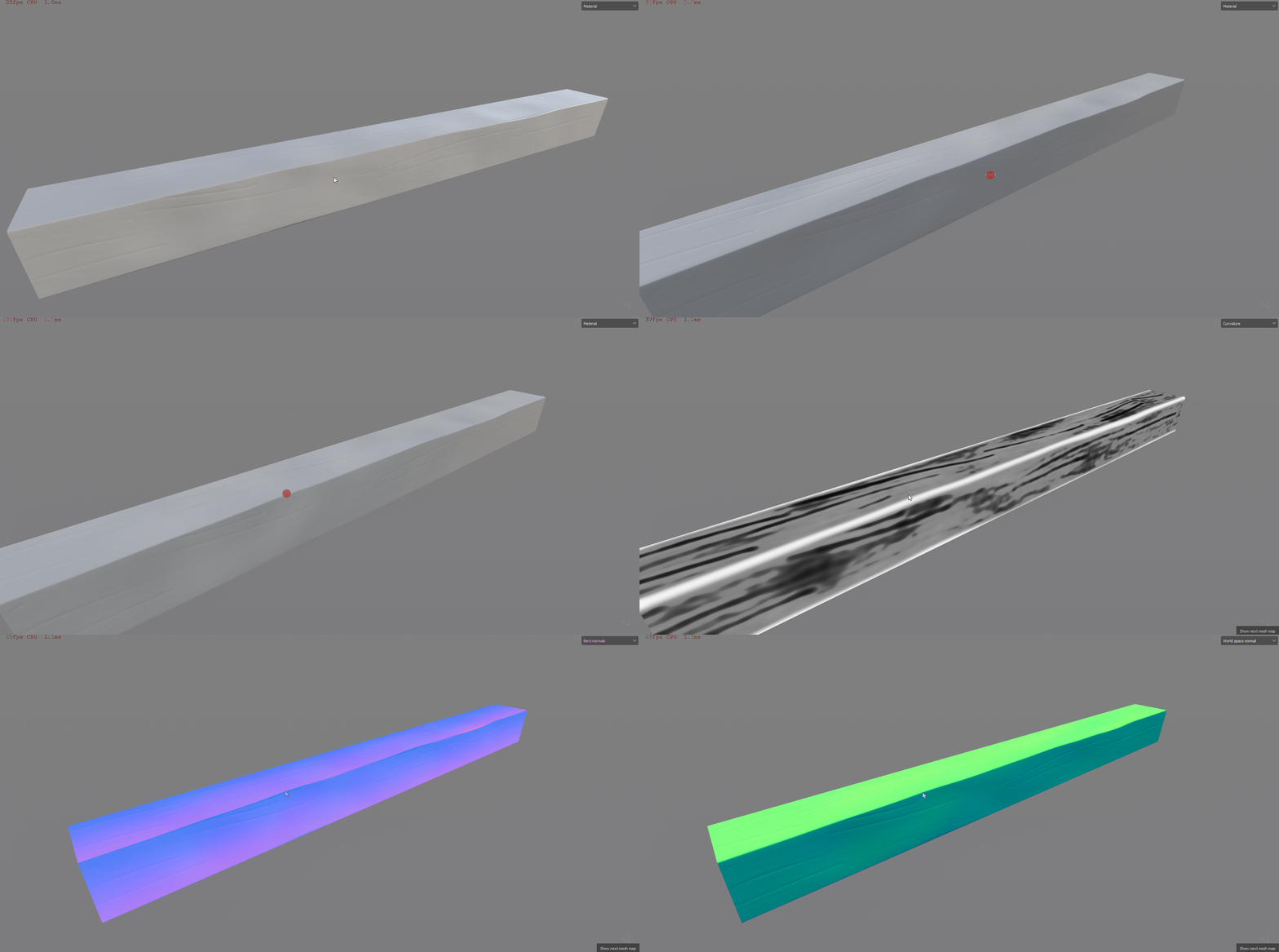
I linked both the high and low poly that I reworked.
I hope this helps,
Kind regards,
Geoffroy SC



 AdChoices