


Needing help figuring out how to change the texture map export colors.
Currently working on repainting a model from an online game.
How do I change the export texture map colors to match the game's texture maps?
Primarily, the normal, Ambient Occlusion, and Metallic / Roughness
Game models use 4 maps in total
AM (Diffuse), ANM (Normal), AO (Ambient Occlusion),
GMM (Roughness and Metallic combined?)
The only one in question that I am not able to produce a good result to match my repaint in SP is the GMM map.
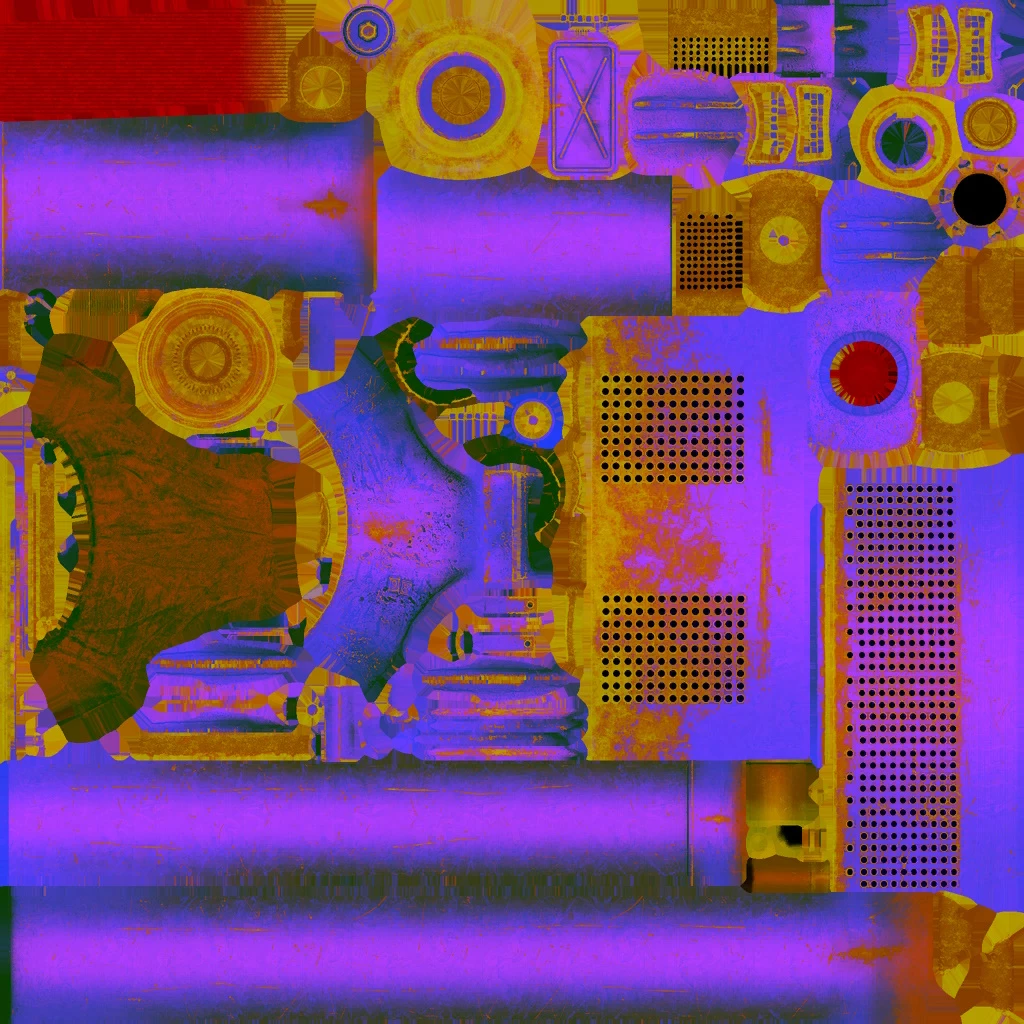
The Purple is the neutral (Z up lit portion)
Is there a way to edit / pick different colors for the texture maps upon export?
I have exported a different tank I repainted and I went through 5 or 6 different export presets trying to find one that will work or similar to the above with no luck.
What would be needed to creating a similar map export option?
Also Secondarily.
The ANM (Normal) maps are usually an orange, green, or blue'ish purple map color pending on each part of the tank. So I would to be able to set a color with this as well.
 AdChoices