


NES Zapper - With splinters/triangles in my baked maps from high res ZBrush Hard Surface Boolean
Having Baking Issues
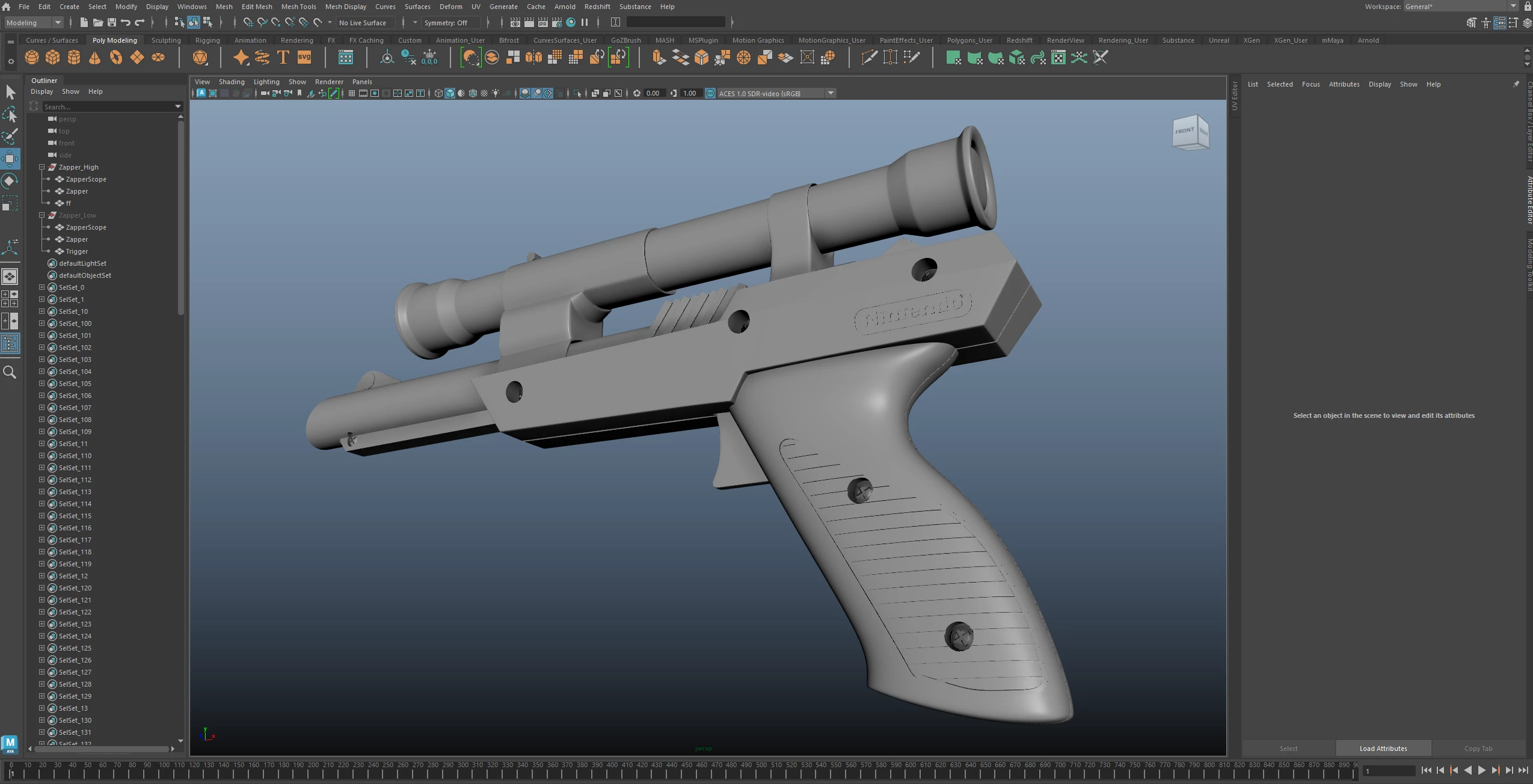
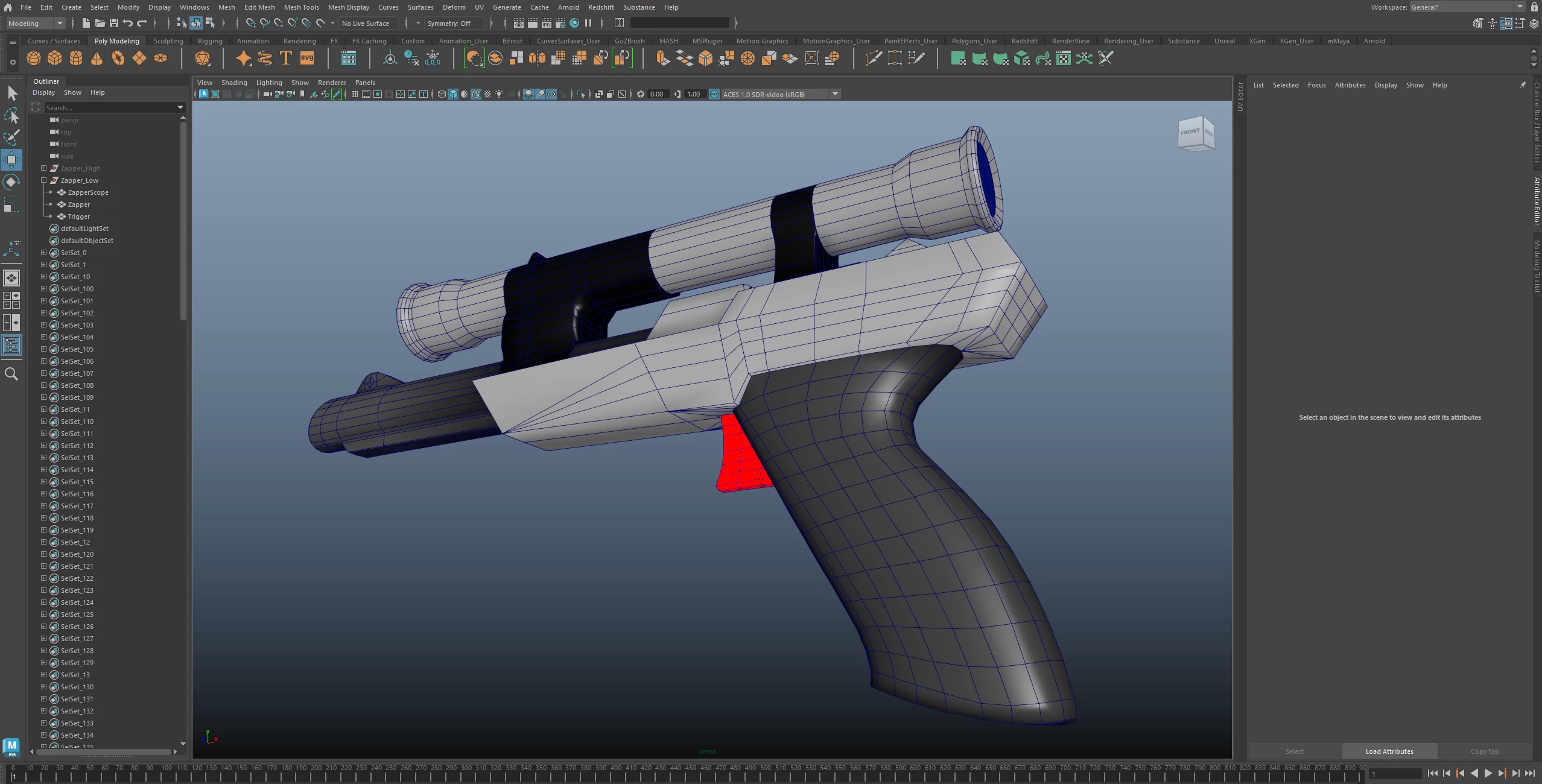
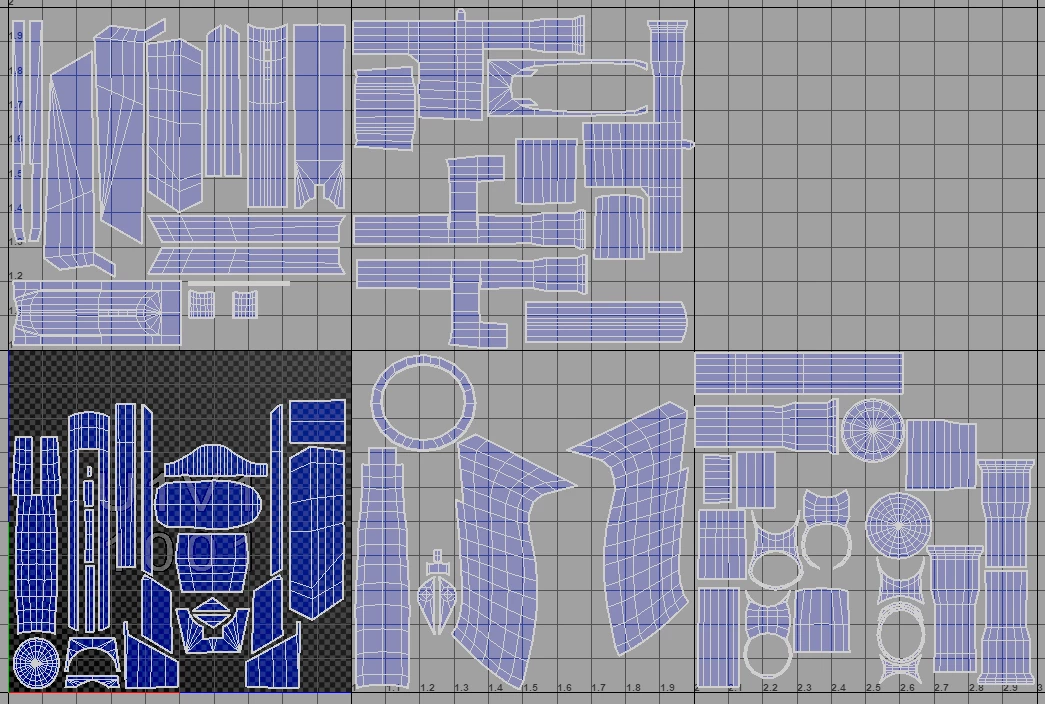
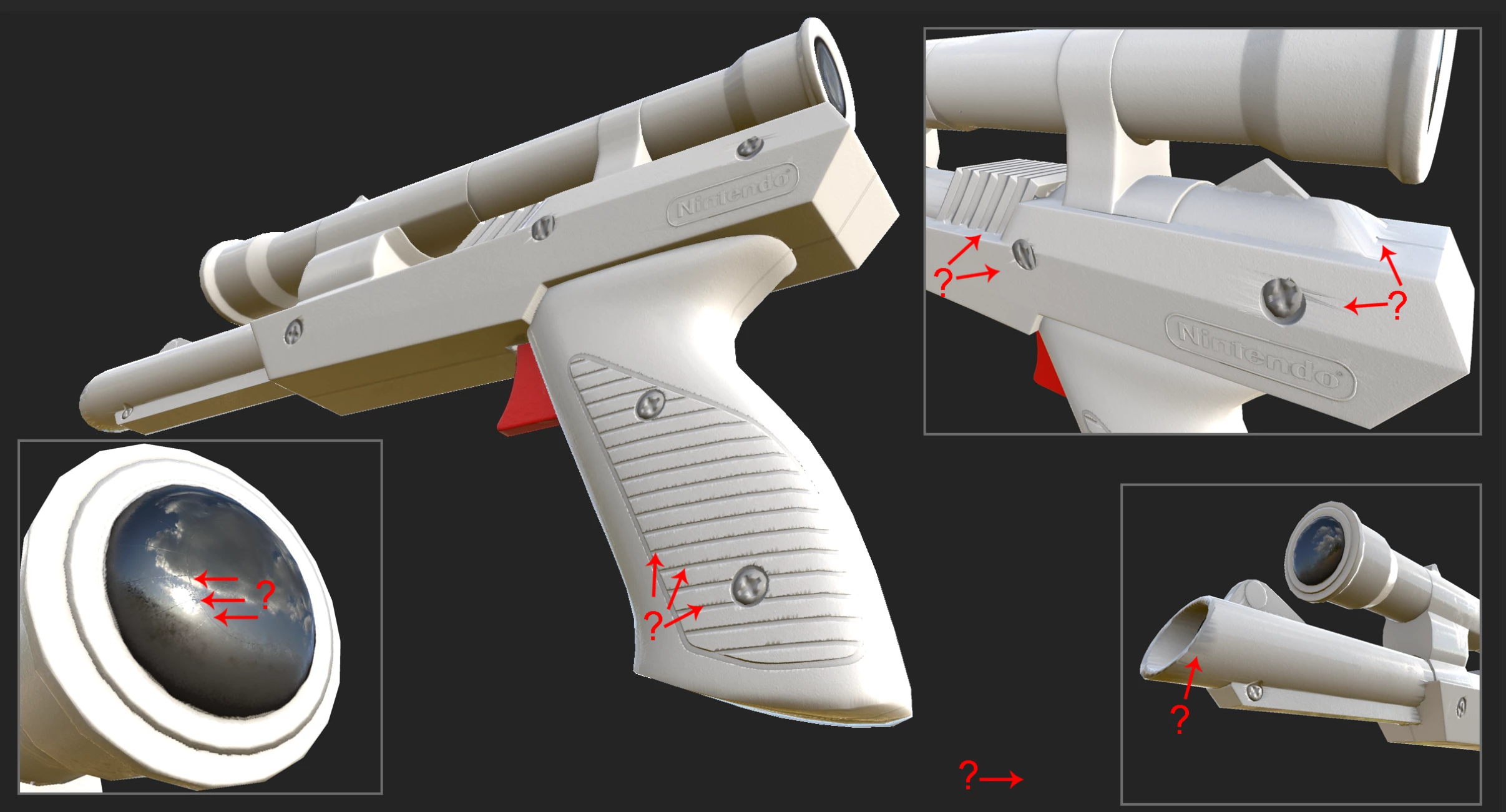
I'm still learning Substance Painter and I'm not sure what is going on. I am experiancing triangles and splintering around some of my edges. The Zapper was done in ZBrush with booleans. The low res mesh with vertex color and UV layout is done in Maya. I did my best to separate the shells at the hard surface edges. From Maya I then export the Zapper, Trigger and Scope into a single fbx file. I then do the same with the HD Boolean mesh from Maya as well.
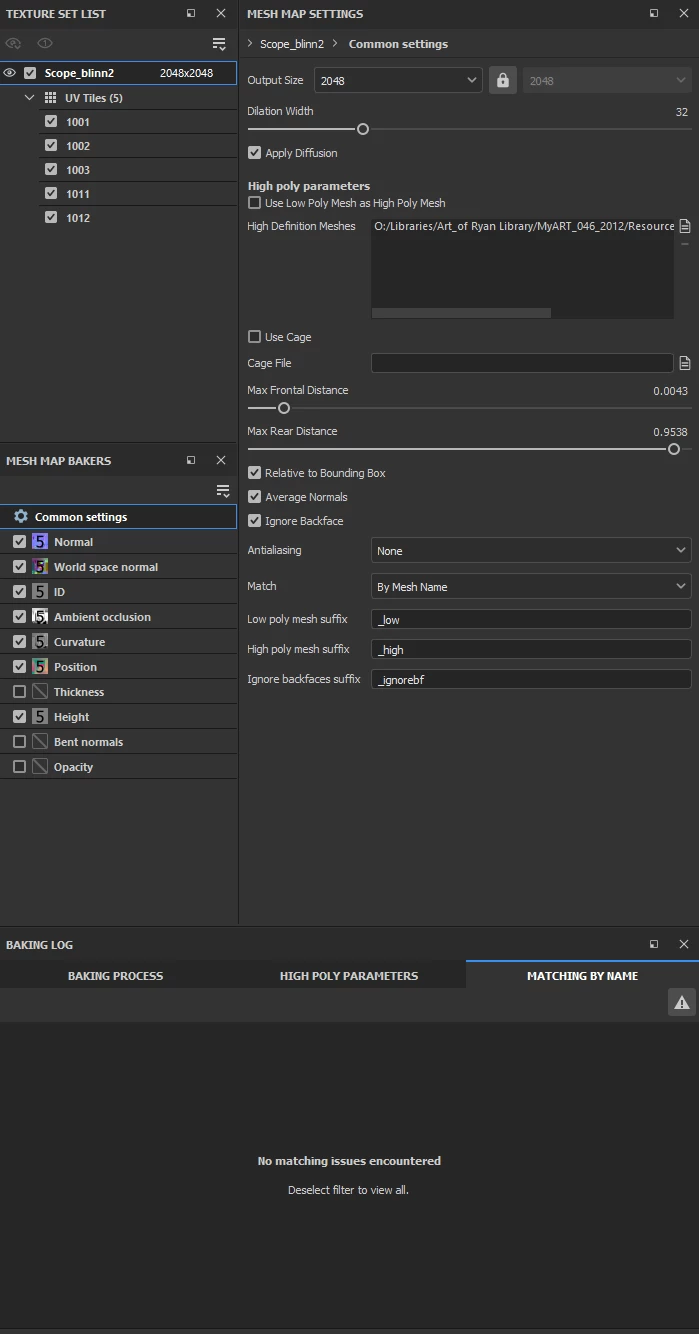
In painter, I bring the low res fbx mesh into the scene to start. In my bake settings (see below) I include the HD mesh fbx file. The results are undesierable. Help me understand how and why this is happening and how I can fix it. For the baking, I started with default settings and then adjusted to what you can see in the image.
ALSO! Does Marmoset do a better job? Am I expected paint out these artifacts in Photoshop?
Images below:
Baking Error:
[Scene 3D] [FBX] : Mesh normals are invalid (some values are null) and will be recomputed
[Scene 3D] [GenVertexNormals] : unable to compute normals because some triangles were too small in mesh Zapper
My High poly mesh:
My Low poly mesh:
My Low poly UVs:
Baked Settings:
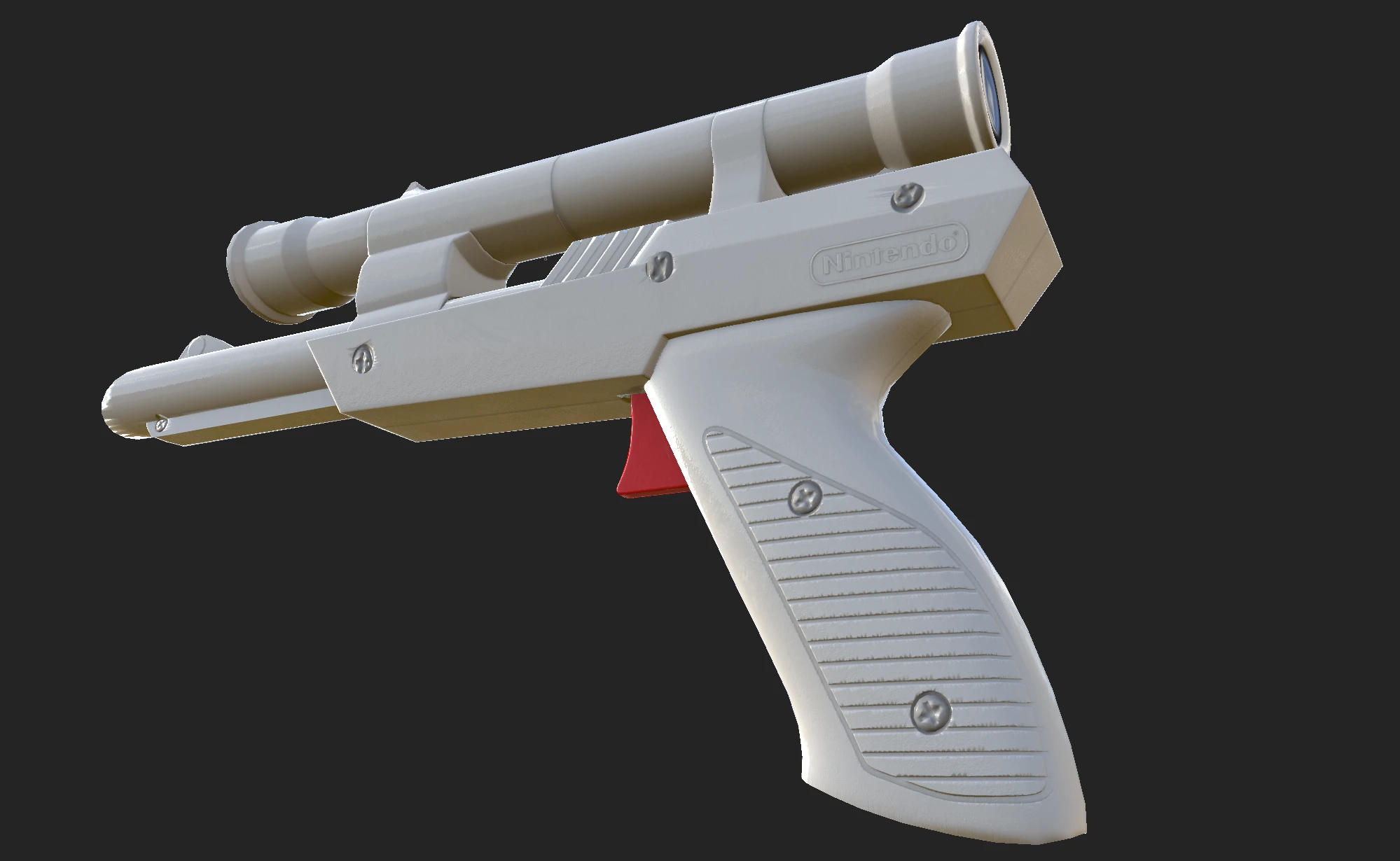
My Results:
 AdChoices