


Participant
July 31, 2021
Answered

No Icons in the Layers Panel

  • July 31, 2021
  • 1 reply
  • 1090 views

In the new substance painter update, all my layers are showing the icon instead of whatever is on that layer. I checked the settings, and the option of showing layer stack icons instead of thumbnails is not checked. Is there another setting I'm missing?

Correct answer Cyril Dellenbach

Hello @Дмитрий32184540lf88,


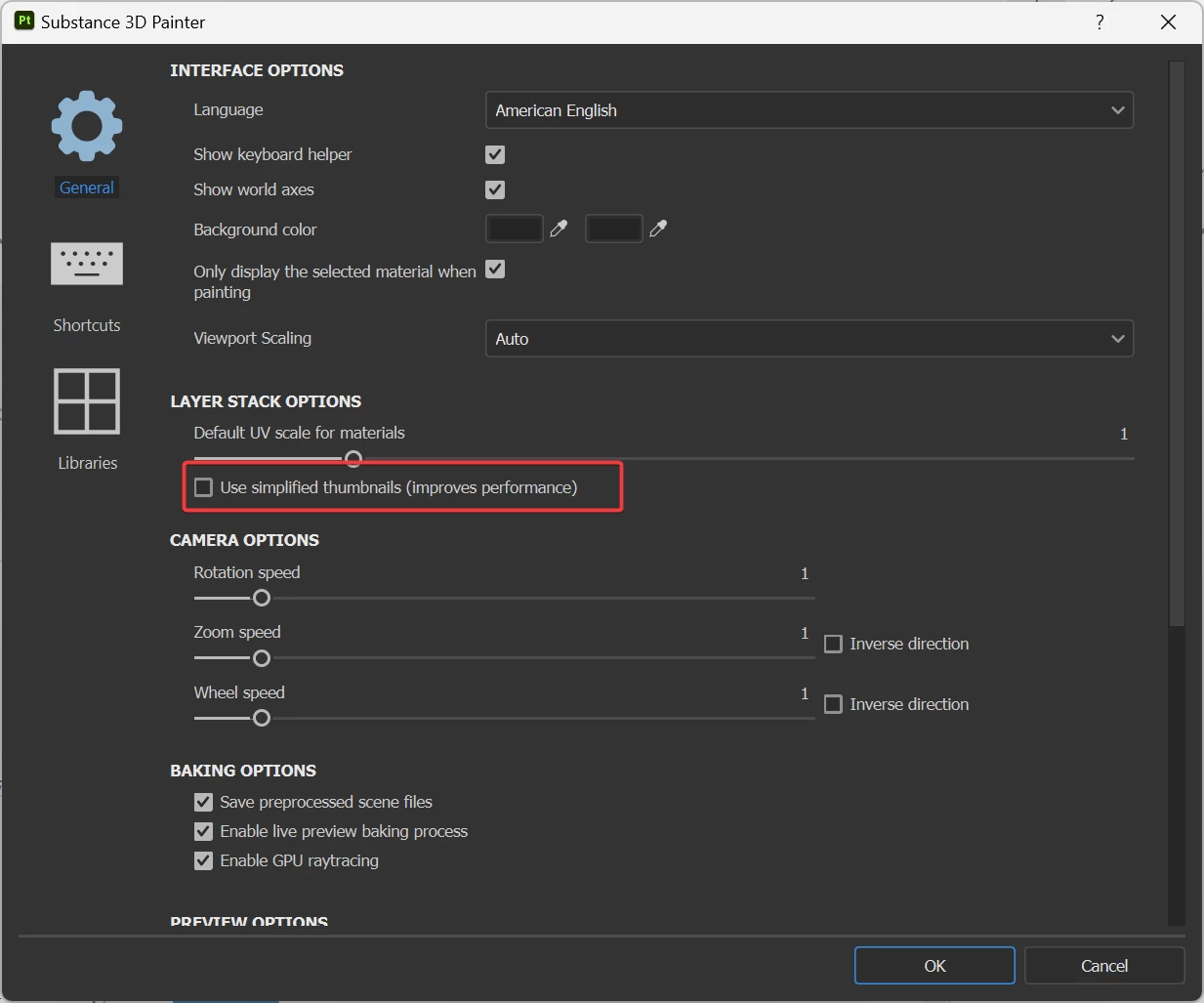
The Thumbnails options are under: Edit > Settings > General > Layer Stack Options > Use Simplified thumbnails


but the feature is automatically turned on when working with UV Tiles workflow


1 reply

Participant
August 2, 2021
quote

In the new substance painter update, all my layers are showing the icon instead of whatever is on that layer. I checked the settings, and the option of showing layer stack icons instead of thumbnails is not checked. Is there another setting I'm missing https://19216801.onl/ ?


By @defaultzkft0sr999x0

I got this solved,...

Participant
September 10, 2023

Hello! How did you find the problems?

Thank you.

Cyril Dellenbach
Community Manager
Cyril DellenbachCommunity ManagerCorrect answer
Community Manager
September 12, 2023

Hello @Дмитрий32184540lf88,


The Thumbnails options are under: Edit > Settings > General > Layer Stack Options > Use Simplified thumbnails


but the feature is automatically turned on when working with UV Tiles workflow


Cyril Dellenbach (Micro) | QA Support Artist | Adobe