Participating Frequently
July 27, 2025
Answered

Normal decal textures

  • July 27, 2025
  • 1 reply
  • 188 views

Hello.

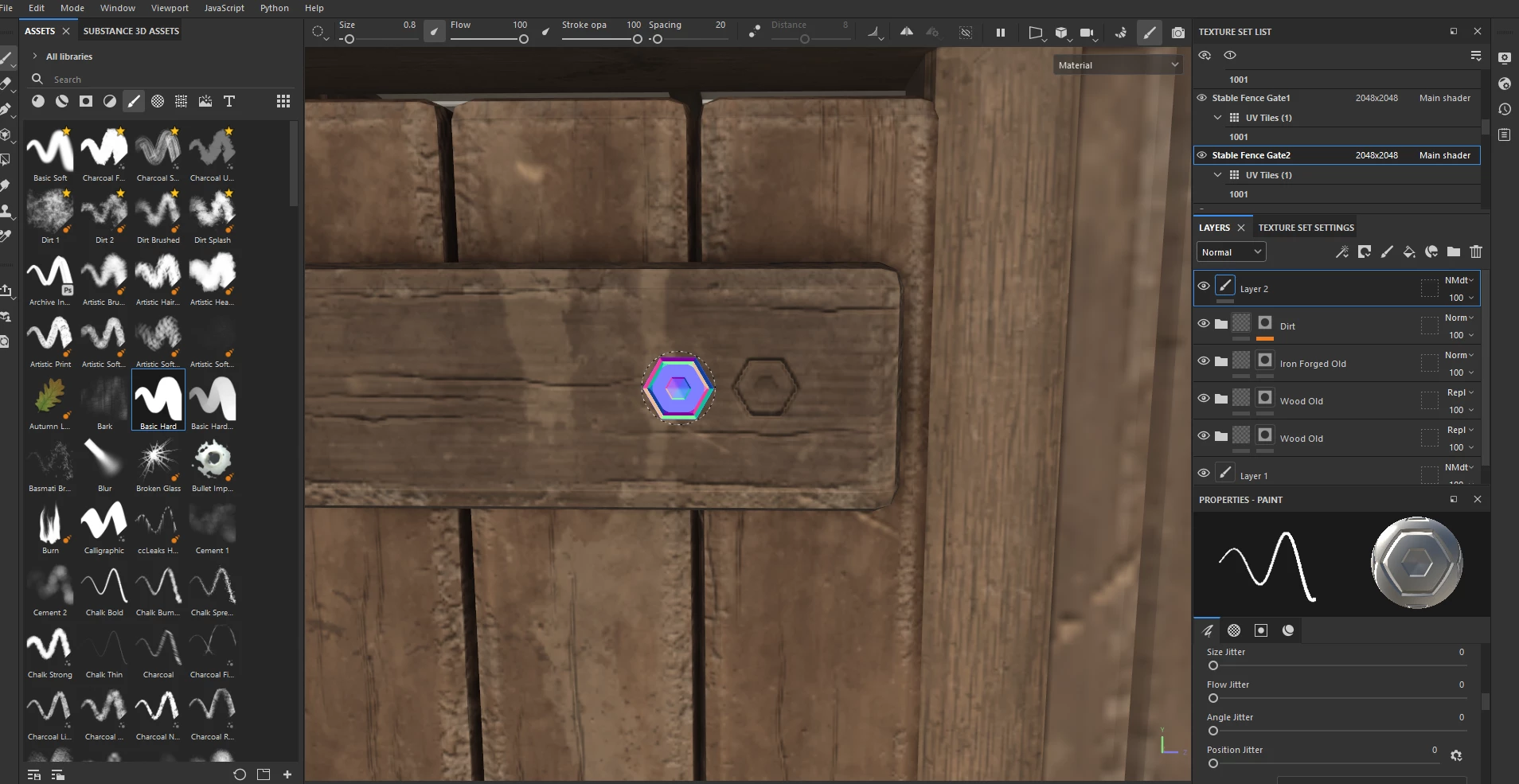
I want to add screw normal decals to my planks but as you can see in the screenshot, it uses the plank's material. How can I make it metal?

Correct answer Cyril Dellenbach

Hello @mutanzom,


Thank you for the question.


That's because Metalness or Roughness are different channels. Currently, you're only painting the Normal channel.


I advise you another workflow probably better suited for what you're looking for:

- Add a Fill Layer

- Mask it with a Black Mask

- Choose an Alpha fitting your needs and paint in the mask

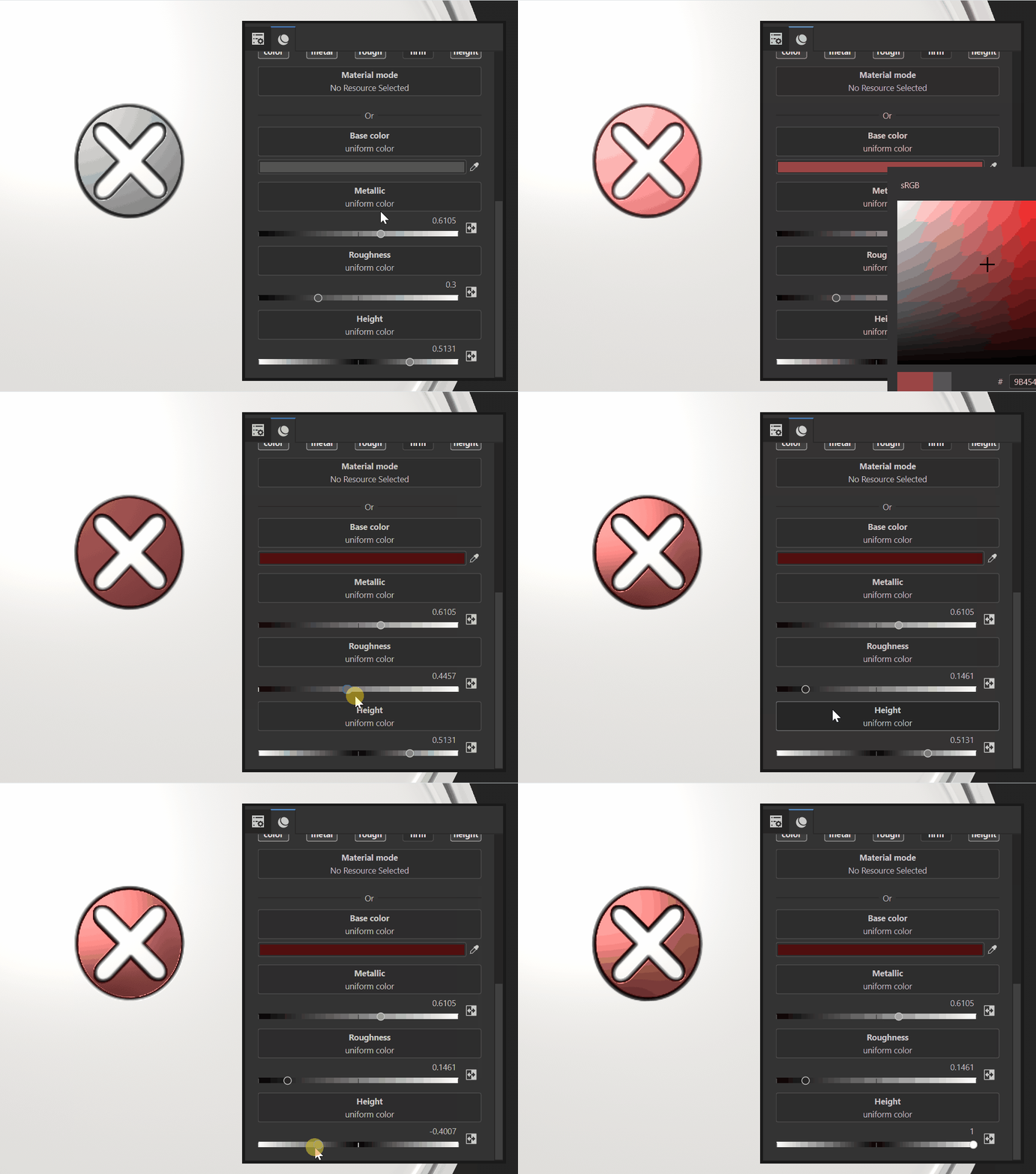
- Tweak the Height/Metalness/Roughness/Color for the desired visual


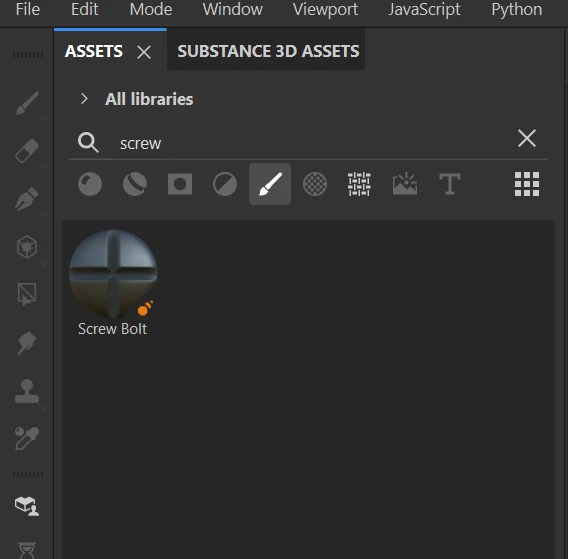
Otherwise, you could also use the Screw/Bolt ressource in the asset panel.


Best regards,


1 reply

Cyril Dellenbach
Community Manager
Cyril DellenbachCommunity ManagerCorrect answer
Community Manager
July 28, 2025

Hello @mutanzom,


Thank you for the question.


That's because Metalness or Roughness are different channels. Currently, you're only painting the Normal channel.


I advise you another workflow probably better suited for what you're looking for:

- Add a Fill Layer

- Mask it with a Black Mask

- Choose an Alpha fitting your needs and paint in the mask

- Tweak the Height/Metalness/Roughness/Color for the desired visual


Otherwise, you could also use the Screw/Bolt ressource in the asset panel.


Best regards,


Cyril Dellenbach (Micro) | QA Support Artist | Adobe
mutanzomAuthor
Participating Frequently
July 28, 2025

That did the trick, thanks a lot.