
Participant
September 27, 2021
Answered

Normal map glitche

  • September 27, 2021
  • 1 reply
  • 832 views

Hi, I have a question. I used Maya for game assets creation and the targeting engine is Unity. 

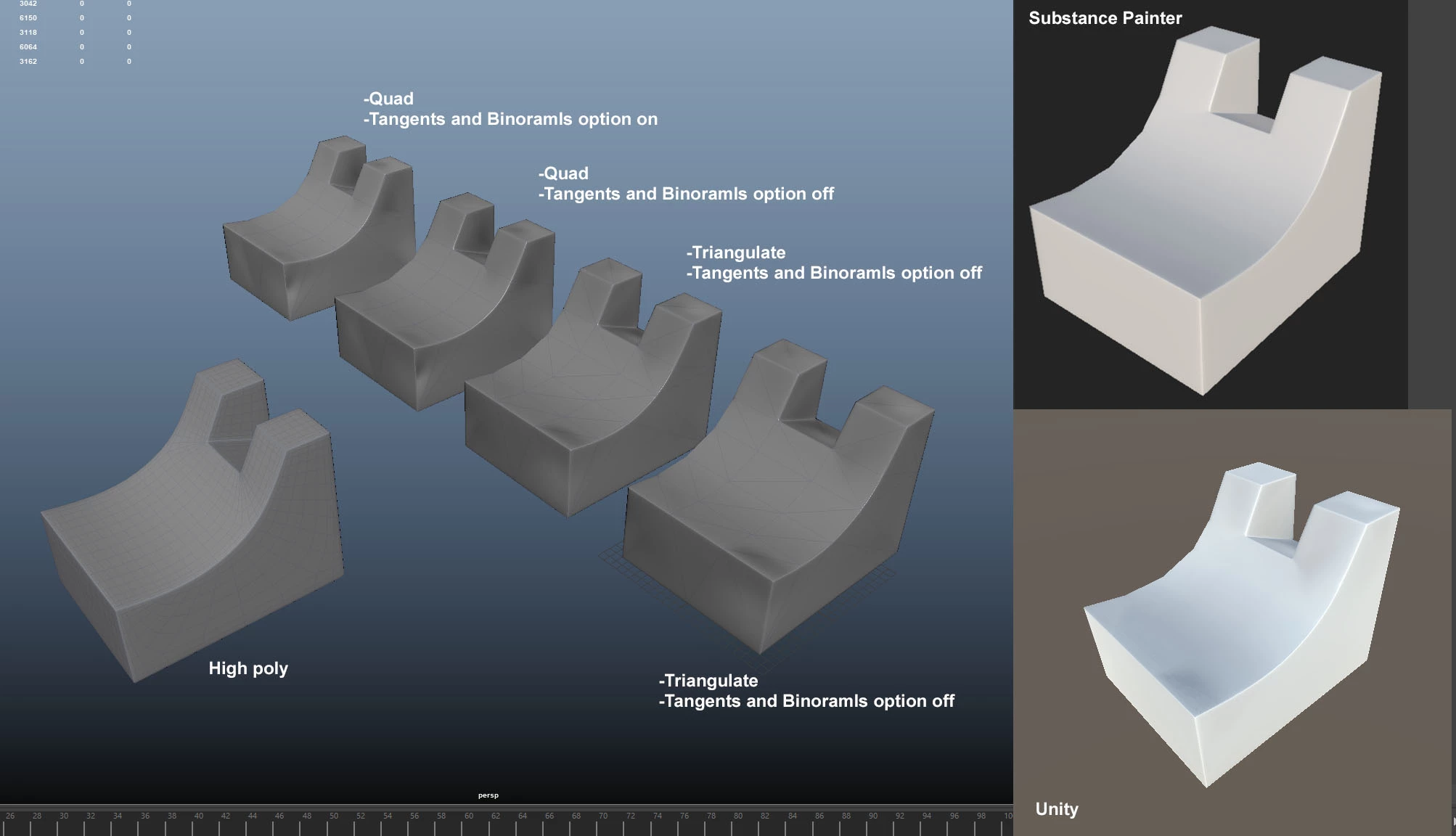
I have trouble to use a normal map which is generated in Substance painter. In Substance Painter, the bake looked fine, but when I applied the normal map in Maya, glitches appeared and same as Unity. Please see the attached image. The darkend, shadowy face appeared. It should be flat. 

I have tried different fbx option, but none of them could solve the problem. It would be caused by MikkTSpace differences. If anyone know about the solution, give me an advice. I prefere to solove this problem in Maya, substance painter and Unity. 
This topic has been closed for replies.
Correct answer Jeremie Noguer

Have you tried with the "Compute tangent per fragment" option off in the project settings in Painter?

1 reply

Jeremie Noguer
Community Manager
Jeremie NoguerCommunity ManagerCorrect answer
Community Manager
September 28, 2021

Have you tried with the "Compute tangent per fragment" option off in the project settings in Painter?

Participant
September 28, 2021

Hi Jelemie,

Yes I tried and the result was not bad. Not perfect but it would be the best result so far and may need to compromise it. I have heard that blender uses MikkTSpace and Max has the option. To get the same result as Substance Painter baking, I may need to wait until Autodesk tweaks Maya, I assume. Anyway Thanks. I will go with "Compute tangent per fragment" off in Maya, Substance and Unity work flow.

Regards,
Shun