


Participant
January 24, 2023
Question

Normal maps not generating consistently

  • January 24, 2023
  • 1 reply
  • 546 views

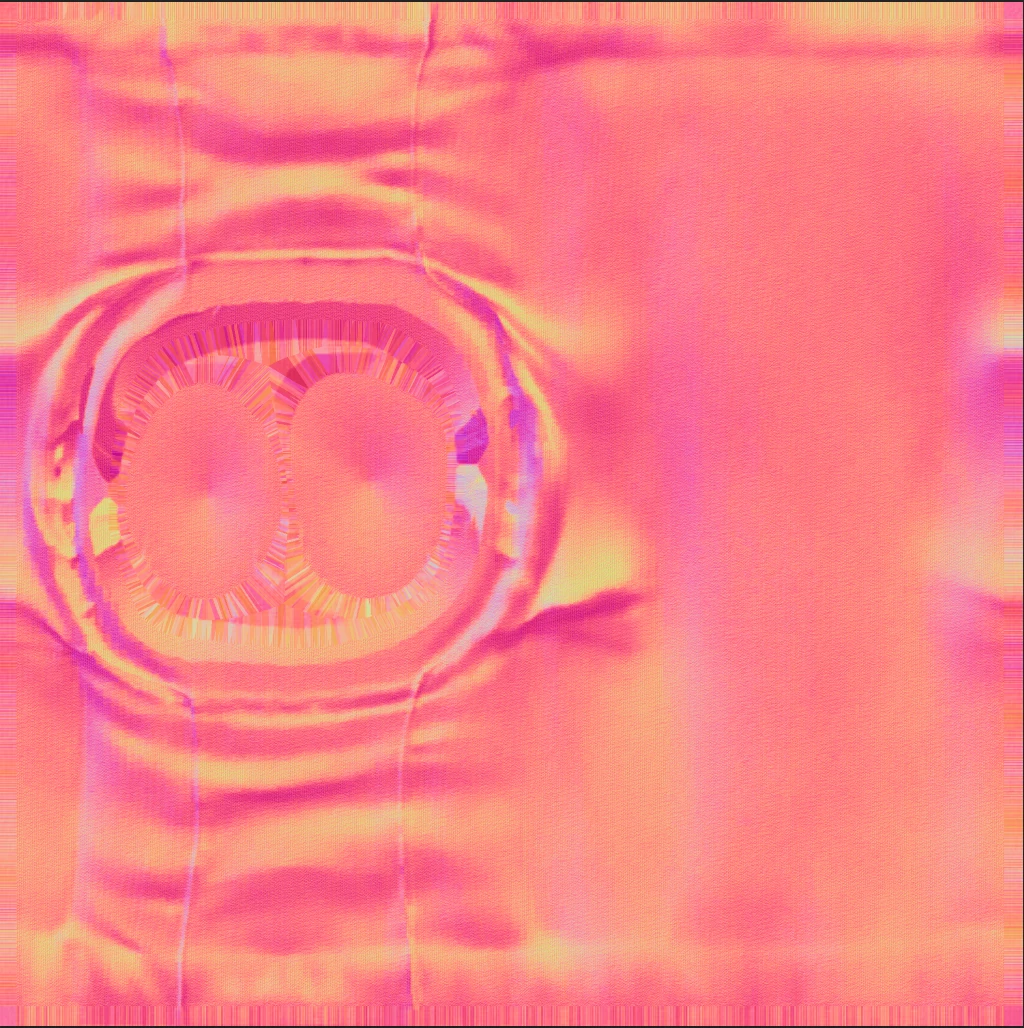
Hi.. I am exporting some textures for a project. Out of the three Normal maps I have exported, one is in the purple/blue that I would expect, but the other two are both orange/pink and don't look right in Blender. I have used the same export settings for the maps and I cannot understand why they are different. Has anyone come across this?
 

This topic has been closed for replies.

1 reply

GeoffroySC
Community Manager
Community Manager
January 25, 2023

Hi,

Would you mind sharing a bit more information on your export setting and what is your general setup in Painter? I can't just guess the origin of your issue. It could come from a number of paths: color management, export format, the intensity of the normal map, DirectX vs OpenGL format, etc. 
Thank you,

Kind Regards,

Geoffroy SC

IanS77Author
Participant
January 26, 2023

Hi Geoffroy, thanks for the response and sorry for the lack of detail. I have tried several export settings, all with the same result. Output template is Maxwell (Metallic Roughness), tif 8 bit, 1024x1024, No padding (passthrough). I selected PBR Metallic Roughness from the presets and made sure the Normal was set to tif 8 bits. I used DirectX. I am going to redo this part of the project as I have a feeling the issue may be in the maps I've imported to work on, rather than the ones I'm exporting.