Participant
July 21, 2022
Answered

Opacity on Single Layer

  • July 21, 2022
  • 1 reply
  • 2538 views

Is there a way to make a layer with opacity show the layer beneath it?

I can achieve the result I want by exporting the opacity map, then re-importing it and using it as a mask, but there must be a more streamlined way to do it. I've tried all the blending modes, including on just the opacity channel for the layer, but nothing seems to work.

Am I missing something?

Correct answer davescm

PS: But, if I place the layers in the stack, the opacity from the rattan layer affects all the layers beneath it.


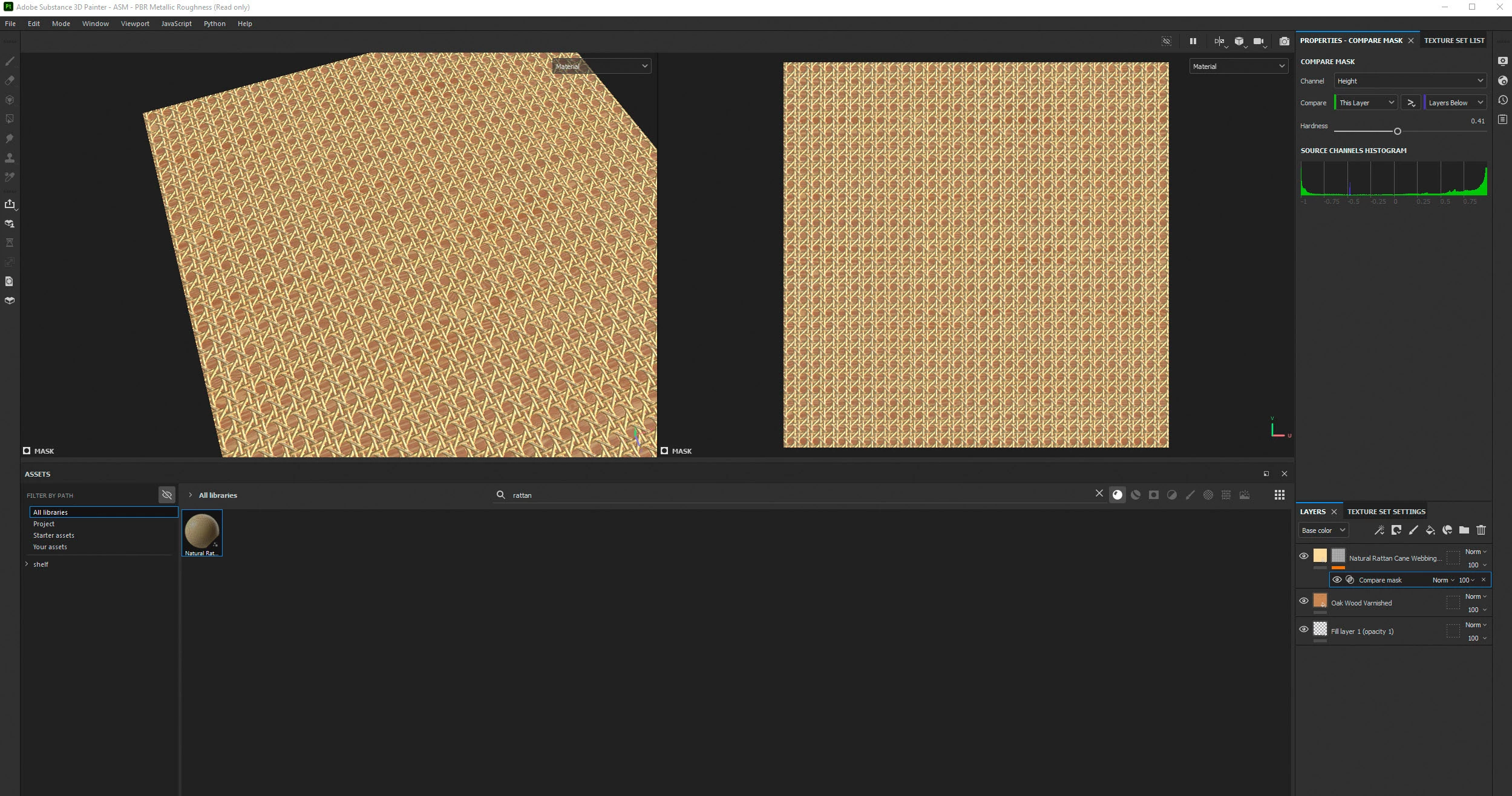
If you want an output to be solid but show the oak material, through the gaps in the rattan material, then try adding :

1. A fill layer at the bottom of the stack with only the opacity enabled and set to 1 (white)

2. On the Rattan layer a "mask with height combination" which actually adds a compare mask for which you can choose whichever channel you want for the compare. I've left it at 'height'. You may need to adjust the height of the oak material

Dave

1 reply

GeoffroySC
Community Manager
Community Manager
July 21, 2022

Could you describe more precisely what you're trying to achieve? I currently don't understand your goal. 

Maybe using pictures would help?

Thank you

Geoffroy SC

Participant
July 21, 2022

I need to use the Natural Rattan material with Oak behind it.

Image attached made with the method desribed above.

Participant
July 21, 2022

PS: But, if I place the layers in the stack, the opacity from the rattan layer affects all the layers beneath it.