Participant
November 11, 2021
Answered

Paint Layer not editable afterwards

  • November 11, 2021
  • 1 reply
  • 2155 views

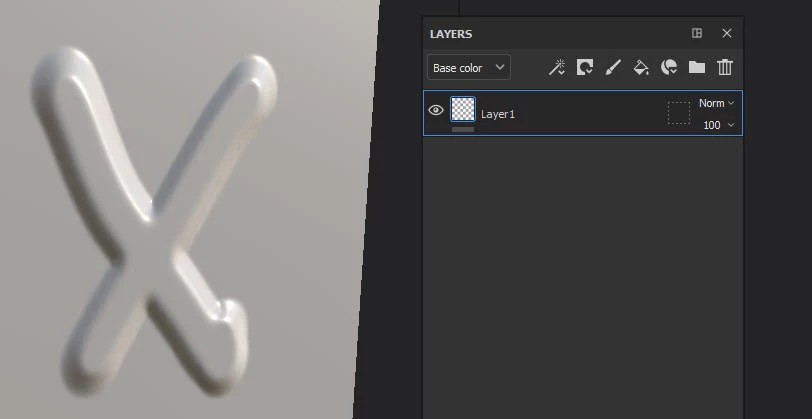
Hey guys this is my problem, i draw on my mesh some height information within a paint layer. Now afterwards i tried to add color but it isnt possible anymore. Is there a way to add color to the already existing height information. If not whats the usecase of a paint layer, a fill layer with a mask can do the same and is editable afterwards.


Hopefully you can help me.


Peace
This topic has been closed for replies.
Correct answer davescm

You can paint on the same layer or the same layer effect if you prefer.

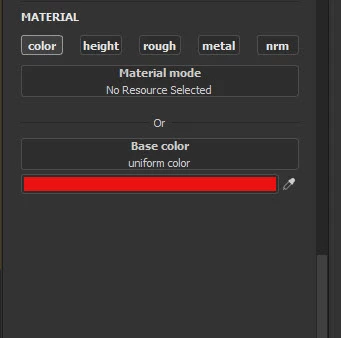
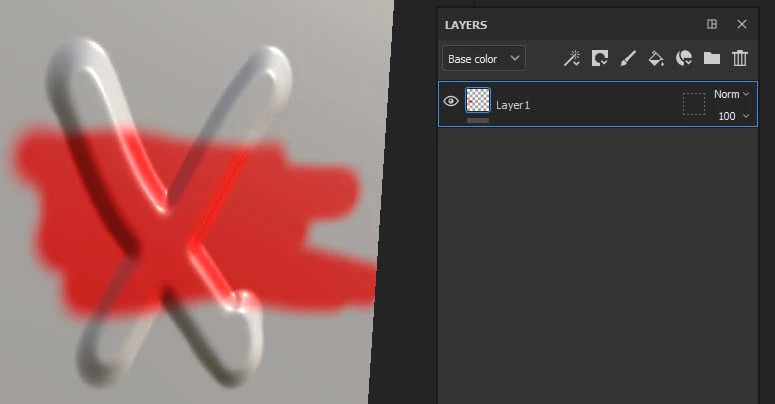
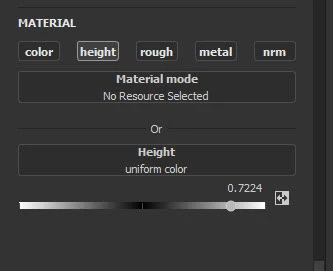
Just set the brush material to height only for the first pass then colour only for the second. I painted this in two passes on the same layer . This would be used where colour and height do not have to coincide.


However - if you want the paint and height to exactly co-incide then I find it easier  to use a fill layer with mask


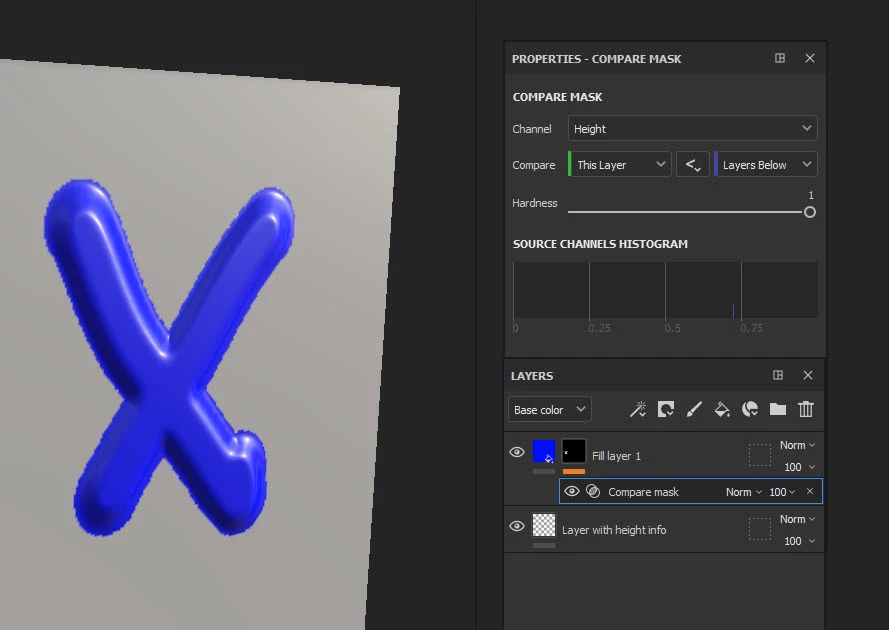
One more thing though, if you realise later that you want to add colour over a specific heght level on the mesh then you could add a fill layer with colour and a compare mask set to compare height (example below)


Dave


1 reply

davescm
Community Expert
davescmCommunity ExpertCorrect answer
Community Expert
November 11, 2021

You can paint on the same layer or the same layer effect if you prefer.

Just set the brush material to height only for the first pass then colour only for the second. I painted this in two passes on the same layer . This would be used where colour and height do not have to coincide.


However - if you want the paint and height to exactly co-incide then I find it easier  to use a fill layer with mask


One more thing though, if you realise later that you want to add colour over a specific heght level on the mesh then you could add a fill layer with colour and a compare mask set to compare height (example below)


Dave


Participant
November 11, 2021

This was the explanation i needed. Love goes to you. Thanks 🙂