



Painter not reading my ".ignore_assets_pt.txt" file
Hello, I am setting up a professional work directory. I have 3 Libraries linked to Painter to read from. Two of which are the standard directories that ship with Painter:
"Your Assets" - "C:\Users\username\Documents\Adobe\Adobe Substance 3D Painter\assets"
"Starter Assets" - "C:\Program Files\Adobe\Adobe Substance 3D Painter\resources\starter_assets"
"Our Library" - "Z:\"project"\Prod\SourceArt\substance_library"
(Our Library is set to load by default)
I am trying to omit certain resources from within "Our Library" following the "Excluding Resources in a Resource Path" from the Adobe documentation.
I have placed the file in the root of "Our Library" (Z:\"project"\Prod\SourceArt\substance_library\.ignore_assets_pt.txt).
There is a list of files that suffix with "_512x512.png" that I would like to omit from being seen in Painter.
They live here: "Z:\"project"\Prod\SourceArt\substance_library\procedurals\static"
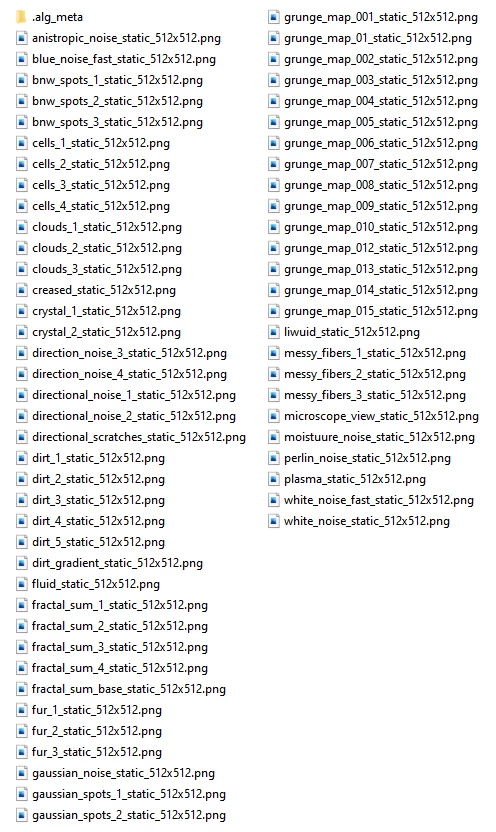
I have only one line in the ".ignore_assets_pt.txt" file that states:
*_512x512.png
However I am still able to see these resources in the Painter library when I relaunch:
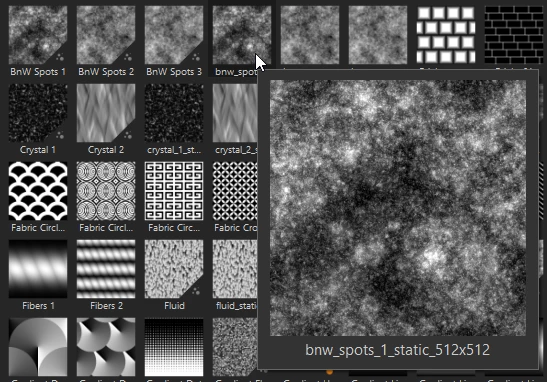
I am unsure if it's my syntax or just Painter not seeing the file. I have tried several different lines but none seem to be doing anything.
 AdChoices