Participant
January 30, 2023
Answered

photogrammetry, wrong interface

  • January 30, 2023
  • 1 reply
  • 330 views

Sometimes it's necessary to use baked in base color map from photogrammetry. I know it's better to create them myself, but in this case I need the baked in map with the baked in light and shadows. I would like to adjust it only a bit. Using painter isn't suitable to do that. It has an interface with build in HDR environments with it's own light and shadow. I need a space where I can just see my bake without the added light and shadow from Painter and there's no way I can find up to now.

Can anyone prove me wrong? or suggest a workflow that works?workaround?

Thanks

René

This topic has been closed for replies.
Correct answer Cyril Dellenbach

Hi René,


Thanks for your message.


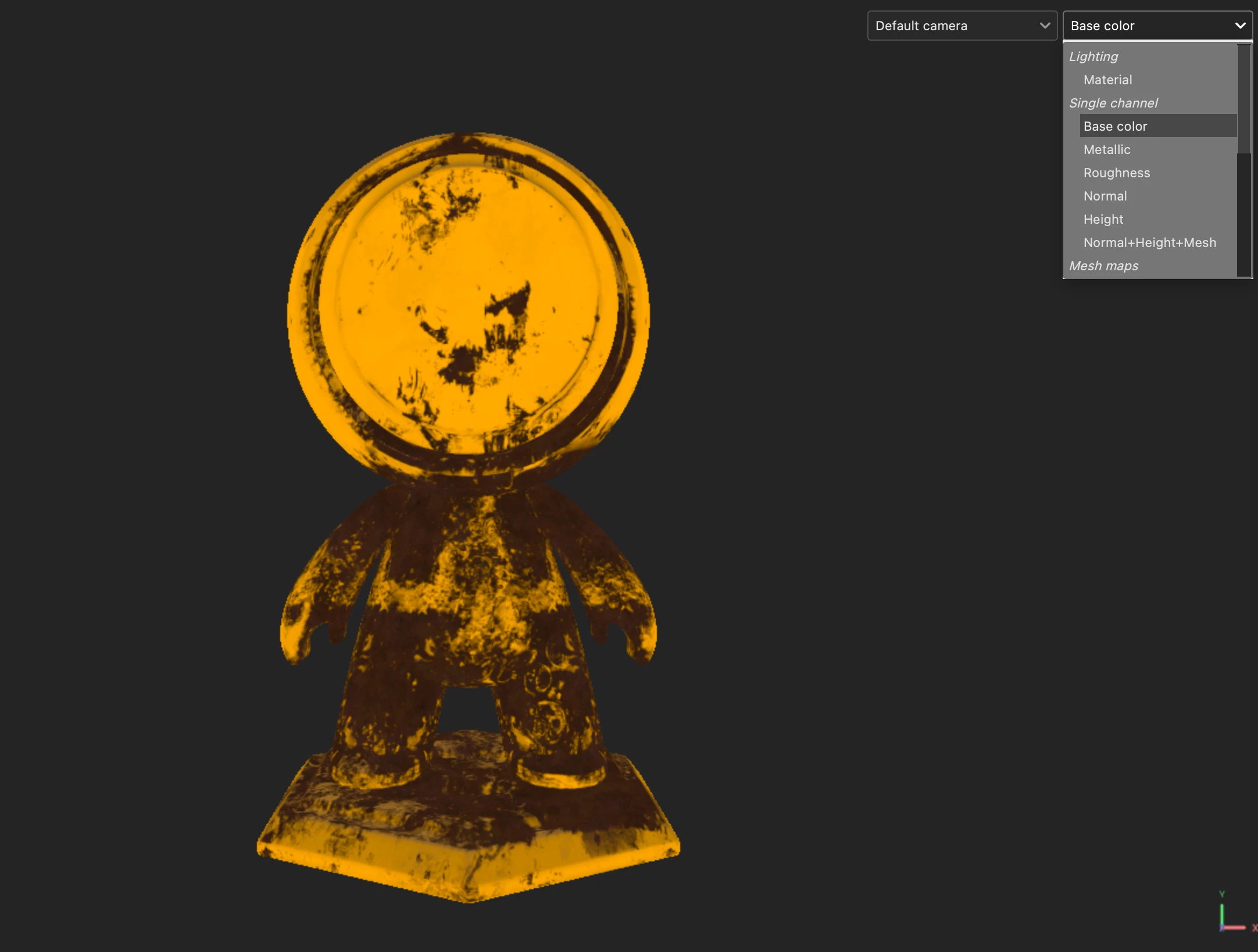
If you want to check and adjust your different maps without the influence of lighting, you can easily display one channel at the time (in your case, the base color).


On the top right of your viewport, select the base color option (or the shortcut "c" on your keyboard).


Please, tell me if you need more informations.


Have a nice day,

1 reply

Cyril Dellenbach
Community Manager
Cyril DellenbachCommunity ManagerCorrect answer
Community Manager
February 6, 2023

Hi René,


Thanks for your message.


If you want to check and adjust your different maps without the influence of lighting, you can easily display one channel at the time (in your case, the base color).


On the top right of your viewport, select the base color option (or the shortcut "c" on your keyboard).


Please, tell me if you need more informations.


Have a nice day,

Cyril Dellenbach (Micro) | QA Support Artist | Adobe
Participant
February 7, 2023

Ah, yes, I've been prooven wrong. That's the interface I was looking for.

Learning each day.

Thanks Cyrill


kind regards,

René