Participant
March 30, 2023
Answered

Possible to extract masks from Painter Materials?

  • March 30, 2023
  • 1 reply
  • 644 views

Hello all,

I'm making a material in Designer to use in Painter, but would love to have access to masks that I create. For example, I have a curve map created from the material's procedurally generated normal data, and I'd like to use that curve map in various generators in Painter.  I created an output node, set it to mask, and named it curvature.

- It seems I can add an anchor point under the material and then later call a specific channel (base color, normal, height, etc.), but there are no options to select an output mask. Is this possible with anchor points? If not, is there another way I might do this? 

I could have complete control within the material, but I'd rather have separate layers so that other artists can modify masks as they see fit.

Let me know if anything needs clarification, and thanks!

- Michael

This topic has been closed for replies.
Correct answer Cyril Dellenbach

Hi Michael,


Interesting question.


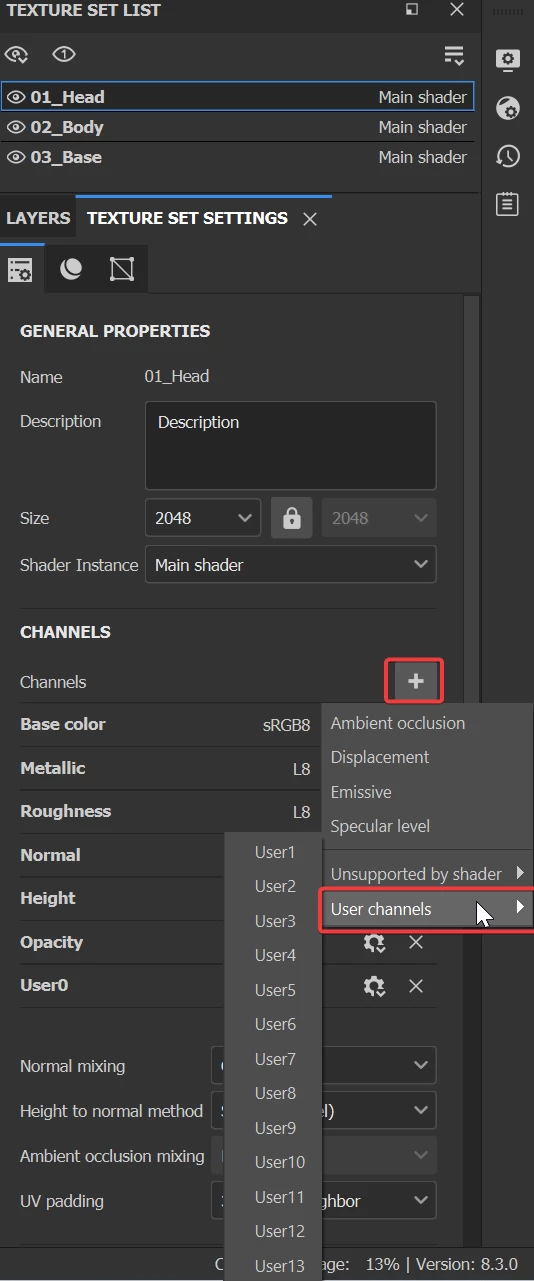
You can't select your custom output map trough the anchor point, because the channels available are the ones set in your texture set settings. Therefore, you'll need to add a custom channel to your project and the users channels are made for this.


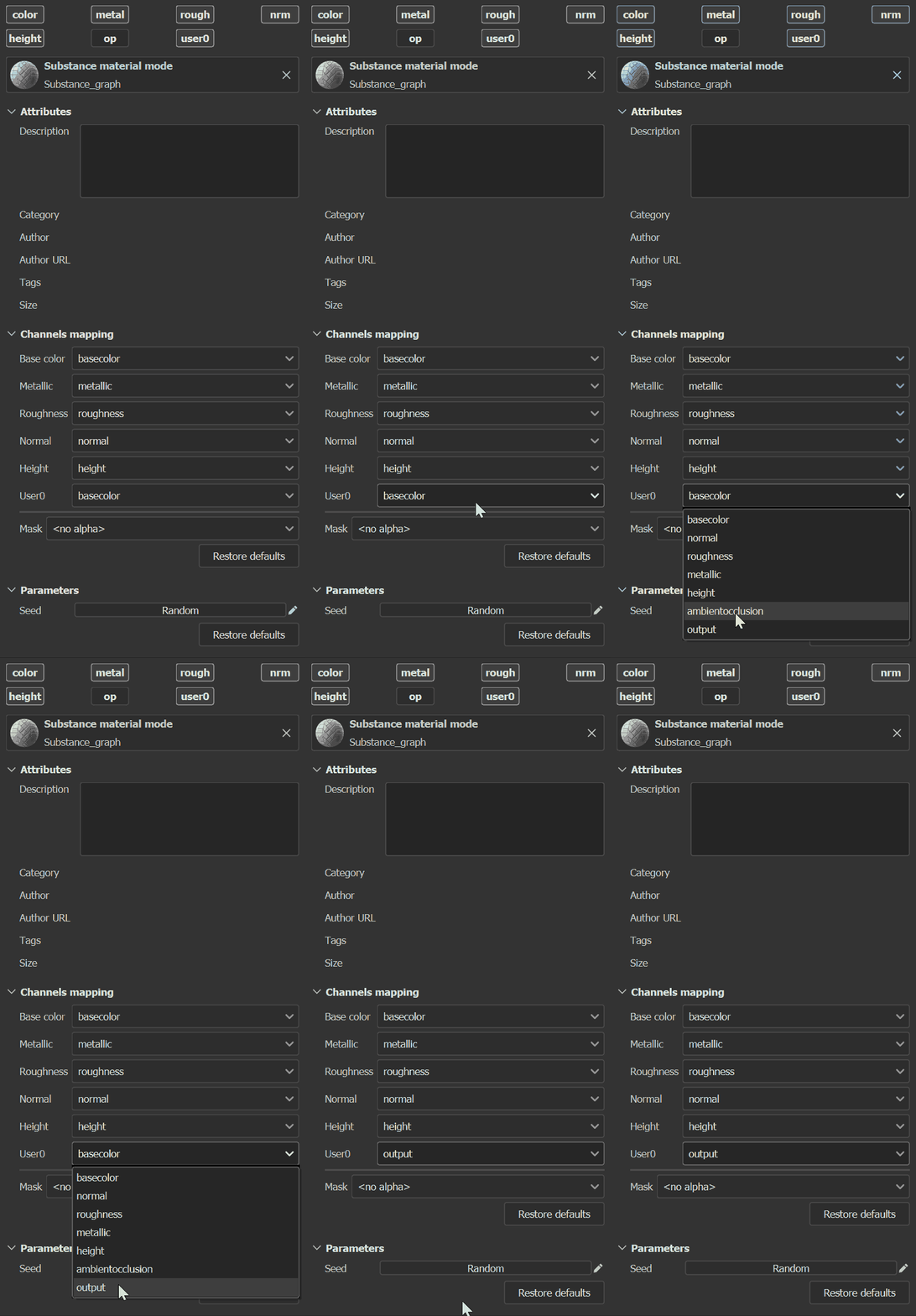
Once you've added the channel, you can link your custom output from your Designer material to the User channel in the channels mapping settings.


Now the anchor point will perfectly be able to select your custom output trough the User channel.


Tell me if you need anymore guidance or if I missed something.


Best regards,


1 reply

Cyril Dellenbach
Community Manager
Cyril DellenbachCommunity ManagerCorrect answer
Community Manager
March 31, 2023

Hi Michael,


Interesting question.


You can't select your custom output map trough the anchor point, because the channels available are the ones set in your texture set settings. Therefore, you'll need to add a custom channel to your project and the users channels are made for this.


Once you've added the channel, you can link your custom output from your Designer material to the User channel in the channels mapping settings.


Now the anchor point will perfectly be able to select your custom output trough the User channel.


Tell me if you need anymore guidance or if I missed something.


Best regards,


Cyril Dellenbach (Micro) | QA Support Artist | Adobe
Participant
April 3, 2023

Hello Cyril,

Wow excellent! This is exactly what I am looking for. Thank you so much for the information.

- Michael