



Question
Prevent texture warp when painting via projection and symmetry
Hello all,
I'm trying to paint something on a round texture via Projection and symmetry but unfortunately the texture gets warped the closer it gets to the symmetry line (both on top and bottom). I've already tried multiple other settings and techniques but nothing seems to produce the result I'm looking for.
Here you can see the effect in question:
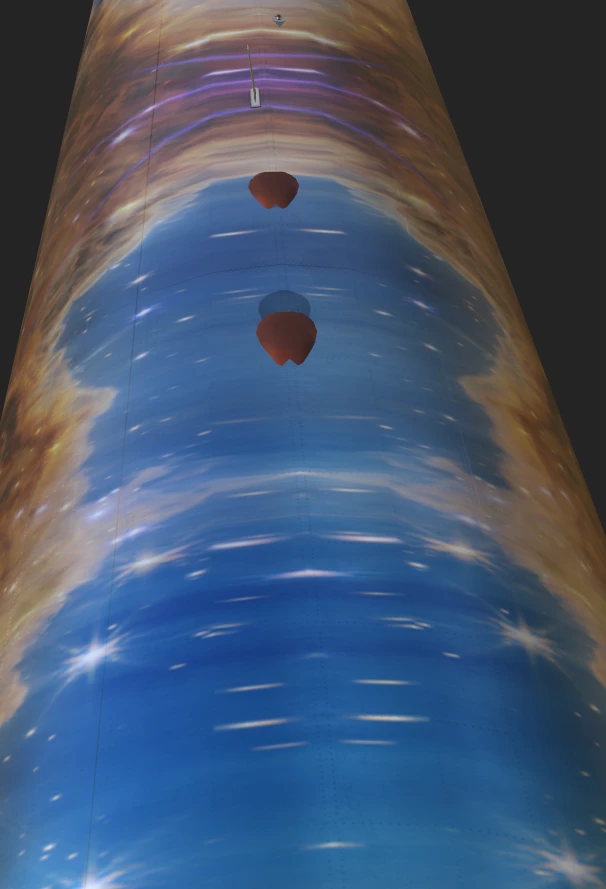
Is it even possible to have it no warped but still use Projection and Symmetry?
 AdChoices