

Participant
November 25, 2024
Answered

problem when exporting to modeler to painter

  • November 25, 2024
  • 1 reply
  • 185 views

Hi everyone


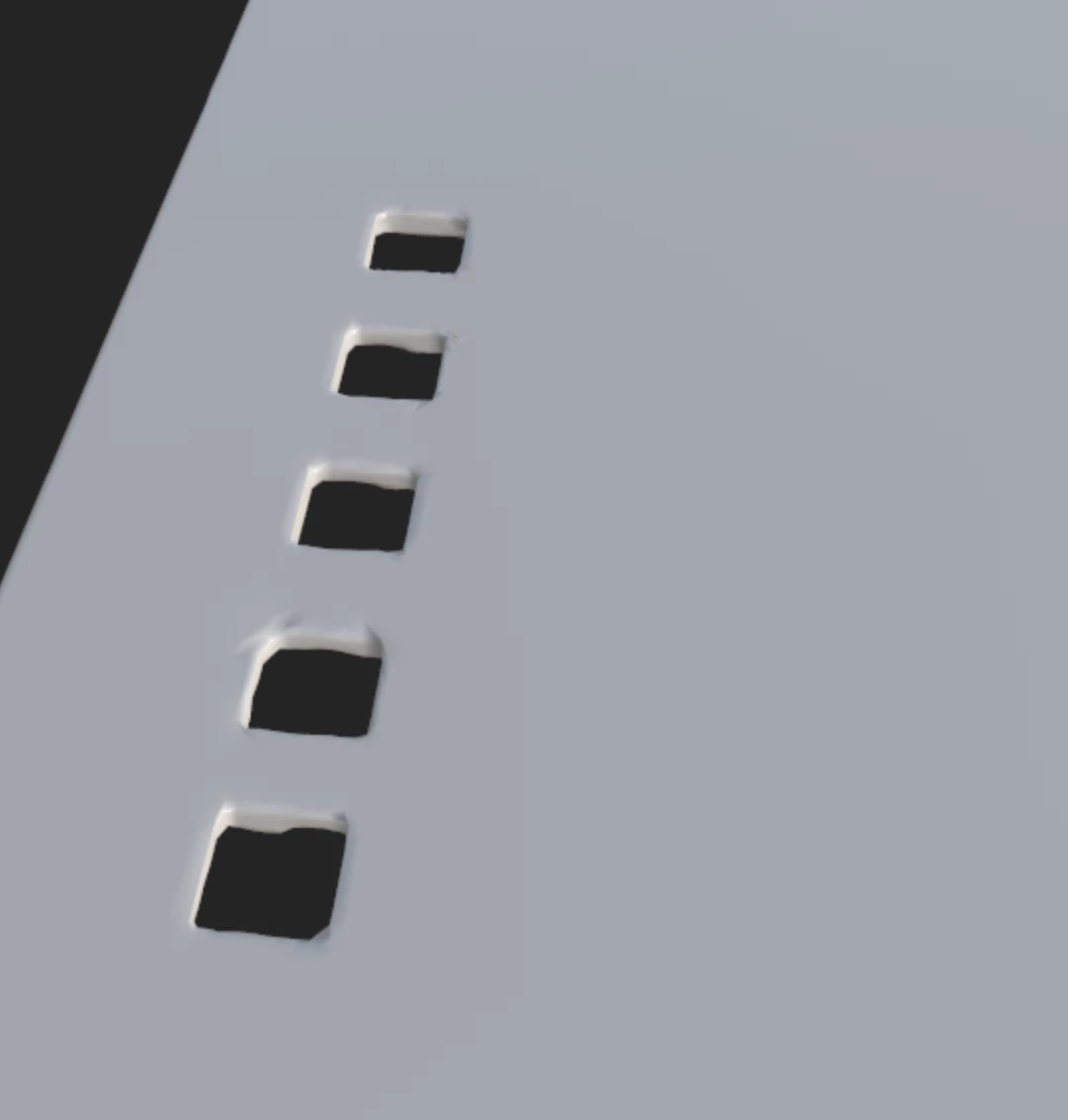
Ive a problem when exporting a model to painter, why does it happen? 

how can I ifx it?


This topic has been closed for replies.
Correct answer Cyril Dellenbach

Hi @Arima_Alves2913,


Thank you for the message.


This is because of the model's topology. A bad topology can quickly create visible artifacts depending on the 3D Engine. Therefore, there are now 2 solutions. Either you retopologize the Low Poly to get a clean mesh, or you use a dense enough High Poly and bake it, so it will correct those normals.


Best regards,

1 reply

Cyril Dellenbach
Community Manager
Cyril DellenbachCommunity ManagerCorrect answer
Community Manager
November 26, 2024

Hi @Arima_Alves2913,


Thank you for the message.


This is because of the model's topology. A bad topology can quickly create visible artifacts depending on the 3D Engine. Therefore, there are now 2 solutions. Either you retopologize the Low Poly to get a clean mesh, or you use a dense enough High Poly and bake it, so it will correct those normals.


Best regards,

Cyril Dellenbach (Micro) | QA Support Artist | Adobe
Participant
December 7, 2024

thank you @Cyril Dellenbach!

How can I apply a correct topology in 3D Modeler?

