Participant
November 24, 2023
Answered

Problem with my texture when exporting from substance painter

  • November 24, 2023
  • 1 reply
  • 853 views

Hey guys,

I'm kinda lost on what to do at this point and not sure what to even try.


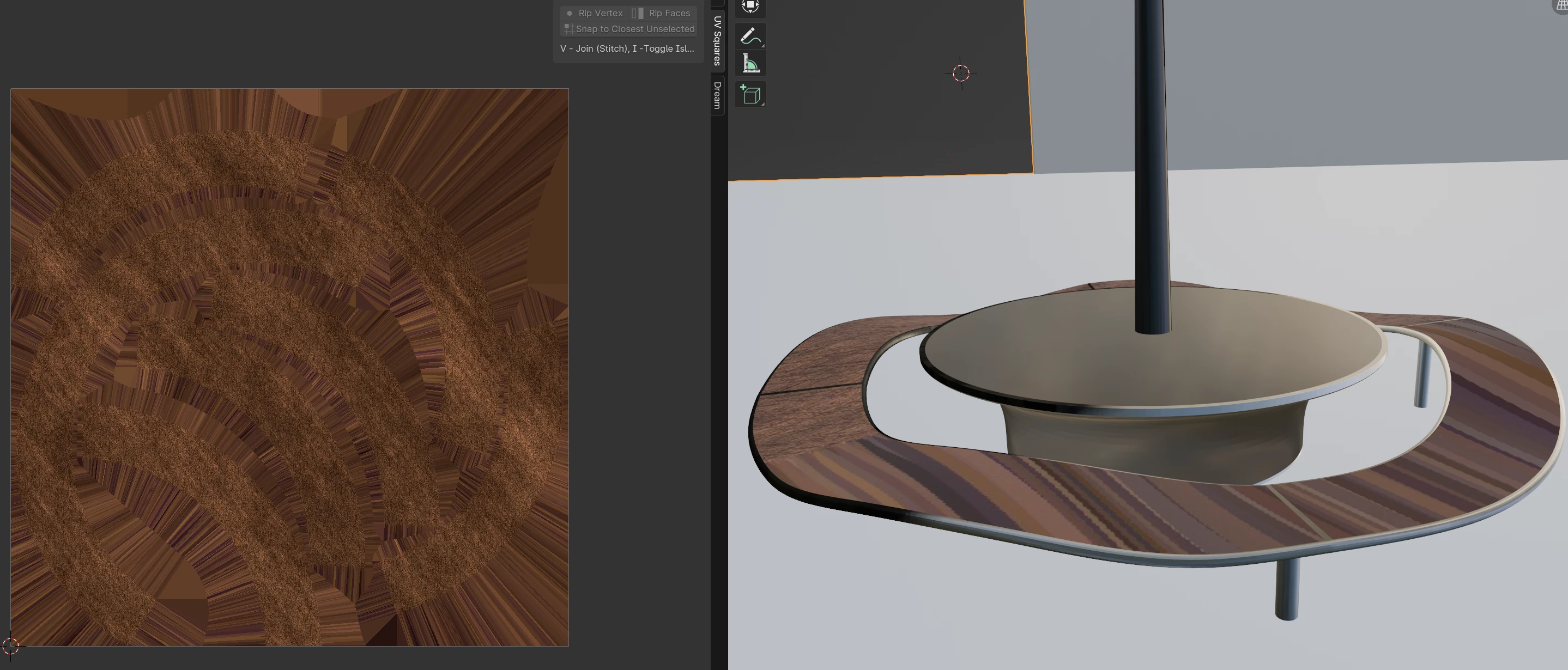
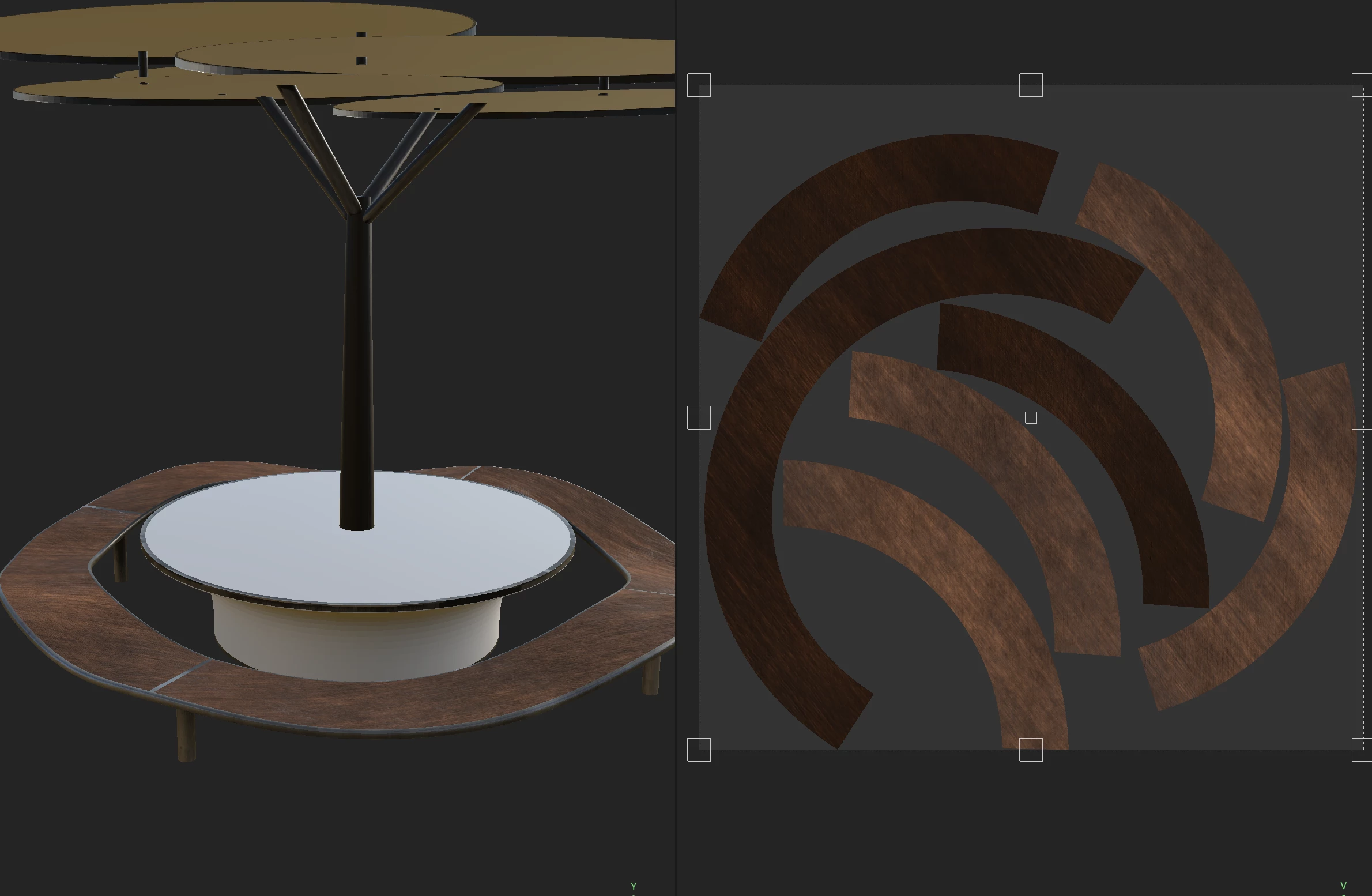
I want to use this wood texture, for the seat of the bench model I made, but I can't figure out why it's exporting this way and it's just unusable like this in blender.  

I hope you can see the problem with these two screenshots.
 

 I really need your help everyone, thanks in advance.

 

This topic has been closed for replies.
Correct answer Cyril Dellenbach

Hello Valentine,


Thanks for the message.


The stripes in your exported maps are simply Dilation. The Dilation (or padding) is an automatic process at export that uses the last pixels at the border of the UV islands and expand them in the empty spaces of the UV map. It prevents artifacts and are especially important when working with mipmaps.


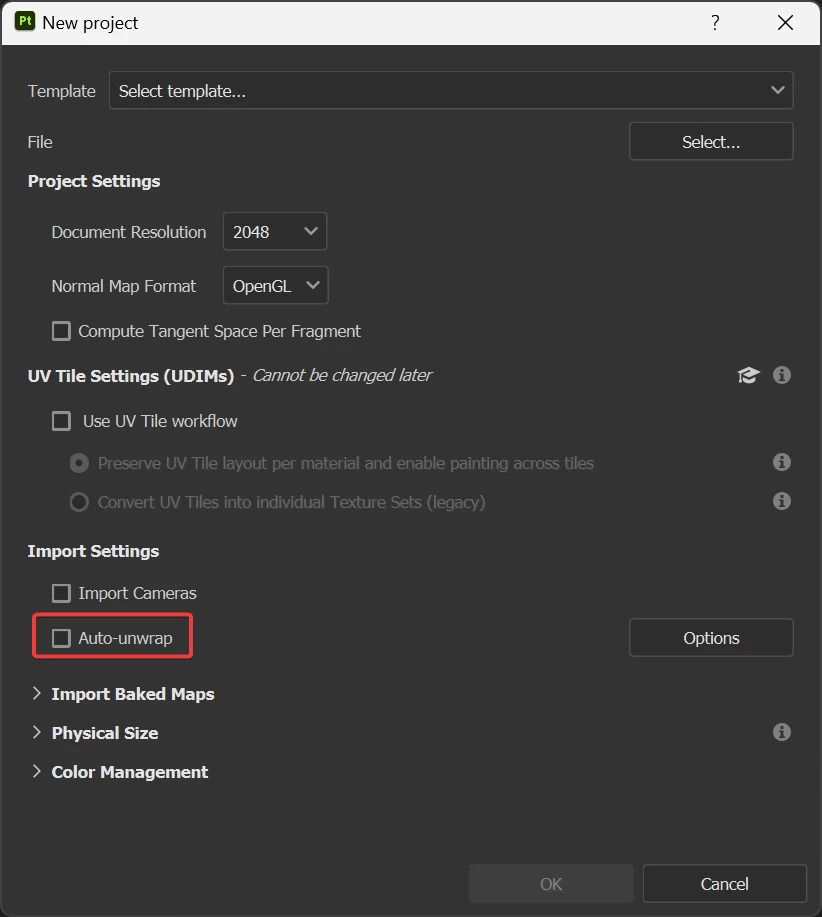
However, this is not related to the problem you're currently facing. My guess is that your model from Painter and your model from Blender don't share the same UV map. Do you have by any chance enable the Auto-unwrap feature when creating the project?


If so, it built new UVs for your mesh. Therefore you'll need to export your current mesh from Painter (File > Export mesh) and import it to Blender in order to keep the proper UVs for your textures.


Best regards,


1 reply

Cyril Dellenbach
Community Manager
Cyril DellenbachCommunity ManagerCorrect answer
Community Manager
November 24, 2023

Hello Valentine,


Thanks for the message.


The stripes in your exported maps are simply Dilation. The Dilation (or padding) is an automatic process at export that uses the last pixels at the border of the UV islands and expand them in the empty spaces of the UV map. It prevents artifacts and are especially important when working with mipmaps.


However, this is not related to the problem you're currently facing. My guess is that your model from Painter and your model from Blender don't share the same UV map. Do you have by any chance enable the Auto-unwrap feature when creating the project?


If so, it built new UVs for your mesh. Therefore you'll need to export your current mesh from Painter (File > Export mesh) and import it to Blender in order to keep the proper UVs for your textures.


Best regards,


Cyril Dellenbach (Micro) | QA Support Artist | Adobe
Participant
November 24, 2023

I did have the Auto-unwrap feature turned on yes.

Maybe that messed things up. I will try importing the mesh and seeing how that goes.

Thank you very much for the help.

Participant
November 24, 2023

Tried it,

it worked wonders 🙂

Thanks again.