


Inspiring
March 9, 2023
Answered

Sampler to Painter, no color,

  • March 9, 2023
  • 1 reply
  • 565 views

Hello,


This is the first time I'm facing this problem :

colors are gone when I export from Sampler to Painter. 
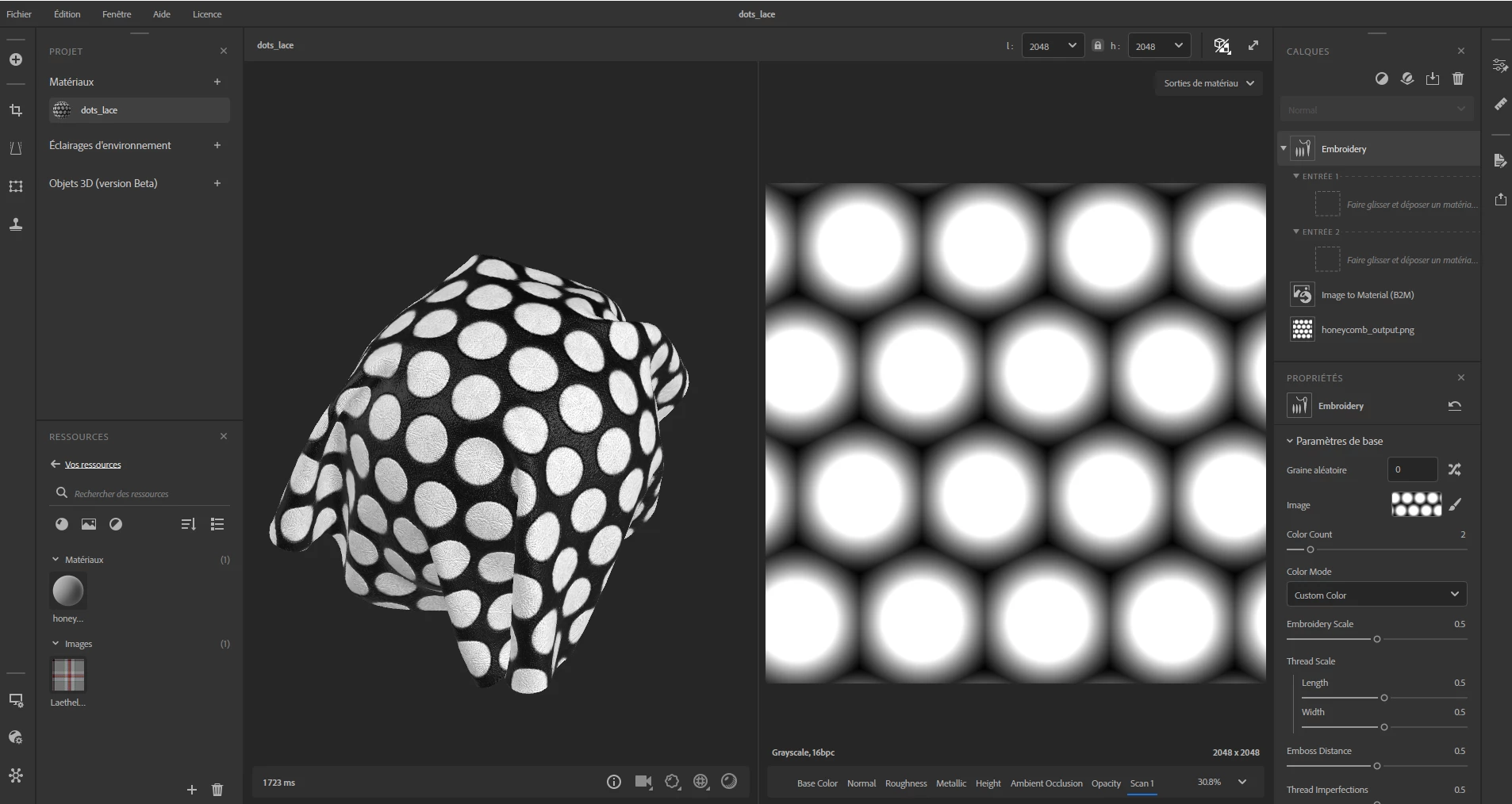
Usually, it works, but I've tried three versions, for building the embroidery, nothing works. I've exported the file as bitmap and reloaded it in Painter... it remains the same. Of course I've checked the maps, disabled and re-enabled... nothing.

After several attemps with no avail, I have no idea where it comes from.

This topic has been closed for replies.
Correct answer arthenics

UPDATE :

After new export, be it with SRGB or RAW profile, it works. Between the new picture and the old one, Notepad shows differences in the XML formating.

1 reply

Cyril Dellenbach
Community Manager
Community Manager
March 10, 2023

Hi again @arthenics,


I'm afraid I'll need more informations to give you a proper help. Do the exported bitmaps had colors ? What was your workflow precisely and what where you trying to achieve ?


I am pretty sure we can get to the bottom of the problem with a bit more infos.


Best regards,


Cyril Dellenbach (Micro) | QA Support Artist | Adobe
arthenicsAuthor
Inspiring
March 10, 2023

Hello,


Well, that's the problem, there's no fancy at all. Usually it works. I'm following the video tutorial about Emboidery from the official Substance Youtube channel.

I'm loading the picture in Sampler, I add the embroidery and send the result to Painter as it usually works.


The only different thing is my png, used in Sampler, have been generated from Substance Designer. But even modified and reexported with Gimp, only with this pattern I have a problem. I've tried again, that's not my workflow. With this picture as base pattern, Sampler to Painter doesn't work properly.