Participant
August 31, 2023
Answered

Smart masks on light surface

  • August 31, 2023
  • 1 reply
  • 281 views

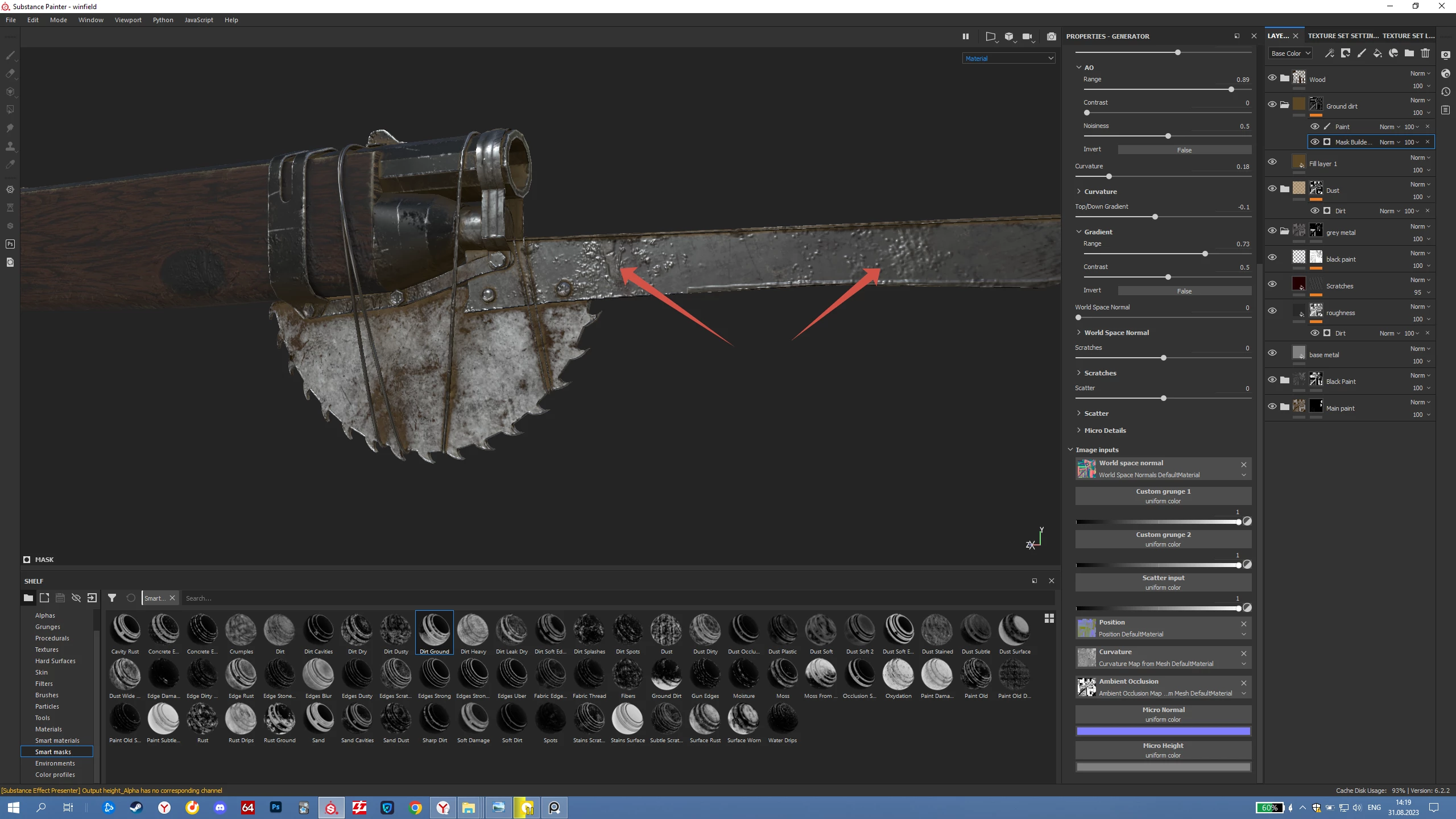
When i'm using smart mask "Dirt ground", brown colour on light materials doesn't appear

This topic has been closed for replies.
Correct answer Cyril Dellenbach

Hello Serge,


Nice texturing. If you want to have a better look on how the colors are applied on the mesh, you can display only the Base Color channel.


The Smart Masks don't act differently depending on the below layers. This is probably fading parts of the mask where the base color is less visible.


Best regards,


1 reply

Cyril Dellenbach
Community Manager
Cyril DellenbachCommunity ManagerCorrect answer
Community Manager
August 31, 2023

Hello Serge,


Nice texturing. If you want to have a better look on how the colors are applied on the mesh, you can display only the Base Color channel.


The Smart Masks don't act differently depending on the below layers. This is probably fading parts of the mask where the base color is less visible.


Best regards,


Cyril Dellenbach (Micro) | QA Support Artist | Adobe
Participant
August 31, 2023

Thank you, Cyril!