
Smart Materials Not Displaying Correctly in Substance 3D Painter 12.2.0 (Vulkan)
Hello,
I’m experiencing an issue with Substance 3D Painter 12.2.0 (Vulkan).
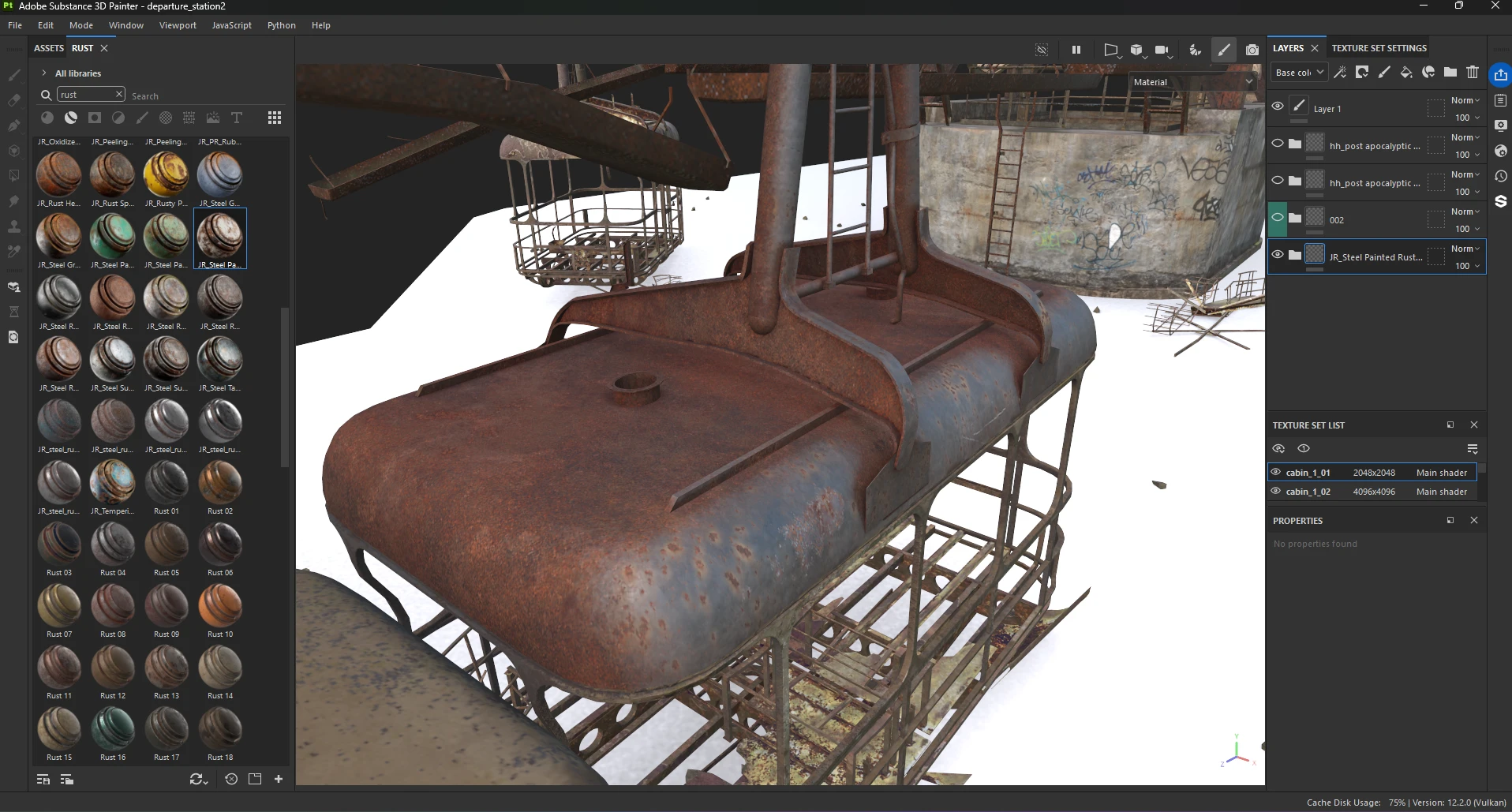
Smart Materials that worked perfectly in previous versions are no longer displaying correctly. After baking and applying a material, the Rust and Base Metal layers are clearly visible, but the Paint layer is almost completely missing. The painted surface does not cover the model as expected.
I have checked the UV layout and baking process, and everything appears to be correct. I also tested disabling individual layers, but the problem persists.
This issue did not occur in previous versions of Substance 3D Painter.
Is this a known issue in version 12.2.0? Could it be related to the new version's material, mask, or generator processing? Is there a workaround?
Thank you for your help.
 AdChoices