


Participant
October 24, 2022
Question

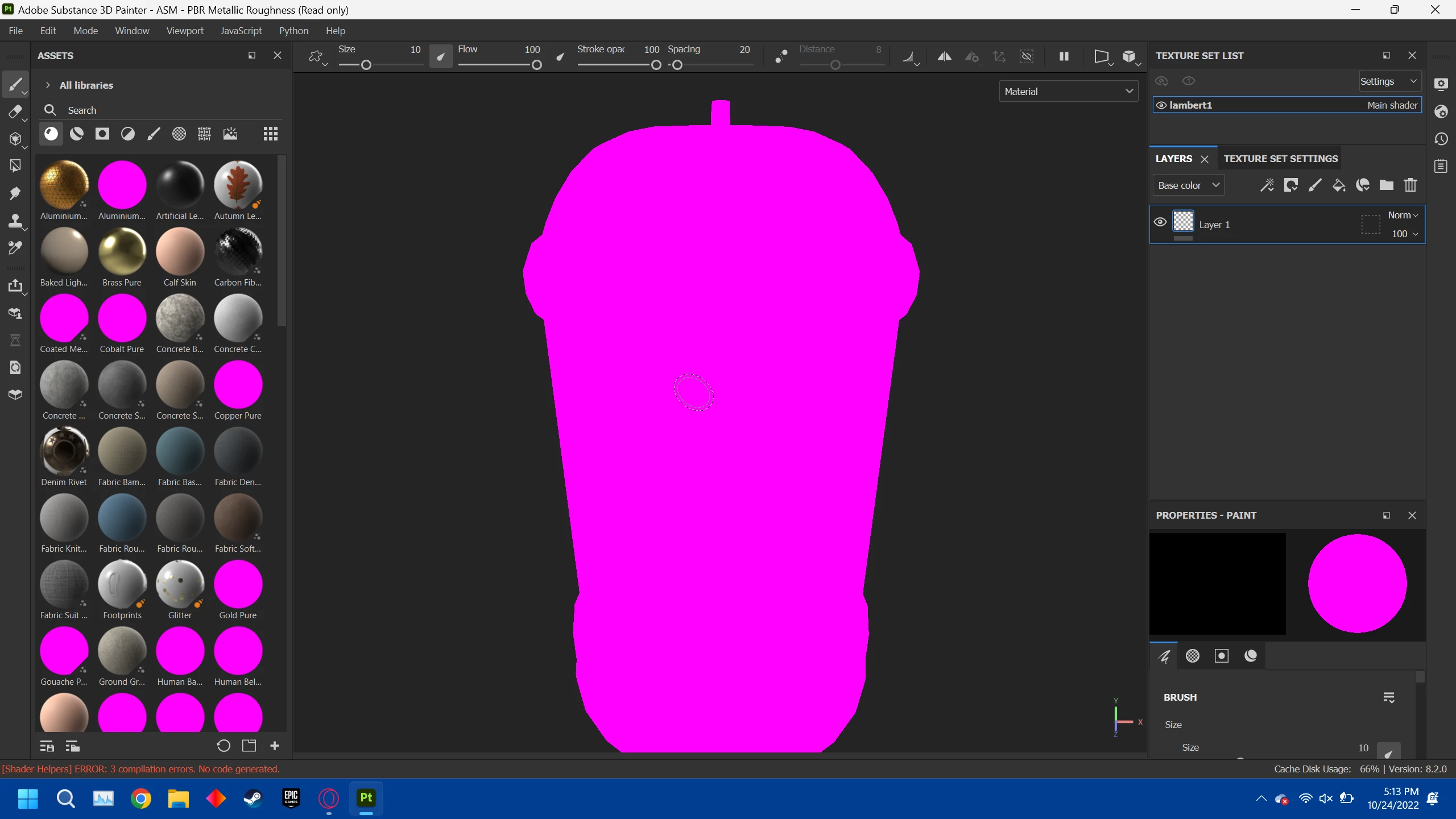
Some of the assets in my library are pink

  • October 24, 2022
  • 2 replies
  • 778 views

I seem to be having an error where some of default assets in my substance 3d painter library only show up as pink and I have no idea why, and model I import shows up as pink by default and if I apply a nonpink texture to it, it becomes black, which is kind of making substance painter unusable for me. A friend suggested it might be a drivers  problem but I since updated my drivers and am still expeirencing the problem. If anyone could help that would be great thanks,

Patrick
This topic has been closed for replies.

2 replies

Participant
October 31, 2022

Alright what I thought was a solution didn't actually work my issue seems to be with some type of issue with starting up


GeoffroySC
Community Manager
Community Manager
November 2, 2022

Hi,

Could you share a log? This looks like a bug.

Have you tried switching the shader you use (to one of the PBR metallic/roughness for instance)? 

Thank you,

Kind Regards,

Geoffroy SC

davescm
Community Expert
Community Expert
October 25, 2022

Try updating the shader (you can do it from the shader settings window or resources updater)


Dave

Participant
October 25, 2022

Thank you, I think? I tryed doing that any while some of the materials still show up pink in the assets view, they no longer show up pink on the actual render, so thank you very much.

Patrick