
Sparse Virtual Textures option greyed out
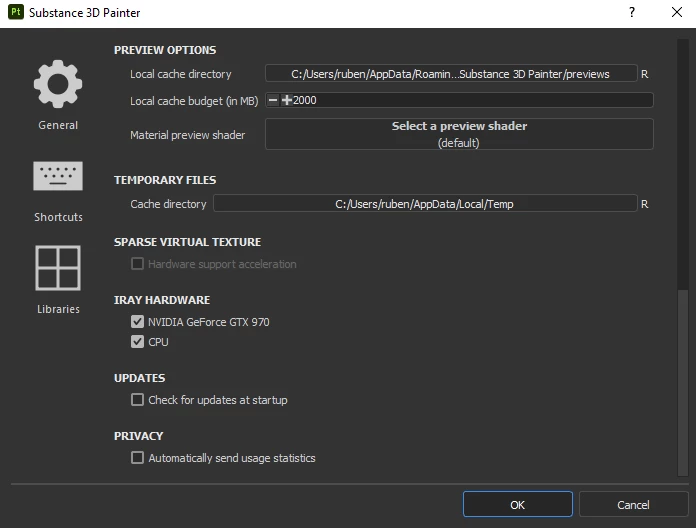
Hello everyone, lately I have been trying to texture some pieces in 4k and it's been almost impossible due to Painter working extremely slowly even though I don't even have too many layers anyway. I've been looking for ways to optimize its performance and I've found out that I have Sparse Virtual Textures disabled, which I think would probably make the scenes a lot more manageable, but for some reason it's greyed out and I cant use that option, all it says is "This option cannot be enabled because the graphical drivers for your hardware has known issues".
I have an Nvidia Geforce GTX 970 and an Intel Core i7-4790k with 16GB of RAM, I have updated the drivers and my current Nvidia driver is 496.49 but I still can't turn the option on. I have tried with another like 466.27 which is the oldest I can download but it doesn't work either.
I can't find any info on this problem so I thought maybe someone could help me figure out how to activate that option if I can, or at least tell me if my graphics card doesn't support it.
Thanks


 AdChoices