Participant
January 31, 2025
Answered

Strange dots that grow on normal map

  • January 31, 2025
  • 1 reply
  • 911 views

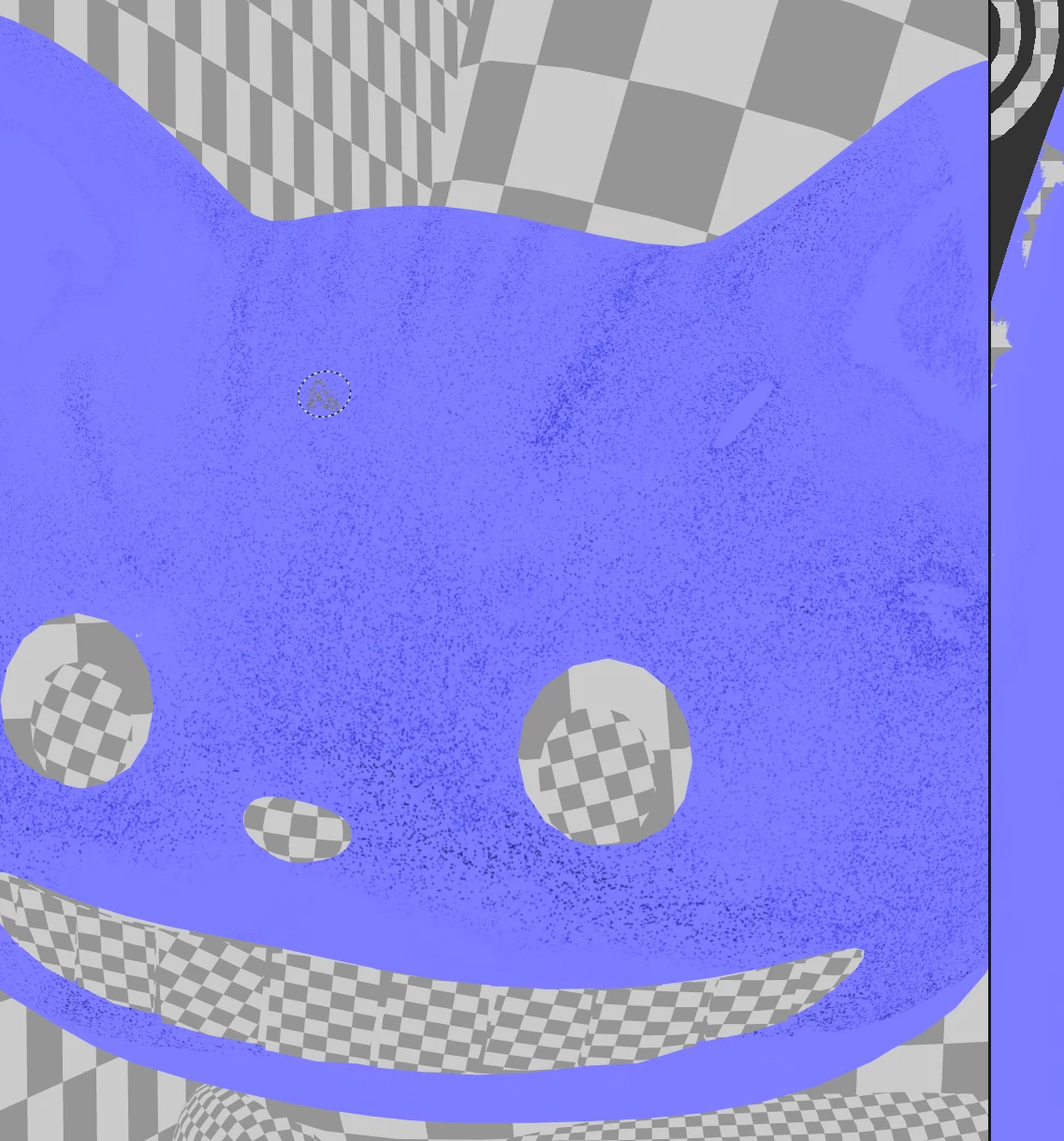
Hi, I just started to use Substance Painter to do my final homework. When I was painting a model, many dots suddenly appeared on it, and the dots kept growing by themselves. I don't know why, but I have checked the model and UV, and it seems that these two are not the problems. Please help me; I have redrawn the material several times because of this problem.😢 Thank you!

Correct answer Cyril Dellenbach

Hi @xiuer_5151,


In which Normal do these dots appear? In the baked Normal, or the one from your Layer stack?


My guess is that it comes from the Layer stack and you'll have to localize which layer brings trouble in order to solve it.


Keep me posted.


1 reply

Cyril Dellenbach
Community Manager
Cyril DellenbachCommunity ManagerCorrect answer
Community Manager
January 31, 2025

Hi @xiuer_5151,


In which Normal do these dots appear? In the baked Normal, or the one from your Layer stack?


My guess is that it comes from the Layer stack and you'll have to localize which layer brings trouble in order to solve it.


Keep me posted.


Cyril Dellenbach (Micro) | QA Support Artist | Adobe
Participant
January 31, 2025

Hi Cyril, 


Thank you so much for your help! This appears in the "normal" layer in the layer stack. I have erased the "normal" and "height" in the layer, and these strange dots have disappeared. I think the stack of brushes is causing the problem. Thank you very much for your help. 😸


Xiuer