Community Manager
June 20, 2023
Question

Substance 3D Painter 9.0 is now live!

  • June 20, 2023
  • 9 replies
  • 9196 views

Hello everyone! Today we released the latest version of Substance 3D Painter, which introduces a major new feature – Paint along path! 


Paint along path allows you to create paths and curves in the 3D viewport making strokes more precise and editable. The path tool works exactly like the regular brush and retains all its properties, but unlike brush strokes, it is created by placing points or vertices which allow you modify any part of your path at any timey whether it be stroke position, alpha, brush or material properties.  


Key features 

Paint along path 
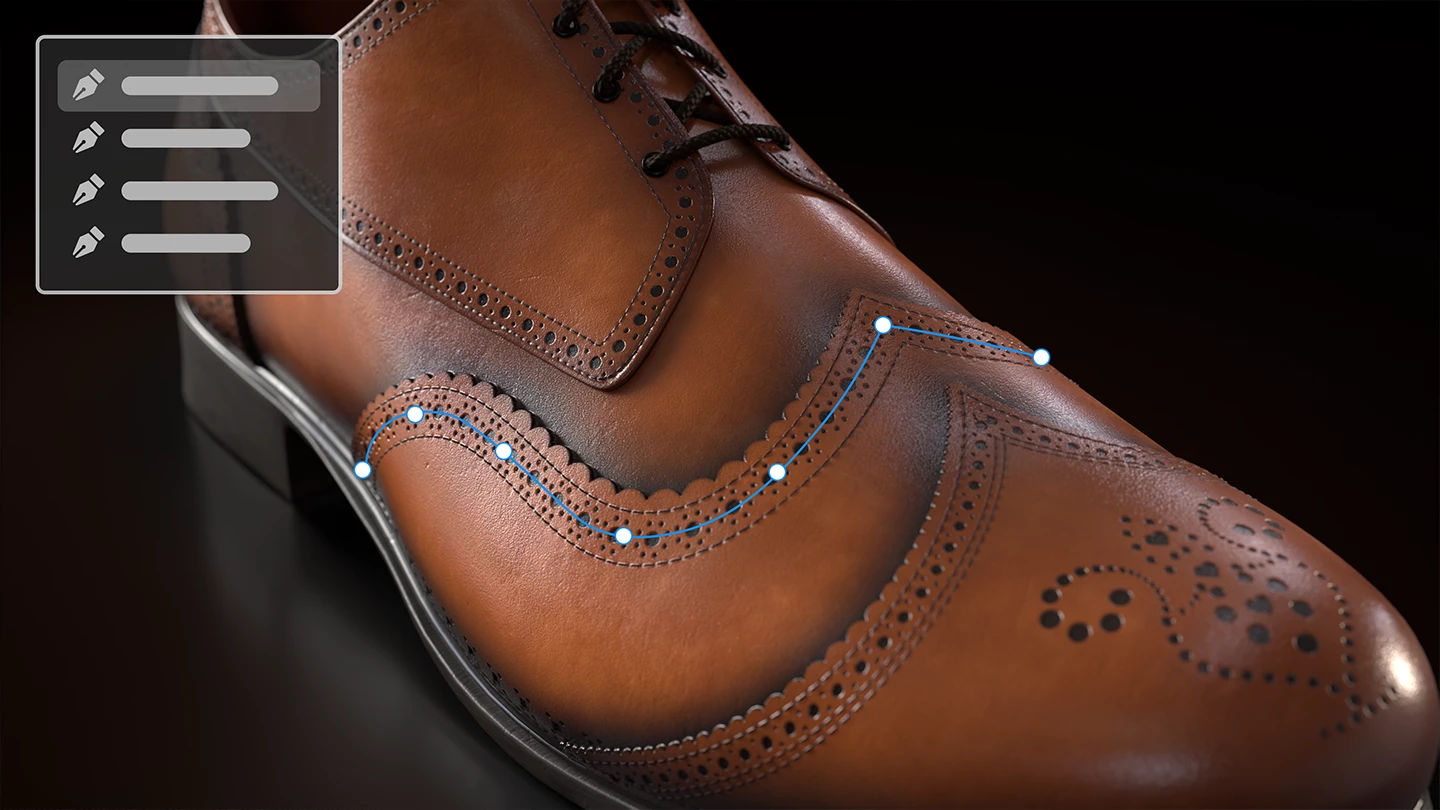
The path tool works on paint layers and effects. You can create as many paths as you like on any given layer or effect. Aside from editing global parameters per path, it is also possible to edit individual vertex parameters, like making them smooth or pointy, as well as modifying their pressure to make a path thinner or more faded, depending on whether pressure controls are set to size or flow.  

If you'd like to learn more about the Paint along path tool, check out our new tutorial


Path tool presets 


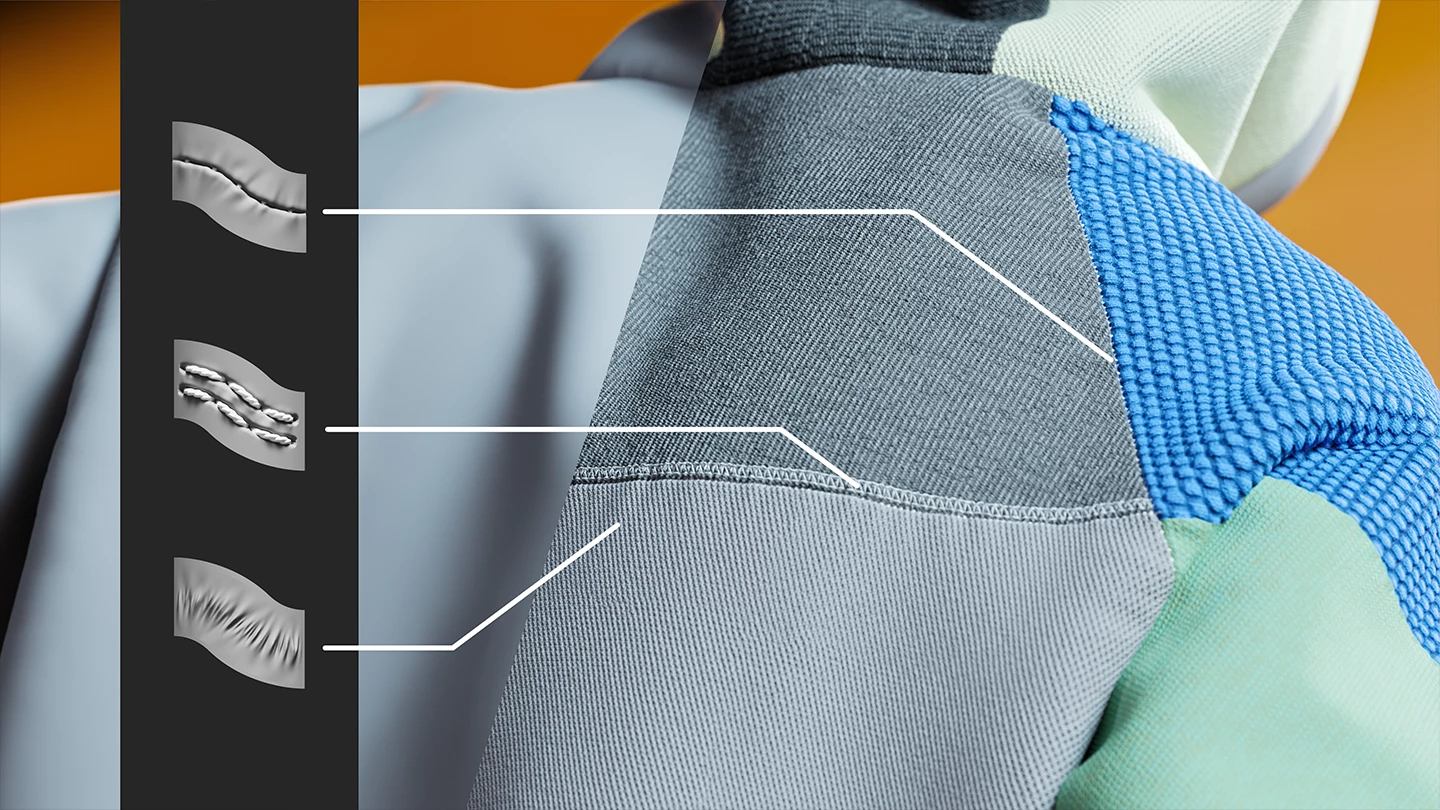
We also added 6 new path tool presets to the library to show what Paint along path is capable of. You can find them in the brush category, where you can use the keyword "Tools'. These six new presets are entirely parametric with a wide range of options to customize the tool. Selecting one of these presets will automatically switch to the new Path tool.  

  • Pipe rack sci-fi 
  • Puckering 
  • Seam 
  • Topstitching 
  • Welding metal 
  • Zipper tape 


Brand new base materials 

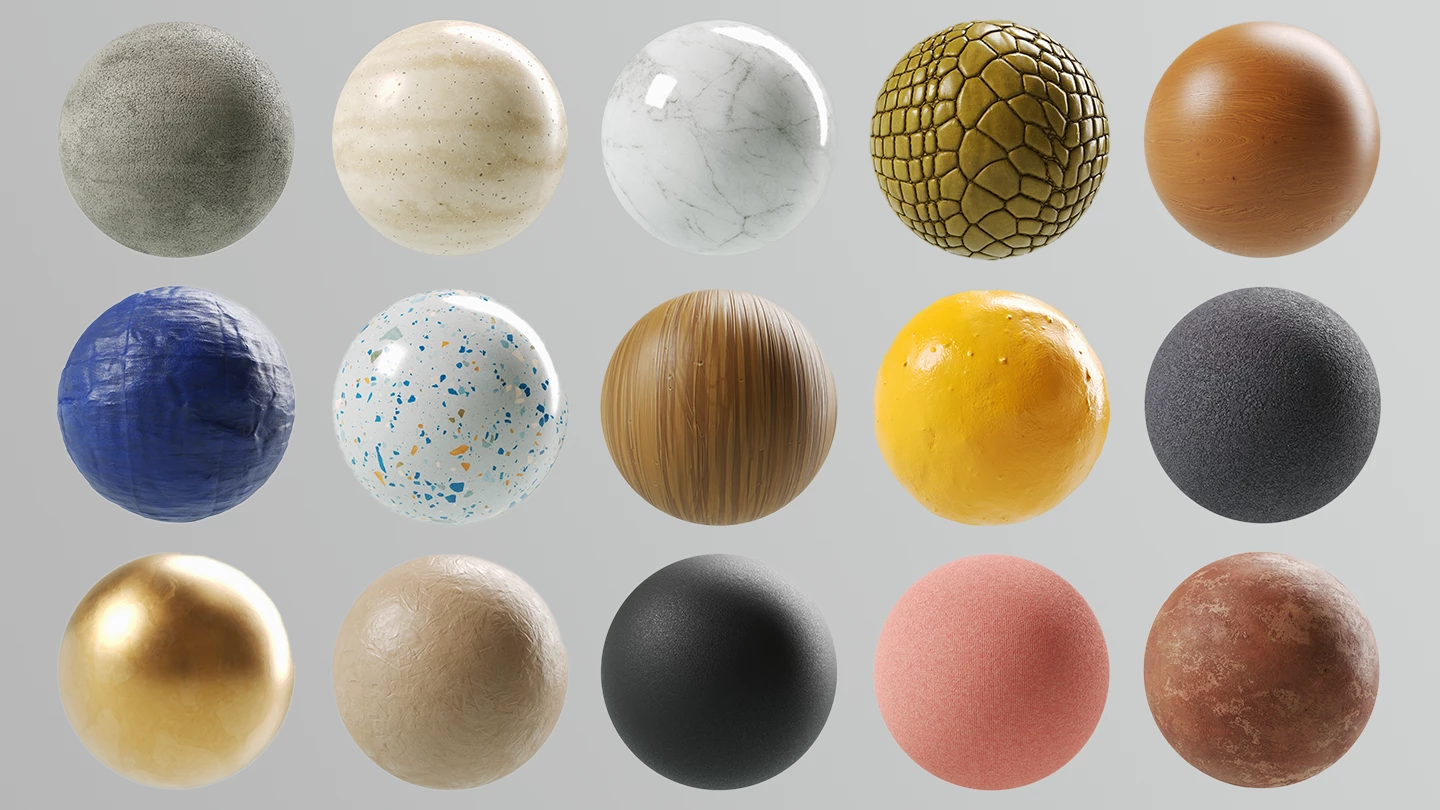
The default Painter library is rehauled with 58 new default base materials. These materials were made by our internal Substance 3D assets team. The materials are of a much better visual quality and usability and contain a wide range of parameters especially conceived for Painter users. If you miss the old assets though, do not worry – they are available for download on Substance 3D Community Assets – use 'painter23update' tag to find them or following this link directly.


Full release notes can be found here: https://helpx.adobe.com/substance-3d-painter/release-notes/version-9-0.html 

This topic has been closed for replies.

9 replies

Participant
April 14, 2024

That sounds like a significant enhancement to Substance 3D Painter! The addition of the paint along path feature seems like it will offer artists greater precision and control over their strokes, especially when creating intricate designs or detailed textures. Being able to manipulate the path at any point in the process adds a lot of flexibility and streamlines the workflow. How has the reception been to this new feature so far?

Participant
January 19, 2024

Hello, I was wondering if the Adobe Susbtance subscription is necessary to run the Substance add-on in blender ? 
Thanks a lot ! 

Best, 


Caroline

Alper B.
Participant
January 6, 2024

Are you planning to update this software after a long time, because it is obsolete already?
Cannot enable Substance 3D add-on for Blender 4.0.

Kevin Wang 409
Participant
September 7, 2023

I really hope the path can be filled with colors, like AI and PS

Participant
August 8, 2023

ever since updating, after opening the program a couple of times, it will suddeny crash/freeze on open and rebooting doesn;t fix - I have to uninstall/reinstall to actually open the program again

Participating Frequently
August 1, 2023

My POV is from an instructor who teaches 80-100 students a year at two colleged the fundamental of 3d texturing/material fundamentals in Painter.


I absolutely cannot make any sense of why devs would remove common basic materials, like the default basic material values for common metals like titanium, gold, bronze, plastic, rust materials in 9.0.  Now, anyone trying to set basic spec/color settings for common metals needs to look up an srgb chart for titanium, gold, iron, etc and manually apply and then save them to their own shelf - aka a hassle.  There isn't some new 'metal chart' swatch included in the update to replace this.  Now I need to make one by hand I suppose...


The two basic rust materials, one of the the most commonly used base 'material' you would apply to any common older asset - gone.


The old materials were very simple and overall didn't require adjusting bespoke, non-uniform custom nodes.  The overall mix of the new material palette seems very odd/unique with very niche uses.  But removing basic simple materials from the palette...I struggle to understand the reasoning for new artists who are just learning materials and want to have some basic values to start with to then learn how to build out some custom smart materials, learn the fundamentals of blend modes and masks.


Because I am an old timer and know to download the materials that's fine, I know about them.  I'll spend a couple hours, reload and recompose old materials, make a custom download for my students to use I suppose.  I'll figure it out.


But as an instructor for over a decade with hundreds of students over the years I just don't understand the logic.  An explanation of the reasoning of this decision making would be appreciated.  How is the market of new users served by this new selection of materials?


The integrated 'downlaod as needed' basic material library that comes with Marmoset at that point seems -far- more functionally useful.  I know Adobe doesn't gaf about instructors, but some comment on the 'why' would be appreciated from someone...

Participating Frequently
August 1, 2023

If I may add on to my complaint, to manually download the old materials, you cannot use a Company or School account, it must be a personal account.  Great stuff.

Known Participant
July 28, 2023

Question - I literally bought the steam version in December 2022 and I this update isn't available on my version. Is it possible I can still be eligible?

Community Manager
July 28, 2023

Steam works by versions (not calendar dates). If you got Painter 2023, then then you should have this update since 9.0 is 2023 (and you would have all future 9.x updates). 

Participant
July 17, 2023

Just updated and mine is crashing when I put a Material or Smart Material onto the stack of Layers.  😞

Community Manager
July 18, 2023

Could you send a crash report so we get the log that could tell us where the error is? Thanks!  

Dylan88
Participant
June 29, 2023