


Answered
Substance 3D Painter Won't load my 3D Models
I need help with Substance Painter not loading my 3D Models to paint on.
I'm running a Ryzen 7 3700K 8-Core CPU
Nvidia geForce GTX 1660Ti GPU
32 GB RAM
Latest Build Of Windows 10
Thie is my Issue Below:
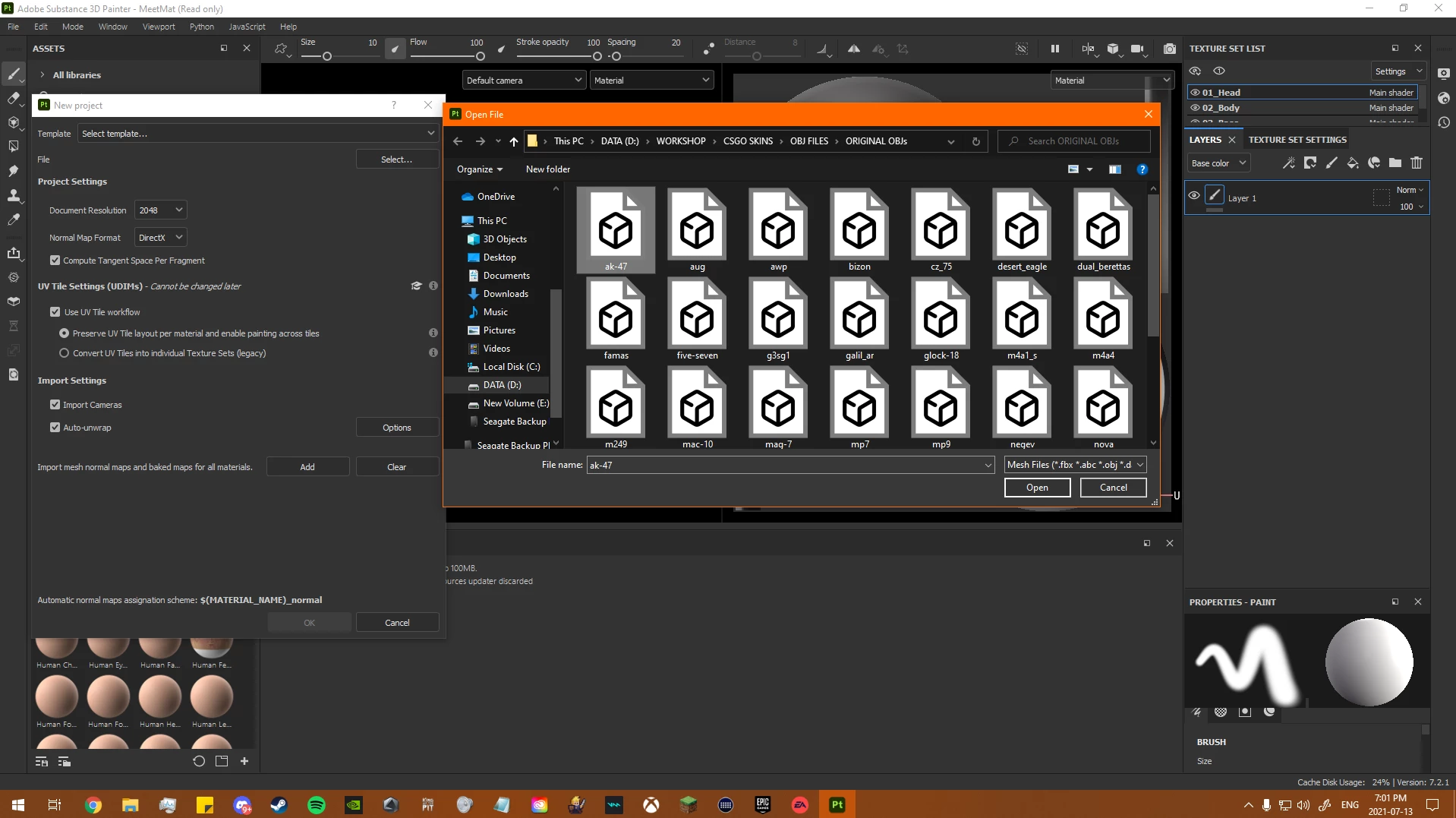
- I select a New Project and I want to pain some 3D Models from these In-Game Models from the Video Game "Counter-Strike: Global Offensive". - See 1st Image
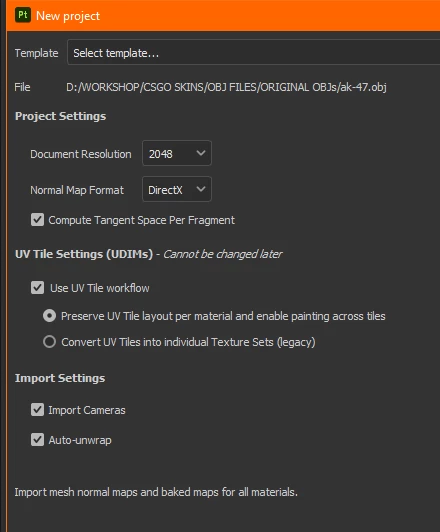
- I select a 3D Model to open from the "Browse" - See 2nd Image
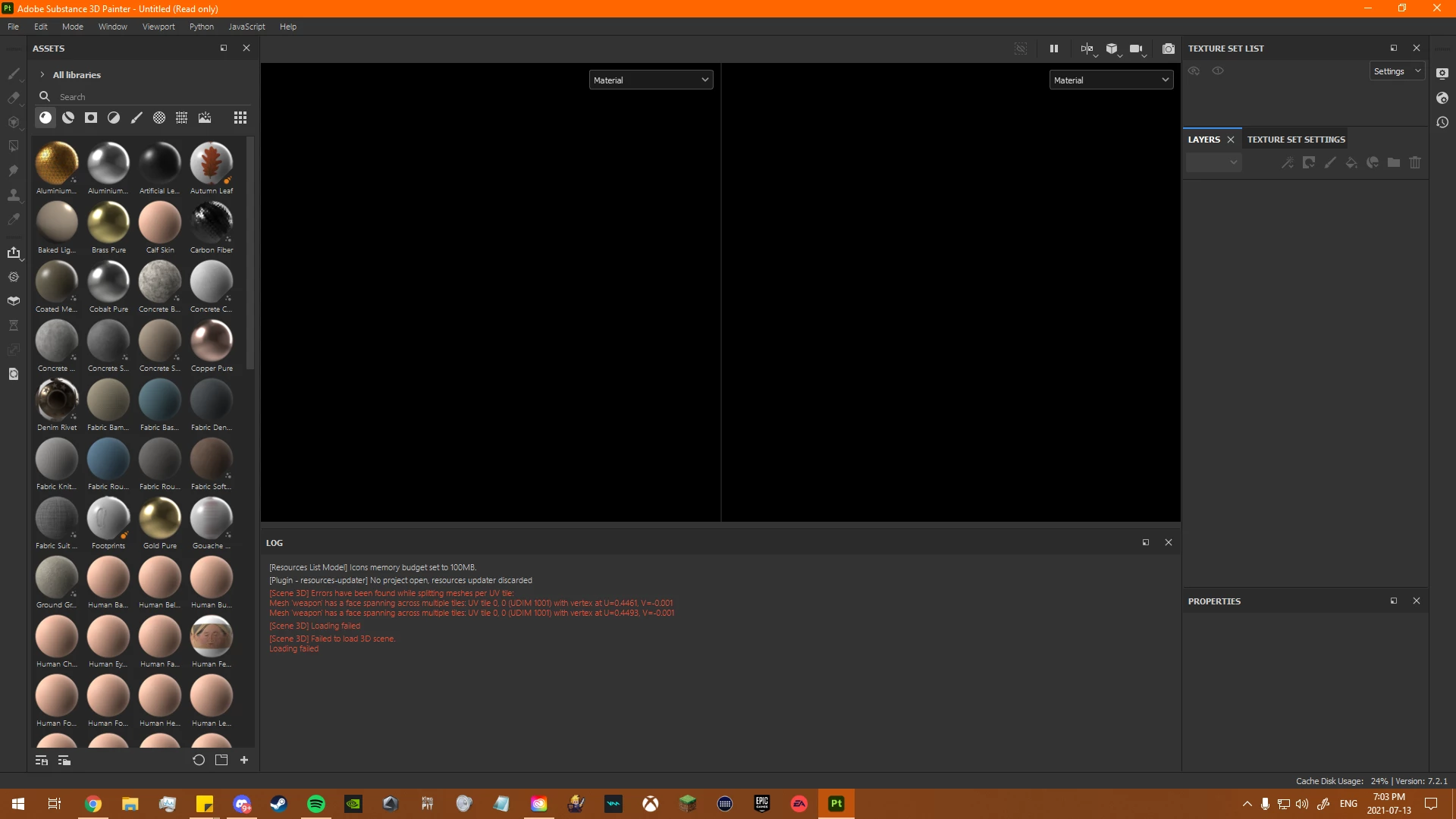
- I get The Errors": - See 3rd Image
- [Plugin - resources-updater] No project open, resources updater discarded
[Scene 3D] Errors have been found while splitting meshes per UV tile:
Mesh 'weapon' has a face spanning across multiple tiles: UV tile 0, 0 (UDIM 1001) with vertex at U=0.4461, V=-0.001
Mesh 'weapon' has a face spanning across multiple tiles: UV tile 0, 0 (UDIM 1001) with vertex at U=0.4493, V=-0.001
[Scene 3D] Loading failed
[Scene 3D] Failed to load 3D scene.
Loading failed
- [Plugin - resources-updater] No project open, resources updater discarded
How do I fix this issue?

 AdChoices