Participant
Apr 14, 2022 12:48 PM UTC
Question

Substance Painter Baking Corner Help

Hi


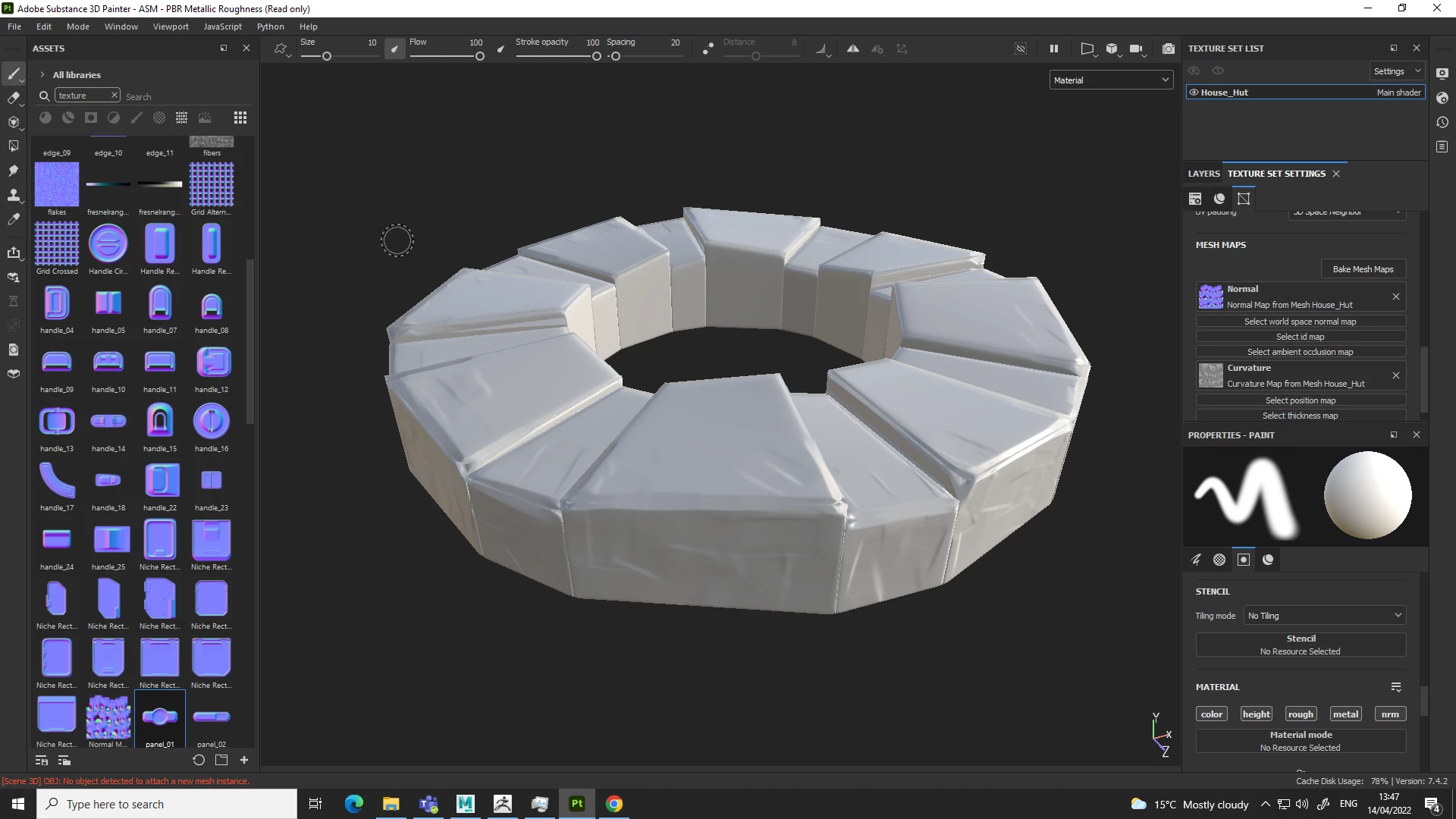
I need help with substance painter baking.


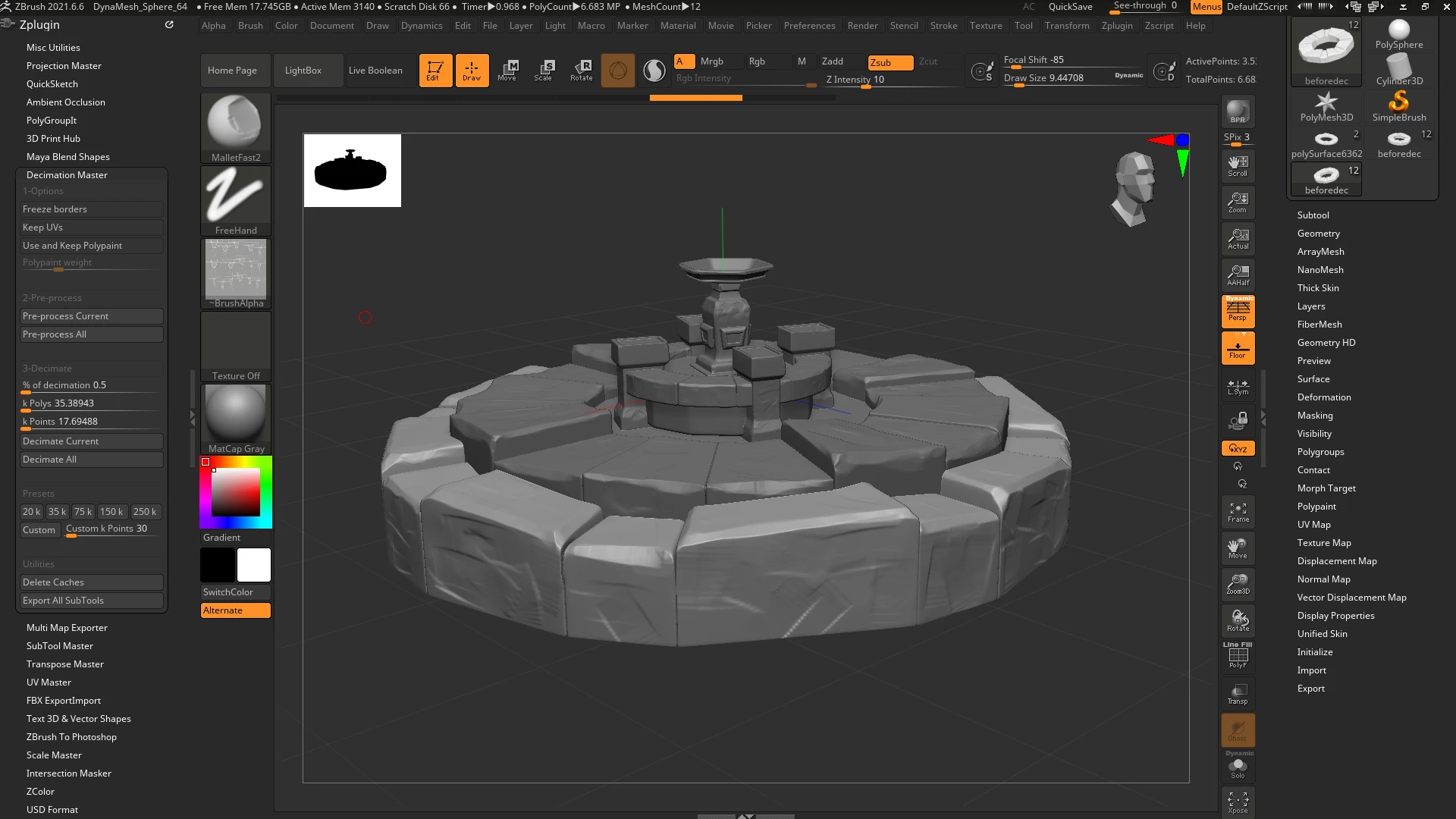
For example: I model a low poly cube in Maya with supporting edge loops to make a defined edge. I then take this to zBrush and use sculpting brushes like Trim Dynamic and hPolish to create a nice edge / worn out corner. 


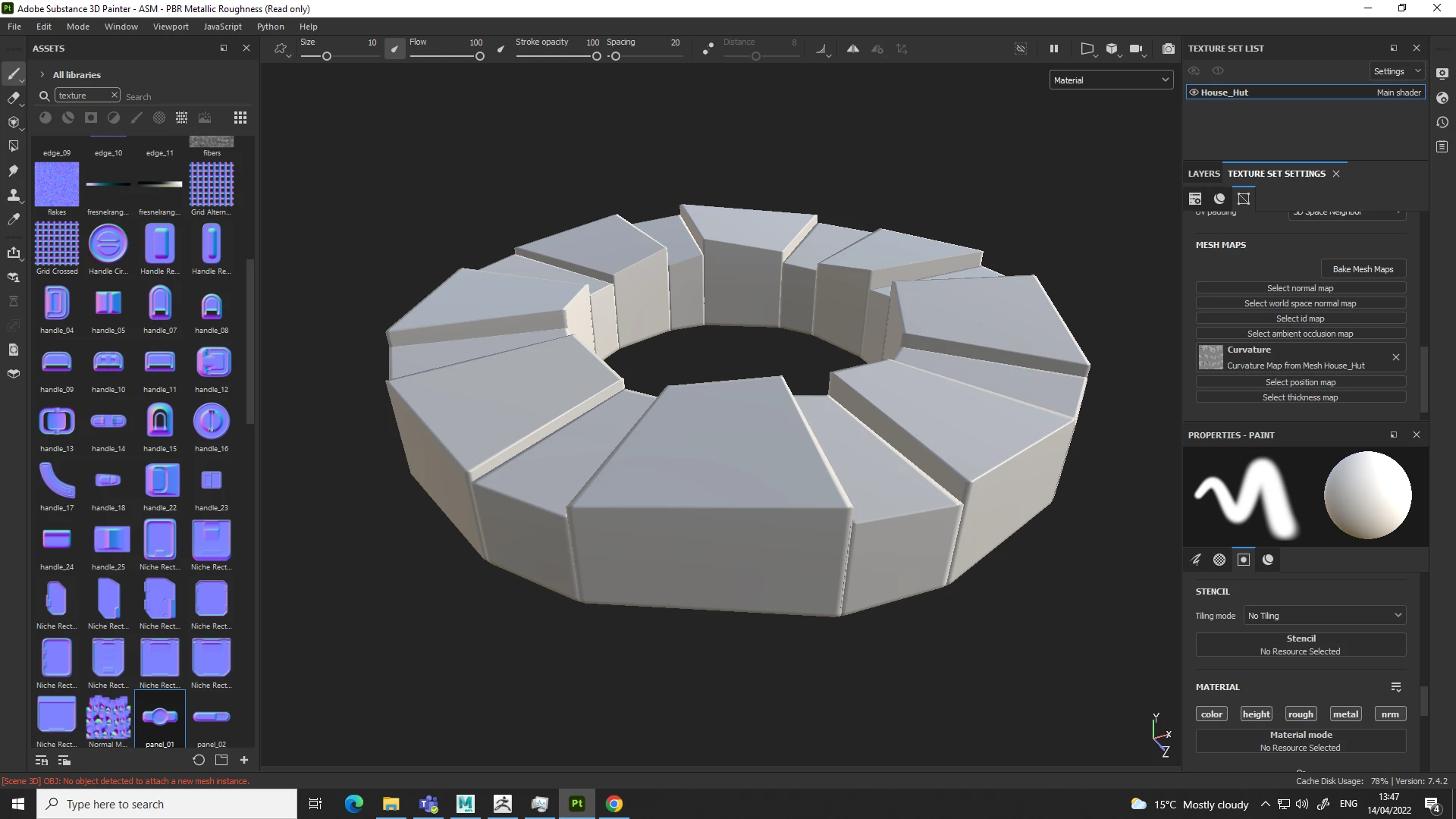
When baking the high poly to low poly in Painter, the corners of the low poly cube stay at a cube and does not dispalce or deform to the zbrush model.


I'll attach pics here to help/


This topic is closed to new replies. Start a new post to keep the conversation going.

2 replies

davescm
Community Expert
Community Expert
Apr 14, 2022 10:29 PM UTC

As Geoffroy says, normals only simulate surface detail in shading, the actual edges and corners remain in the same place. This will be particularly evident when viewing straight edges and sharp corners.

Try starting with the high poly sculpted mesh and use that to produce a low poly mesh by decimation (in Maya Mesh -Reduce). That way you are more likely to keep enough polygons to make your corners closer to the high poly version.


Dave

Translate
GeoffroySC
Community Manager
Community Manager
Apr 14, 2022 1:38 PM UTC

Hi,

I'm not sure what your issue is? Your normal map can't change the shape of your mesh. 

Would you be so kind as to give more details on what you're expecting and doing, please? 

Thank you,

Kind Regards,

Geoffroy SC

Translate