Participant
January 11, 2025
Answered

Substance Painter - Black Mask Blending the Overlapping Materials

  • January 11, 2025
  • 2 replies
  • 495 views

Hello,

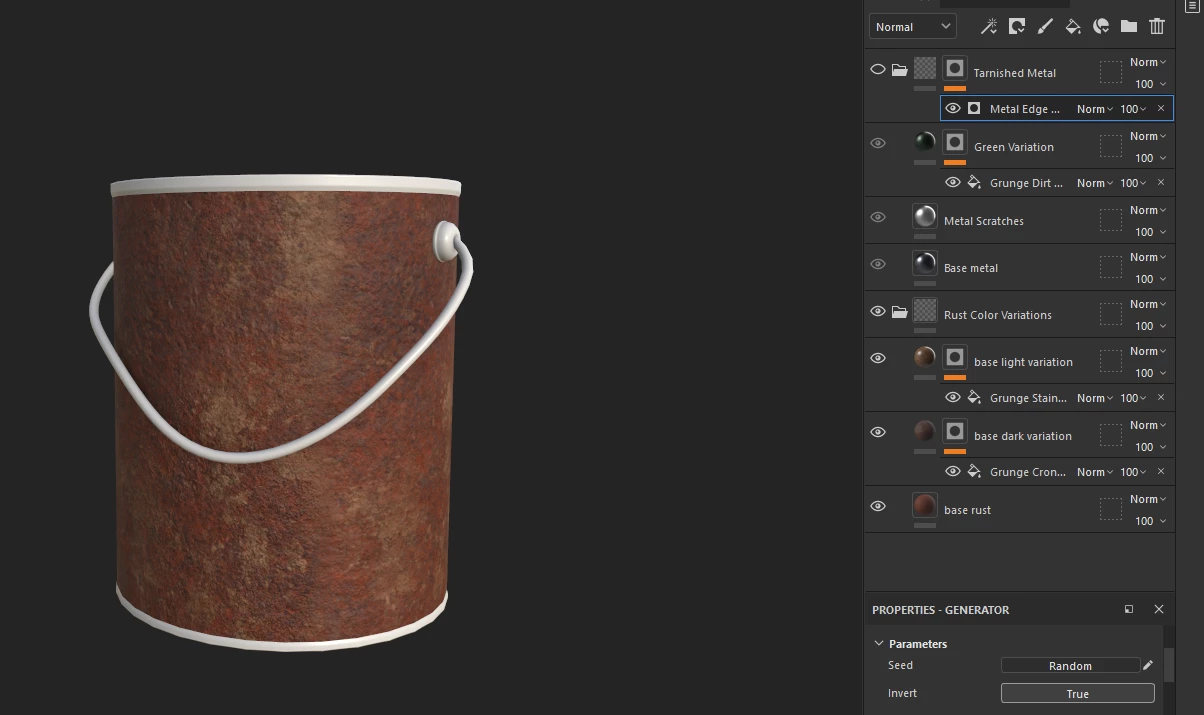
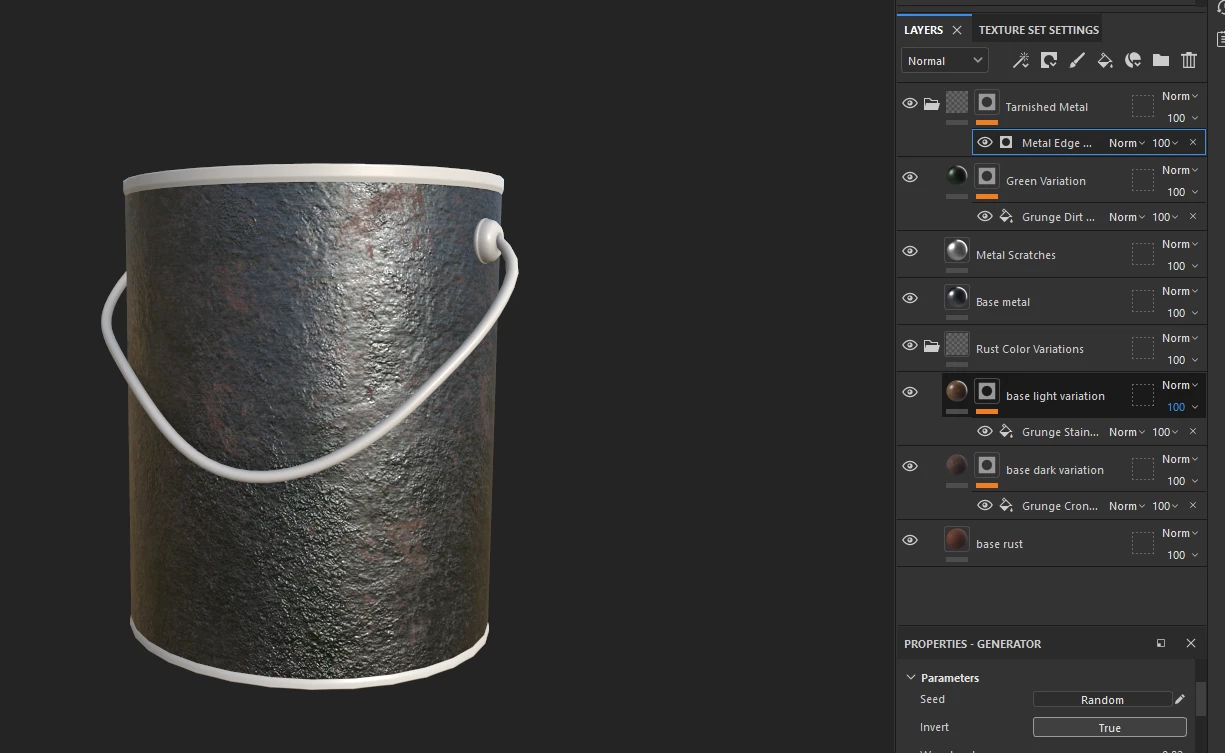
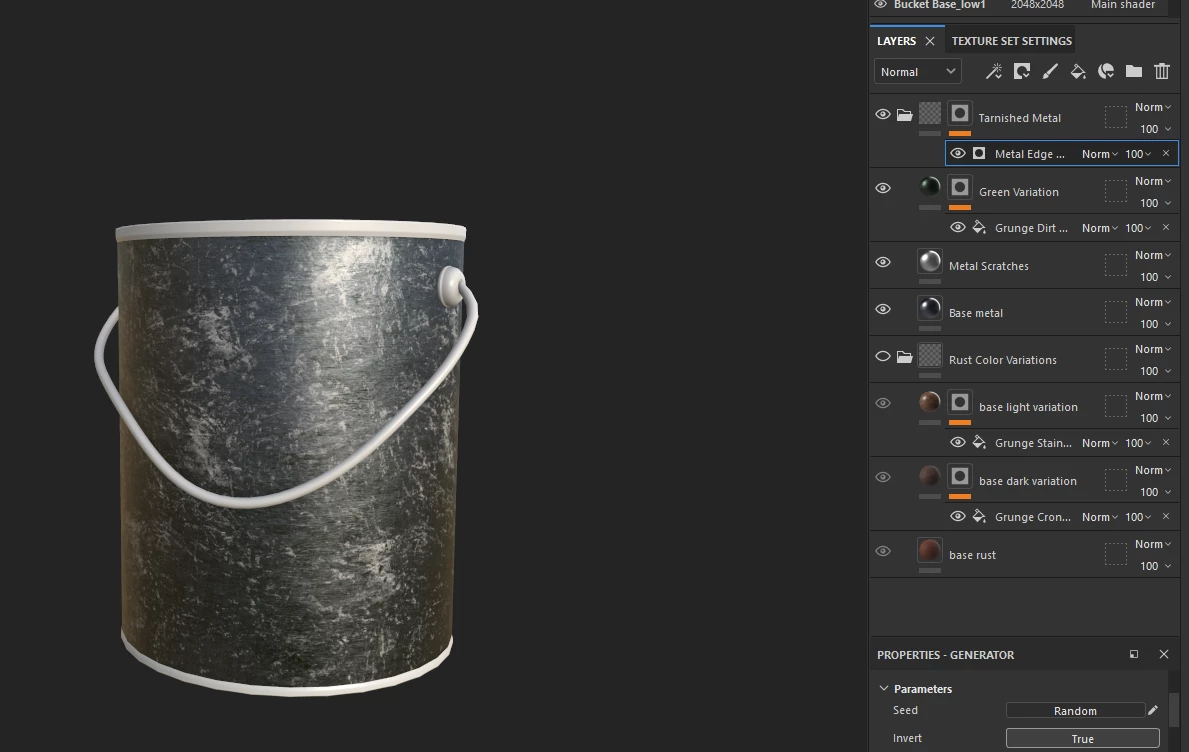
I have two separate folders here for metal and rust, the metal folder has a black mask that's supposed to completely cover the rust folder so that only small sections of the metal are chipped off, but the metal ends up blending with the rust and I have no idea how to fix this.
I have swapped all of the blending modes to normal, which did not fix it.

Image 1: Everything visible - Image 2: Metal folder black mask visible - Image 3: Rust folder visible
Correct answer Luke261767035u35

Hey, thanks!
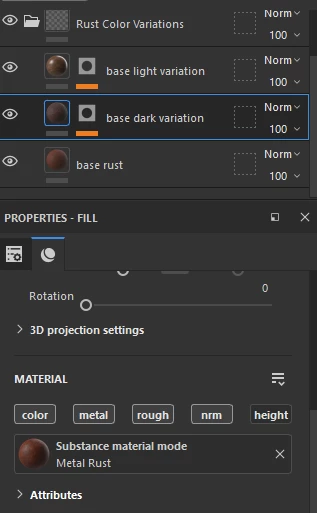
The problem turned out to be that I had height enabled in the material properties tab.


2 replies

Cyril Dellenbach
Community Manager
Community Manager
January 13, 2025

Hello Luke,


Thank you for the message.


Make sure to switch the blending mode in the height Channel too.


Let me know if this helps.


Cyril Dellenbach (Micro) | QA Support Artist | Adobe
Luke261767035u35AuthorCorrect answer
Participant
January 13, 2025

Hey, thanks!
The problem turned out to be that I had height enabled in the material properties tab.


kglad
Community Expert
Community Expert
January 11, 2025

in the future, to find the best place to post your message, use the list here, https://community.adobe.com/

p.s. i don't think the adobe website, and forums in particular, are easy to navigate, so don't spend a lot of time searching that forum list. do your best and we'll move the post (like this one has already been moved) if it helps you get responses.


<"moved from using the community">